
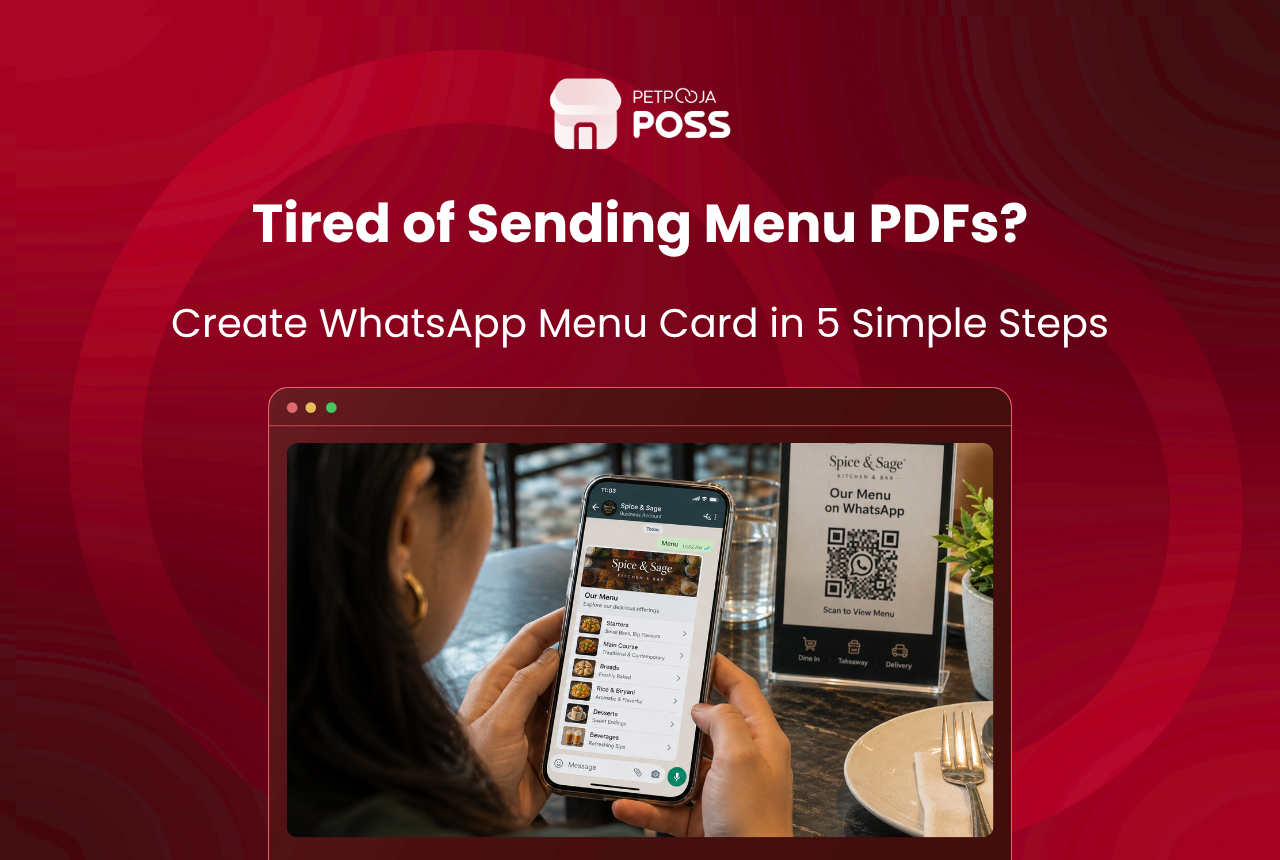
A WhatsApp menu card is your menu built inside the free WhatsApp Business app. Customers see your dishes and prices in the chat, instead of asking you to send a photo.
WhatsApp calls this a catalogue, and describes it as a way to showcase what you sell in a mobile storefront. For a restaurant, the groups it calls collections are your menu sections.
It takes an afternoon to build and costs nothing. It also has three real limits, and this post covers those too.
Key Takeaways
- A WhatsApp menu card is the catalogue in the free WhatsApp Business app
- Five steps: install the app, fill the profile, add items, group them, share the link
- WhatsApp reviews every item before customers see it
- Prices never update on their own; you edit each item by hand
- A QR menu from your POS suits a menu that changes often
What Is a WhatsApp Menu Card?
A WhatsApp menu card is the catalogue feature in the WhatsApp Business app, filled with your dishes. This section covers what it is, what it costs and what you give up by using it.
Where the Catalogue Lives
WhatsApp’s own business app features page describes the catalogue as a way to “showcase your products and services in a mobile storefront and group similar items into collections”. Each item holds a photo, a name, a price, a description and an optional link.
How Customers Reach It
Customers reach the catalogue from your chat or your business profile. They browse, tap an item, and send it to you as a message. That message is how the order arrives.
What It Costs
There is no charge for the catalogue, and it runs on the Business app rather than the paid WhatsApp Business API. A single owner with a phone can build one without help.
The trade is that it is a separate copy of your menu. Nothing feeds it, so it is only as current as the last time somebody opened the app and edited it.
What Do You Need Before You Build a WhatsApp Menu Card?
You need three things to hand and one decision made before you open the app. Getting them together first is what keeps the build to a single afternoon.
A Business Number
The Business app needs a number that is not already running ordinary WhatsApp. Use a second number, or convert your existing personal WhatsApp into a business account. One number cannot run both apps.
Photographs of Your Dishes
One clear photo per item, shot in daylight against a plain surface. This is the part that takes longest, so do it in one sitting rather than dish by dish.
Your Current Price List
Export it from wherever your prices actually live. If your restaurant POS holds the menu, take the list from there rather than from a printed card that may be out of date.
Your Menu Sections
The decision is your sections. Write them down in the order a customer reads them, because you will build the catalogue in that order and reordering later is fiddly.
How Do You Set Up a WhatsApp Menu Card?
The five steps below take you from a blank app to a menu link you can send. The exact path shifts between app versions and between Android and iPhone. Treat the wording as a guide and look for the same labels in your own app.
Step 1: Install WhatsApp Business
Download the WhatsApp Business app, which is separate from ordinary WhatsApp and free. Register it on your restaurant’s number.
If that number already runs a personal WhatsApp, the app offers to convert the account and bring your chat history across. Do this on a quiet afternoon, not during service.
Step 2: Fill in the Business Profile
WhatsApp’s business app features page calls the profile a virtual storefront holding your logo, business description, hours and website. Fill all of it.
The profile is what a new customer sees before they see a single dish. An outlet with no hours and no address reads as closed, even when the catalogue behind it is complete.
Step 3: Add Your Dishes to the Catalogue
Open the catalogue from Business Tools and add items one at a time. Each item takes a photo, a name and a price, plus a short description and a link if you want them.
Write the description like a menu line, not a paragraph. Name the portion, the heat and anything a customer would otherwise message you to ask.
This is the same craft as writing a printed menu, and it pays off the same way. Our guide to menu descriptions covers how wording changes what people order.
One part of the menu cannot go in at all. WhatsApp’s commerce policy bans alcohol and tobacco from its business services, and it names catalogues as one of the places that rule applies. So a pub can list its food and its mocktails, but the beer stays on the printed card.
Every item goes to WhatsApp for review before it appears. Its catalog help page says items are only visible once approved. A rejected item is marked, and you can ask for another review.
The review is usually quick. It still means you cannot add a dish at six and expect customers to see it at seven.
Step 4: Group the Dishes into Collections
Collections are WhatsApp’s word for groups, and that same features page lists them as a way to make browsing simpler. For a restaurant they map onto your menu sections.
Build the same sections a customer already expects. Starters, mains, breads, rice, desserts, drinks. A catalogue of eighty items with no collections is a scroll, not a menu.
Keep the order sensible too. What you want to sell goes near the top, because most people never reach the bottom of a list on a phone.
The same thinking that governs a printed card applies here. Our menu card design rules cover where the eye lands and what to put there.
Step 5: Share the Catalogue Link
Your catalogue has a link. Send it in chat, pin it as a message, and put it wherever customers already look.
Add it to your Instagram bio, print it on the bill, and put it on the table talker beside your existing signage. A menu nobody can find is the same as no menu.
Set a greeting message that sends the link on its own. The Business app can send a custom welcome message to anyone who writes in for the first time. The catalogue link is the most useful thing to put in it.
If you already run campaigns on the channel, the catalogue gives them somewhere to land. Our guide to WhatsApp marketing for restaurants covers the wider use of the number.
What are the Limits of a WhatsApp Menu Card?
The first limit is that nothing keeps the catalogue current for you. Three matter in all, and none of them shows up until you have built the thing.
You Update It by Hand
The catalogue is a separate copy of your menu. When you change a price at the counter, the WhatsApp price stays where it was until somebody edits that item by hand.
New Items Wait for Review
A new item is checked before it goes live, and that makes a catalogue a poor fit for anything that moves fast. WhatsApp’s catalog help page, cited in step 3, sets that out. A daily thali that changes at noon does not belong in it.
Orders Do Not Reach Your Kitchen
An order arrives as a chat message. Somebody still reads it, keys it into billing and sends the KOT, which is where mistakes creep in on a busy Saturday.
That gap is what an online food ordering integration closes on the channels that do connect to your billing system. The order lands in the system rather than in someone’s inbox. A cloud kitchen in Kharadi taking forty chat orders on a Friday night feels this quickly (an example).
None of this makes the catalogue useless. It makes it something that needs somebody to look after it.
How Do You Keep a WhatsApp Menu Card Up to Date?
Keeping a WhatsApp menu card current comes down to giving it an owner and a fixed day. A catalogue nobody owns drifts within a month, and a wrong price on WhatsApp is an argument at the counter.
Give It an Owner and a Day
Pick one person and one weekday. A café in Vastrapur that opens the catalogue every Tuesday morning stays current. The same café waiting for someone to notice a wrong price does not (an example).
Tie the Check to a Change You Already Make
Tie that weekly look to the thing that already changes. If you revise prices when a supplier rate moves, the catalogue edit belongs in that same job, not in a separate reminder.
Seasonal menus need a diary note of their own. A bar in Aundh swapped its winter list in February 2026 and left the old one live on WhatsApp. Staff spent a fortnight explaining the mismatch to customers (an example).
Delete What You Stopped Serving
Delete rather than hide. Items you have stopped serving should come out, because a customer who orders a dish you dropped in March 2026 blames you, not the app.
WhatsApp Menu Card or QR Menu: Which Fits Your Restaurant?
If that upkeep is more than you want to take on, the other route is a menu that updates itself. The answer turns on how often your prices move and whether you want orders to reach the kitchen on their own. The table below sets the two side by side.
| Where they differ | WhatsApp menu card | QR menu from your billing system |
|---|---|---|
| Cost to start | Free | A marketplace add-on on your POS plan |
| Who updates prices | You, item by item | Changed once in the POS |
| Delay before a new item shows | Waits for WhatsApp’s review | Immediate |
| Where the order lands | A chat message | In billing, then the KOT once staff confirm |
Restaurants billing on Petpooja can add Scan & Order, which makes a QR code for each table. The customer scans it, opens the menu and orders, and can order again later in the meal. Staff confirm the order with a code on the customer’s phone, and the KOT goes to the kitchen from there.
The split is simple. If your menu is stable and you just want people to stop asking for a photo, the catalogue does that for nothing. If prices move often, or you want orders to reach the kitchen on their own, a QR menu earns its place.
Plenty of outlets run both. The catalogue answers the enquiry, and the QR code takes the order at the table.
What Else Can Carry Your Menu?
Two other routes sit outside this comparison, and both suit a menu that moves. A restaurant website carries the full menu, takes orders directly, and gives you a link that never waits for review.
Our guides to building a restaurant website and why outlets need a site cover that route.
A screen on the wall is the other one, and it does work a phone cannot. Our digital menu display guide covers menu boards.
About Petpooja
Petpooja is the restaurant POS behind more than 1,00,000 outlets in India, and it does more than print a bill. Sales, purchases and stock sit in one system, so the numbers you run the place on are in one place rather than three books.
Its AI Inventory Agent keeps stock levels updated on its own, so you can see what is actually sitting in your stockroom without counting it first.
Conclusion
A WhatsApp menu card is worth an afternoon. It costs nothing and it sits where your customers already are. It also ends the daily job of sending menu photos one at a time.
Build it in five steps. Install the app, fill the profile, add the dishes, group them into collections, then share the link everywhere people look for you.
Go in knowing what it is. It is a copy of your menu that somebody has to keep current, and it stops at the chat window.
A WhatsApp menu card will do that job well. Two things sit outside it: changing a price everywhere at once, and sending the order through to the kitchen. Both are what your restaurant POS is for.
Frequently Asked Questions
Yes. The catalogue sits inside the free WhatsApp Business app, and there is no charge for adding items or sharing the link. You only pay if you move to the WhatsApp Business API, which is a separate product for larger senders.
WhatsApp does not publish a figure we could verify, so check what your own app allows before planning a very large menu. The bigger problem is browsing, because people stop scrolling long before the end of a long list. Collections matter more than the ceiling does.
They can send you an item as a message, which starts the order. It does not reach your billing screen or print a KOT on its own, so somebody has to key it in.
Each item is reviewed before customers can see it. The review is usually quick, but it is not instant and no time is guaranteed. Add anything time-sensitive well before you need it live.
You need a number that is free to run the Business app. Use a second number, or convert your existing personal WhatsApp into a business account, which brings your chat history with it. What you cannot do is run both apps on one number.
They solve different problems. The catalogue is free and answers enquiries in chat. A QR menu from your billing system updates the moment you change a price and sends the order to the kitchen, which matters more once your menu moves often.








