
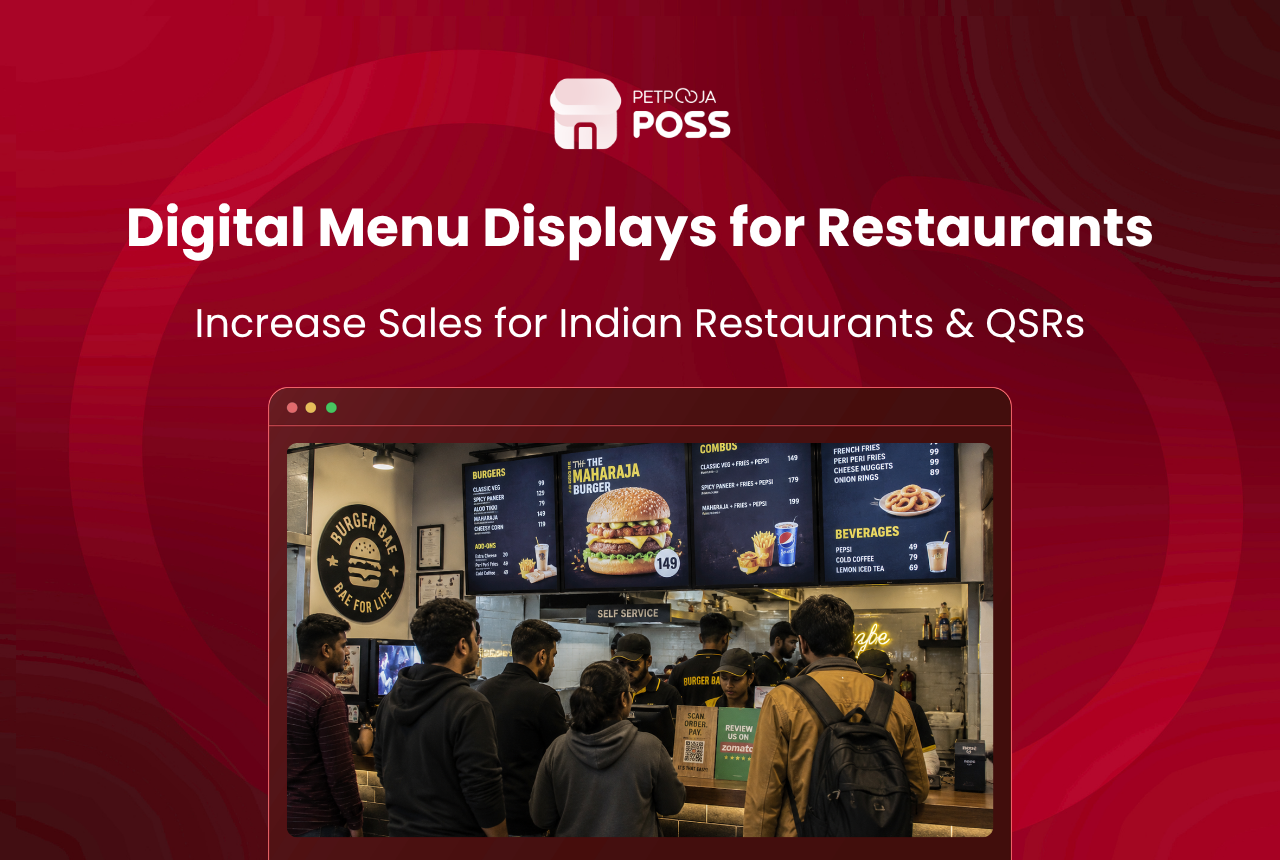
A digital menu display is a TV or monitor inside your restaurant that shows food items, prices, dish photos, and running offers. You change a price from your phone, and every screen in every outlet picks it up in seconds. The laminated booklet gathering dust behind your billing counter? This replaces it.
Below: which display types Indian restaurants actually use, where to place them, what setup involves, and some expensive mistakes to dodge along the way.
Key Takeaways
- A digital menu display is a TV showing your menu items, prices, combos, and offers. Updated from your phone or dashboard in real time.
- Runs on any Android TV (v7.1.1+, 32 inches or larger). No specialised hardware.
- Indian QSR chains and dine-in restaurants adopt these to cut reprinting costs, speed up ordering, and push high-margin items like desserts and beverages.
- Offline-safe. Wi-Fi drops, the screen keeps playing the last synced content.
How It Works and What Setup Looks Like
Most restaurant owners picture a complicated IT project. The reality is closer to installing an app on your phone.
Take a TV. Could be one already on the wall, or a new 32-inch Android TV bought for ₹12,000 to ₹18,000. Install a display app on it. Pair it with your restaurant dashboard. Price change for paneer tikka? Shows up on the TV the moment you hit save. Sold-out tag on mutton biryani? Same thing. A Navratri thali combo that goes live at 6 PM and vanishes at midnight? One tap.
No USB pen drive making rounds between outlets every Tuesday. No WhatsApp message to the designer at 11 PM saying “bhai, menu mein rate change karna hai”. Content lives on the cloud, and the TV pulls it over Wi-Fi or LAN.
The hardware list is short:
- An Android TV, version 7.1.1 or above, Play Store access. Most models sold in India since 2019 qualify
- Wi-Fi or a LAN cable. Screen caches content locally, keeps playing last synced playlist even if internet drops
- A restaurant management app with display support. Petpooja POSS, for instance, has a built-in Digital Display System where you open the Merchant app, create a device, scan a code on the TV, and screens are linked. Five minutes, done
- Food photos. Phone camera quality is enough to start. Even a phone-shot plate of dal makhani on a 43-inch screen beats the same dish described in 12-point text on a laminated card
In short: a digital menu display runs on any Android TV (v7.1.1+), connects to a cloud dashboard over Wi-Fi or LAN, and reflects menu changes within seconds. No specialised hardware, no IT team, setup under five minutes.
Multi-outlet chains get centralised control. Each TV gets its own name, playlist, and schedule. A biryani brand with locations in Jubilee Hills and Gachibowli can push different specials to each branch from one dashboard. Same approach that works for table management across outlets.
Display Types and Which Outlet They Fit
| Type | Best for | What it shows |
|---|---|---|
| Wall-mounted menu board | QSRs, fast food counters, takeaway joints | Full menu with images and prices |
| Freestanding display | Fine-dine entrance, hotel lobbies | Today’s specials, chef picks |
| Counter-facing screen | Billing counter, food courts | Combos, add-ons, loyalty rewards |
| Kitchen-facing display | Back of house (linked to KDS) | Order queue, KOT status |
| Window-facing screen | Street-front outlets, kiosks | Offers, new launches, festive deals |
Indian restaurants use five main types of digital menu displays: wall-mounted boards for QSRs, freestanding panels for fine-dine entrances, counter-facing screens for billing areas, kitchen-facing displays linked to KDS for order queues, and window-facing screens for street-front outlets.
A QSR in a mall food court gets away with one board behind the cashier. A fine-dine place running 80 covers in Banjara Hills, Hyderabad might need a screen at the entrance for the tasting menu and another near the bar for cocktails. Same hardware. Nothing else in common.
What Actually Goes on the Screen
Most first-time buyers think of this as “my printed menu, but on a TV.” That undersells it.
A printed menu gives you text and maybe six photos if the designer felt generous. Fixed layout. Same at 8 AM and 11 PM. A digital board gives you motion, daypart scheduling, and the option to pull an item off before the lunch rush because the kitchen ran out of stock.
Across Indian restaurants, the typical content mix looks like this:
Full menu with dish photos and pricing. A high-res image of butter chicken at eye level with ₹380 in large text below it. That sells the dish. “Butter Chicken… ₹380” in Times New Roman on a laminated sheet does not. Getting those prices right matters, and a menu pricing calculator helps before the numbers go up on the board.
Daily specials. A thali place in Vastrapur, Ahmedabad rotates a Rajasthani thali spotlight every Thursday. One tap from the owner’s phone pushes it to the screen. A Gujarati fasting menu goes up during Navratri the same way.
Festival and combo banners. Eid biryani platters, cold coffee buy-one-get-one through April and May, Independence Day meal deals. Rotate between menu slides without printing a single poster.
Desserts and add-ons after the main course block. This one pays for the TV. Nobody flips to page 4 of a paper menu after picking their main course. But a gulab jamun photo sliding across the display while they wait? That ₹80 add-on lands on the bill more often than owners expect. The food cost calculator helps figure out which items carry the best margin for the rotating block.
Short video clips. Ten seconds of a sizzler landing on a wooden board, or a kulfi being sliced tableside. Video grabs attention in a way no photograph matches.
Some restaurants also use a slide to show their FSSAI licence number and food safety board, which is a mandatory display requirement at all food premises in India. One screen handles both marketing and compliance.
Digital menu boards in Indian restaurants typically show full menus with dish photos, daily specials, festival combo banners, rotating dessert and add-on items, short video clips, and FSSAI compliance information. Content is scheduled by daypart: breakfast items from 7 to 11 AM, lunch combos until 3 PM, and dessert spotlights after 7 PM. Build the schedule once and forget about it.
Why Indian Restaurants Are Making the Switch
India’s food services market is on track to cross US $125 billion by 2030, with QSRs and organised chains growing at 17%+ CAGR. As outlets scale, static printed menus become harder to manage. Three reasons keep coming up.
The printing bill nobody adds up. Consider a mid-sized restaurant in Pune that changes prices twice a year and pushes monthly specials. Between laminated table menus, counter standees, and takeaway flyers, annual print spend lands between ₹15,000 and ₹25,000 per outlet. Ten outlets? That crosses ₹1.5 lakh a year spent on paper menus alone. A digital display erases that after a one-time TV purchase.
The ordering queue actually moves. When a guest sees a dish photo with the price in large text from 3 metres away, the back-and-forth with counter staff shrinks. A 2025 report by Rise Vision noted a 5% average sales lift in outlets running digital menu boards. Faster ordering and better visibility across the full menu drove most of that gain.
Beverages and desserts stop being invisible. At Petpooja, this pattern caught our attention across chains. Cold coffees, mocktails, and desserts sit buried on page 3 of a printed menu. Nobody browses that far. Once those items moved to a rotating board, orders climbed. The same Rise Vision report found roughly 80% of consumers were more inclined to pick up an item once a digital sign placed it in front of them.
Where to Mount the Screens
A screen nobody looks at is just a TV playing to itself.
Behind the billing counter. The Haldiram’s and McDonald’s position. Guest already faces that direction while ordering. Best for QSRs and takeaway counters.
Near the entrance or waiting area. For example, a 20-cover place on FC Road in Pune mounts a panel by the door showing today’s specials. By the time the guest sits down, the featured dish is already in their head. Works well if the outlet is focused on turning tables faster.
On the dining floor. Screen near the dessert counter or bar area. Guest spots a brownie sizzler rotating on display, flags the waiter. No verbal pitch needed.
Street-facing or window-mounted. A digital menu visible from the pavement pulls walk-ins during the lunch rush in busy stretches like Connaught Place in Delhi or Brigade Road in Bangalore.
The four most common placements for digital menu displays in Indian restaurants are behind the billing counter, near the entrance or waiting area, on the dining floor near dessert or bar counters, and street-facing for walk-in traffic.
Mistakes Worth Knowing About Before You Buy
The PDF-on-a-TV trap. Owners paste their entire 8-page printed menu onto one frame in small font. Nobody reads past the second row from more than a metre away. Stick to 8 to 10 items per screen. Let the playlist rotate through categories.
Same static image for 14 hours. The breakfast crowd should not be staring at the dinner buffet banner. Build at least three playlists: morning, afternoon, evening.
Living room panel under restaurant lighting. Consumer TVs built for dim bedrooms wash out when tube lights and window glare hit them. Look for 350 nits brightness minimum. Go commercial-grade if the space has large windows.
Audio left on by default. Video loops with sound fight the background music in the restaurant. Mute the display output. Visuals alone do the selling.
Conclusion
A digital menu display moves your menu from paper to a screen you update from your phone. Prices change in seconds. Combos follow a time schedule. Desserts and beverages rotate into view without anyone on staff having to suggest them. The TV itself costs as much as a few months of menu printing, and the display software typically sits inside your existing POS. Setup takes less time than a staff briefing.
Frequently Asked Questions
Yes. Screen caches the last playlist. Wi-Fi drops, menu keeps playing. Updates sync once connectivity returns.
Each TV gets a separate name and playlist. Full menu at the entrance, only beverages near the bar, combo offers at the counter. One dashboard controls all of them.
32 inches for counter displays. 43 inches or larger for wall-mounted boards read from 3 to 4 metres away. Android v7.1.1 or higher required.
Completely different purpose. A digital menu display is view-only. Guests look at it, decide, order with staff. A self-service kiosk lets them tap, select, and pay on the screen itself. Many QSRs now run both.
No. Upload food images, pick a playlist, that is it. Marking an item sold out or pushing a new daily special takes a few taps. Worth folding display checks into the restaurant opening and closing checklist so it becomes part of the morning routine instead of something someone remembers at noon.








