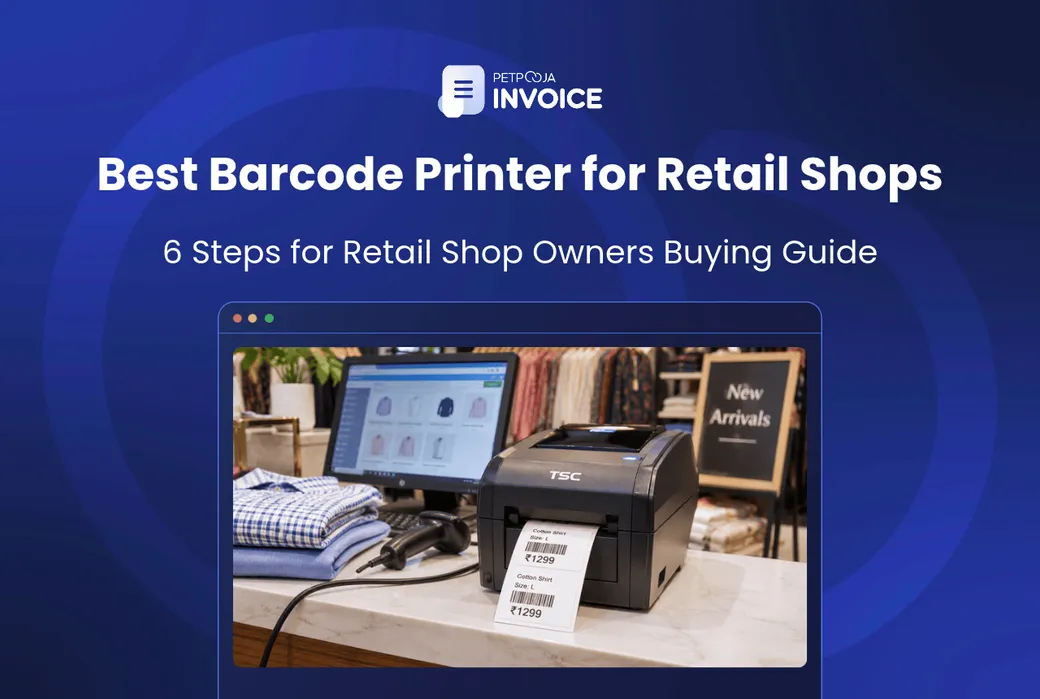



How do you choose a barcode printer for a retail shop? You work through 6 steps, and for most shop owners they end at a small 4-inch desktop printer. The first step is checking whether you need one at all.
What changes the answer is your stock. Packed goods often carry a barcode already. Loose items, garments and goods you pack yourself do not. Then two things decide the rest: how long the label must last, and how small it is.
This guide takes Indian retailers through the 6 steps in order, with the price ranges sellers list. It then shows the full counter setup, so the code you print turns into a bill when the cashier scans it.
Key Takeaways
- Most shops land on a 4-inch desktop printer at 203 DPI. What you really choose is how long the label must last.
- A printed code saves nothing until your billing software knows its item.
- Branded packs usually carry the maker’s code already, which shrinks the job.
- A label that fades before the stock sells becomes a hand-typed bill.
How to Choose a Barcode Printer for a Retail Shop
Choosing a barcode printer comes down to 6 decisions, made in this order. Each step narrows the next one, so a shop owner who follows them rarely buys more machine than the work needs.
Suggested 6 steps:
- Check whether your retail shop needs a barcode printer
- Pick the barcode printer type by where you print
- Pick direct thermal or thermal transfer printing
- Pick the label width and DPI
- Check how the barcode printer connects
- Budget for labels and ribbons
1. Check Whether Your Retail Shop Needs a Barcode Printer
Start by looking at your shelves, because many items may already carry a barcode. GS1 India tells manufacturers to “integrate the barcode into the product’s packaging design”. It says the standard format allows “quick scanning at points of sale”.
Most branded packs on your shelf, like biscuits, soap or shampoo, will already carry the maker’s code. Check a few before you buy. Billing software with barcode scanning can read that code, once you add the item to your item list.
A printer earns its place on stock with no code of its own:
- Loose items, like dry fruits weighed into packs at a store in Gandhinagar
- Garments, where each size and colour needs its own tag
- Goods you pack and sell under your own name
- Unbranded hardware parts, gift items and stationery
If most of your stock is branded packs, you may only need a few labels a week. A basic desktop printer is enough for that (step 2).
2. Pick the Barcode Printer Type by Where You Print
The type depends on where the labels get printed and how many. There are three, and most retail shops need the first.
- Desktop barcode printer. The small, boxy one beside the billing counter. Most retail shops start here.
- Industrial barcode printer. The larger machine for long runs, like a wholesaler in Bhiwandi labelling a full truckload. It is usually more machine than a single counter needs.
- Mobile barcode printer. Small enough to carry, for shelf labels and price changes while you stand in the aisle.
The GS1 barcode printing playbook (June 2026) calls desktop label printers “compact printers designed for small to medium printing volumes”. It says retailers commonly use them.
Seller listings for industrial barcode printers show wider 6-inch print widths. Listings for portable barcode printers mostly print 2-inch to 4-inch labels.
3. Pick Direct Thermal or Thermal Transfer Printing
A thermal barcode printer prints in one of two ways, and the choice decides how long your labels last. Direct thermal uses no ribbon. Thermal transfer uses a ribbon. Some printers can do both, so ask the seller.
Direct Thermal: No Ribbon, Shorter Label Life
In direct thermal printing, the print head heats a heat-sensitive label, and the heat itself makes the black marks. There is no ribbon to buy. The GS1 playbook mentioned above says this method “is often used for shorter life span labelling applications.”
That suits stock that sells within weeks, like grocery items or bakery packs. Keep the rolls away from heat and sunlight, since the label reacts to heat. Faded labels lead to hand-typed bills, one of the inventory mistakes retail stores pay for later.
Thermal Transfer: Ribbon, Longer Label Life
In thermal transfer printing, the print head heats a ribbon, and the ribbon carries the ink onto a plain label. The same GS1 playbook says it is used for “high-quality and durable printing”.
Choose it for stock that sits for months. Think of electronics boxes, hardware parts, or a saree shop in Surat whose stock, bought in July 2026, waits for the November wedding season. You pay for a ribbon roll as well as labels. Pick a ribbon at least as wide as your label roll.
Direct thermal Print head Heat-sensitive label, no ribbon Used for shorter-life labels Thermal transfer Print head Ribbon Ribbon carries the ink onto a plain label Used for durable labels The two thermal print methods, one above the other. Green: the heat-sensitive label used in direct thermal printing. Amber: the ink ribbon used in thermal transfer printing. White: the plain label the ribbon prints onto.So the question to ask is simple: will this label still be on the shelf in three months? If yes, budget for a ribbon.
The label material matters too. Paper or chromo (glossy coated paper) labels are usually fine for packs that stay dry. Synthetic labels are the safer pick for garment tags that get handled, or packs that may get wet.
4. Pick the Label Width and DPI
Most retail shops do well with a 4-inch printer at 203 dots per inch (DPI). Shops with very small labels gain from 300 DPI. If you plan to print QR codes, check that your printer and scanner handle 2D codes. The GS1 playbook mentioned in step 2 says the industry goal is for all retail point-of-sale systems to read GS1 2D barcodes by 2027.
Print Resolution: 203 vs 300 DPI
DPI is the number of dots the print head places in one inch. At 203 DPI, that is about 8 dots per millimetre (203 divided by 25.4). At 300 DPI, it is about 12. More dots mean sharper thin bars and small text.
The GS1 playbook gives a warning about very small barcode elements. It says they “may reduce scanner readability if print quality, substrate quality, or scanner resolution are insufficient.” So a jeweller’s small tag is where 300 DPI pays off. A 50 by 25 mm notebook sticker is fine at 203.
Label Width: Why 4 Inches Covers Most Labels
The printer’s width sets the widest label it can print. 2-inch and 3-inch printers suit small tags only. A 4-inch printer prints up to about 104 mm across. Common roll sizes include 50 by 25 mm, 38 by 38 mm and 100 by 50 mm. Many shops buy “2-up” rolls, with two labels side by side.
4-inch printer: up to about 104 mm 100 by 50 mm label “2-up” roll: two 50 by 25 mm labels 38 by 38 mm label Common label sizes from the roll listings, drawn to scale under a 4-inch printer’s print width (black bar). White: the label. All of them fit inside about 104 mm.So before you order, measure the widest label or 2-up row you plan to print, and keep it under 104 mm.
5. Check How the Barcode Printer Connects to Your Billing Software
This step decides whether the printer works with the computer or phone you already own. USB is the usual link to a counter computer. Some models also offer a network cable, Bluetooth or Wi-Fi, which matters if you print from a phone or from more than one counter.
Then check the software that lays out the labels. Ask the seller which label design software comes with the printer, and which systems its drivers support. Then print the item name and price from the same item list you bill from, so the label and the bill always match.
The codes on the label must match the item codes in your billing software, letter for letter. For stock keeping unit (SKU) codes, our barcode and SKU setup guide shows how to number items, sizes and colours.
6. Budget for Labels and Ribbons
The printer is a one-time cost, but you pay for labels and ribbons every time you restock them. The table summarises the price ranges we read on IndiaMART on 5 November 2026.
| Barcode Printer Type or Supply | Price Range in IndiaMART Seller Listings (Our Summary, 5 November 2026) |
|---|---|
| Desktop barcode printer | Most listings about ₹8,000 to ₹25,000 |
| Industrial barcode printer | Most about ₹40,000 to ₹90,000; a few high-end models about ₹2,50,000 to ₹3,30,000 |
| Mobile (portable) barcode printer | Most about ₹6,000 to ₹20,000 |
| Barcode label roll (paper or direct thermal) | Most about ₹100 to ₹280 a roll |
| Thermal transfer ribbon | Most about ₹130 to ₹700 a roll; many listed at 300 metres long |
These prices were listed by sellers on IndiaMART at the time of writing. Listings change, so check the current price with the seller before you buy.
Printer and label prices come from the category pages for barcode printers and barcode label rolls, plus the two printer pages in step 2.
Ribbon prices come from the ribbon listings.
Labels per roll vary a lot between listings, so compare the price per label, not per roll:
- Label cost per label = roll price ÷ labels on the roll
- Ribbon cost per label = ribbon price ÷ (ribbon length ÷ label length including the gap)
A ₹100 roll of 1,000 labels (an example) works out to ₹0.10 a label. Keep a spare roll and track it in your stock inventory template like any other supply.
Barcode Billing Counter Setup for Indian Retailers
A barcode printer only prints the code. The full counter needs four things working together, and the billing software is the one that turns a scan into a sale.
- Barcode printer, to label loose, garment and own-packed stock
- Barcode scanner, to read the code at the counter
- Billing software, which holds the item list, the prices and the GST rates
- Label stock and ribbons, matched to the printer and the shelf life
Here is what happens at the scan. The software finds the item by its code and adds it to the bill with its price. It applies the GST rate saved against that item. It then takes one piece off your stock count.
That chain only works if each item was set up first, with its code, price, Harmonised System of Nomenclature (HSN) code and GST rate. A code the software does not know finds nothing, however good the label looks.
This is the half of the counter that Petpooja Invoice is built for. Its product page lists barcode scanning to reduce manual data entry, real-time stock tracking and GST invoicing. So at a mobile shop in Kharadi, Pune, or a garment store in Ludhiana, each scan becomes a GST bill and a stock update together.
Petpooja makes the billing software, not printers or scanners. You buy the hardware from a seller of your choice.
If you are still comparing billing tools, our guide to retail billing software prices sets out what shops pay. Our GST billing software roundup compares five options for small Indian business owners.
Barcode Printer vs the Receipt Printer You Already Have
The printer at your counter is probably a receipt printer, which usually is a different machine. Most receipt printers print bills on a continuous thermal paper roll. A barcode label printer feeds rolls of sticky labels and senses the gap between them. A few models can print both, so check that before you buy a second machine.
What I could recommend from my end. Print a test batch using the exact item codes from your billing item list. Scan each one and check the bill shows the right item, price and GST rate. Then label the whole stock. After a week, check the stock report against one shelf with cycle counting.
Conclusion
For most Indian retailers, the 6 steps end at a 4-inch desktop barcode printer at 203 DPI. Pick 300 DPI if your labels are very small.
Start with step 1. Check which items already carry a maker’s barcode, and label only the rest. Then let shelf life decide between direct thermal and a ribbon.
The printer is only half the job. The other half is the scan at the counter. Petpooja Invoice turns each scan into a bill with the right GST and a lower stock count.
FAQs
Do I Need a GS1 Barcode for Labels in My Own Shop?
Usually not, for codes you only scan in your own shop, as long as your billing software knows them. The barcode and SKU guide linked above shows how to number in-store codes. If you pack goods under your own brand and sell them through other retailers, ask each buyer what they need. GS1 India, linked earlier, issues these codes. It calls itself “the exclusive authority for distributing unique and internationally accepted barcodes in India.”
Can I Print Barcode Labels on a Normal Office Printer?
You can print on A4 sticker sheets with an office printer. It works for a one-time job with a few items. For daily labelling, a roll printer is easier, because you print only the labels you need and no part-used sheets are left over.
Which Barcode Scanner Should I Buy With the Printer?
Buy a scanner that reads the code type you print. Most shop labels carry a standard line barcode, which most handheld scanners read. If you plan to print QR codes, you need a 2D scanner. Our grocery store POS guide covers the counter for a busy store.
Can I Use Free Barcode Label Software?
Yes, if it supports the code type you print and your label size. Test it with the printer’s driver before you design your full set of labels. Check that it can print the item name and price as text under the bars, since cashiers need it when a code will not scan.
Why Does My Printed Barcode Not Scan?
First clean the print head, which picks up dust and label glue over time. Then leave clear space around the code. The GS1 playbook calls these gaps “quiet zones”, and says scanners use them to find where the code starts and ends.
Thanks. This helps us make the next article better.

Ashwiniba Vaghela is Senior Executive – Content at Petpooja and the editorial reviewer, which means she also helps in reviewing blogs. She writes the explainers and comparisons people read before they know what to search for: what a category actually is, what it costs to keep doing the job by hand, and which differences between two tools matter once you are running a business rather than evaluating one. Much of her work is built on Petpooja's own numbers rather than borrowed industry reports, and with 1,50,000+ businesses, the patterns in that data answer questions no public survey covers. If you are trying to understand something before you commit money to it, Ashwini is writing for you, and if you have read anything else on this blog, she has already checked it.