
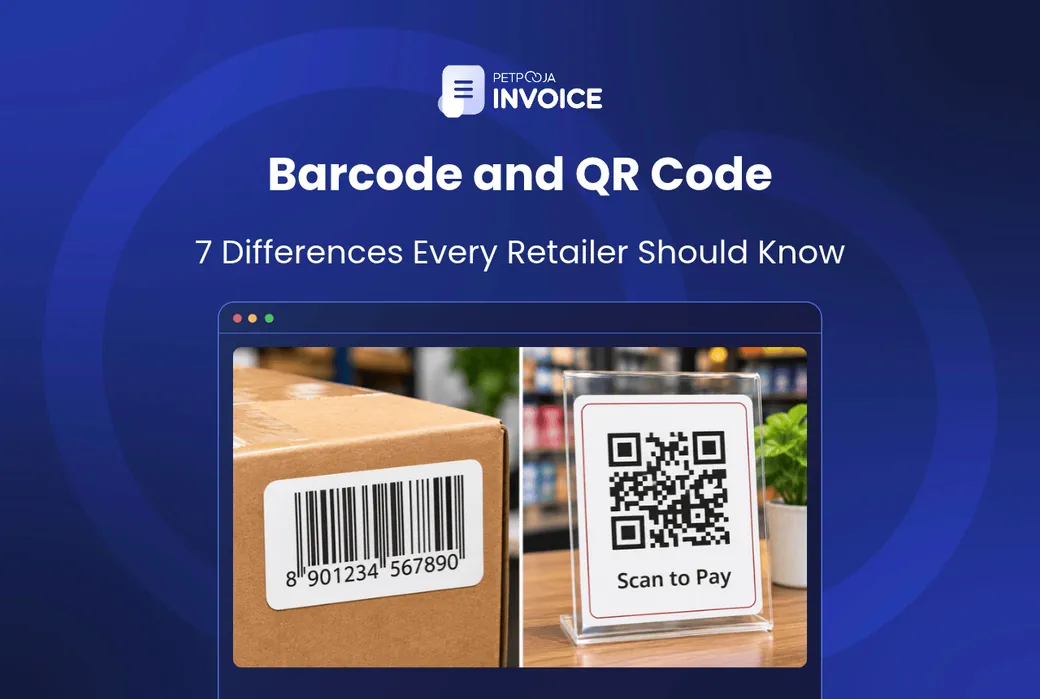



What is the difference between barcode and QR code? A barcode stores a short number in a single row of lines. A QR code stores much more data in a square grid of dots. There are 7 differences in all, from how much each holds to which scanner can read it.
For Indian retailers, the more useful question is which code does which job. Many shops already use both. The barcode on a packet tells the billing software what is being sold. The QR code on the counter stand takes the payment.
This post covers what each code is, the 7 differences, where each one fits in a shop, and how billing software uses a scan.
Key Takeaways
- A barcode is a product number your billing software looks up. A QR code carries a whole message, like a payment address. In a shop they do different jobs, so you rarely pick one over the other.
- An ordinary laser scanner cannot read a QR code. Check what your counter scanner reads before you put QR codes on your own labels.
- Most branded goods carry a registered barcode number. The codes you make yourself are not registered, so they only work inside your shop.
Barcode and QR Code Meaning: Where the Difference Starts
Both are codes a machine reads so nobody has to type. The difference starts with their shape: one is a row of lines, the other is a square of dots.
What Is a Barcode?
A barcode is a row of black bars and white spaces of different widths. A scanner reads the pattern across the bars and turns it into a number. It is called a 1D (one-dimensional) code because the data runs in one direction only.
The barcode on most packed goods in an Indian shop is EAN-13 (European Article Number). A GS1 India guide says it has 13 digits and is commonly found on retail products. The number points to a product record. It does not carry the price or the name itself.
What Is a QR Code?
A QR code is a square made of small black and white dots, set out in rows and columns. QR stands for “quick response”. DENSO WAVE in Japan released it in 1994, as its history page records. Three larger squares in its corners, called finder squares, tell the reader where the code is.
It is a 2D (two-dimensional) code, because it stores data both across and down. That is why it can hold a web link, a payment address or a full invoice summary, not just a number.
Barcode (1D) Quiet zone Bars of different widths Read in one line across the bars QR code (2D) Finder squares in three corners Read across and down, from any side A drawn schematic of each code, not a real scannable code. Amber: the quiet zone, the blank margin a barcode needs on each side. Green: the QR code’s data area of dots, with the three finder squares a reader uses to find it.That shape difference is the root of almost every other difference in the list below.
7 Differences Between Barcode and QR Code
The 7 differences between barcode and QR code below run from what each one stores to what it does in a shop. The first four are about the code itself. The last three are about how it works at a retail counter.
1. How the Data Is Laid Out
A barcode is 1D: its data runs one way, across the bars. A QR code is 2D: its data runs across and down. Think of a barcode as one line of text, and a QR code as a full page.
2. How Much Data Each Code Holds
The EAN-13 barcode on packed goods holds 13 digits, as GS1 India’s barcode guide explains. Other barcode formats hold a little more, but DENSO WAVE puts the limit for a barcode at about 20 letters and numbers.
A QR code holds far more. The QR code standard page lists a maximum of 7,089 numbers or 4,296 letters and numbers in one code. That is room for a full web address, a payment request or an invoice summary.
3. How Much Label Space Each Needs
A barcode grows wider as the data grows, and it needs a blank margin, called the quiet zone, on each side. A QR code packs its data into a square. DENSO WAVE lists “small printout size” as one of its main features, though the square grows as you add more data.
On a small item like a lipstick or a phone charger, that difference decides what fits on the tag.
4. What Happens When the Code Is Damaged
A QR code can still be read when part of it is dirty or torn. DENSO WAVE’s QR code standard page lists four error correction levels. At the lowest, about 7% of the code can be rebuilt. At the highest, about 30%.
A barcode has no repair system. The last digit of an EAN-13 code is a check digit, worked out from the other 12, so a misread usually shows up as an error. It cannot rebuild a bar that has been scratched off, so a creased or wet label may not scan at all. The cashier then types the item in, and typed entries are where many retail inventory mistakes begin.
5. Which Way You Hold It to the Scanner
A QR code can be read from any side, 360 degrees, according to DENSO WAVE. A barcode needs the scanner’s line to cross all the bars. Some counter scanners read from several angles, but a basic handheld laser needs the bars held across its red line.
6. Do Barcode Scanners Also Scan QR Codes?
Some do and some do not. It depends on how the scanner reads.
A laser scanner sweeps a red line across the bars and measures the light that bounces back. GS1 India’s guide describes this: dark bars take in light and white spaces reflect it. A single line of light cannot read a square grid, which is why a laser scanner cannot read a QR code.
A 2D imager takes a picture of the code and decodes it, so it reads barcodes and QR codes alike. A phone camera is an imager too, which is why anyone can scan a QR code with their phone. If you plan to scan QR codes at the counter, test the scanner with one before you buy it.
7. What Each One Is For
A barcode identifies a product. A QR code carries a message, such as a payment address, a web link or a signed invoice summary. The section after the table shows where each one sits in a retail shop.
Barcode vs QR Code Comparison Table
This table puts the 7 differences side by side. Read across a row to see how each code handles the same point.
| Point of Difference | Barcode (1D, like EAN-13) | QR Code (2D) |
|---|---|---|
| Data layout | One row of bars, read left to right | Square grid of dots, read across and down |
| Data it holds | 13 digits on EAN-13 | Up to 7,089 numbers or 4,296 letters and numbers |
| Label space | Wide strip with a blank margin each side | Compact square for short data |
| Damage | Check digit catches most bad reads, cannot repair | Restores about 7% to 30% of the code |
| Scan angle | A basic laser’s line must cross the bars | Any side, 360 degrees |
| Scanner needed | Laser scanner or imager | Imager or phone camera |
| Main job | Identifies the product | Carries a payment address, link or invoice summary |
Neither code wins every row. A barcode works with the simplest scanners, while a QR code holds more and survives more damage.
Knowing the differences is half the answer. The other half is where each code goes in your shop.
Where Should a Retail Shop Use a Barcode or QR Code?
In a retail shop, barcodes run billing and stock, and QR codes handle payment, paperwork and product details. Here is where each code fits, place by place.
Product Labels at the Billing Counter: Barcode
For billing and stock, the barcode does the main job. There are two kinds of product barcode.
Branded packed goods carry a GS1 barcode. GS1 India says GS1 barcodes in India begin with 890, and only GS1 India is authorised to issue them.
GS1 India also says businesses that sell through retail chains or e-marketplaces must get GS1 barcodes. No shop can make up its own 890 numbers.
Loose stock gets in-store codes. Garments from a wholesale market, loose hardware or your own packed dry fruits have no brand barcode. You make your own codes in your billing software. They work fine at your counter, but nowhere else.
Take a gift and stationery shop in Whitefield, Bengaluru, with 1,450 items, each one its own stock keeping unit (SKU). If 980 of them are packed goods with brand barcodes, the shop needs its own codes for only the other 470 (an example).
Those 470 loose items might hold ₹2,86,450 of stock at cost (an example), and none of it can be billed by scan until it is labelled. Our barcode and SKU setup guide walks through building that code list.
The Payment Stand: UPI QR Code
The QR code on your counter is a UPI (Unified Payments Interface) payment code. The customer scans it with a phone and pays your bank account. It identifies you, not a product, so it has nothing to do with your stock.
B2B Bills: The E-Invoice QR Code
As the GST e-invoice overview sets out, e-invoicing has applied since 1 August 2023 to businesses with a turnover above ₹5 crore. The test is aggregate turnover, meaning all GST registrations under one PAN added together. If it crossed ₹5 crore in any year since 2017-18, your bills to other businesses generally need an e-invoice.
The same overview explains the steps. You report the invoice to an Invoice Registration Portal (IRP), which returns a signed e-invoice with an Invoice Reference Number (IRN) and a QR code.
The buyer can check that QR code with the Goods and Services Tax Network (GSTN) e-Invoice QR Code Verifier app. Your software has to print the code the portal sends, not one it makes up. Our guide to e-invoice software compares tools that handle this.
Shelf Labels and Product Details: QR Code
A QR code on a shelf card can link to a size chart, a demo video or a warranty page. It suits electronics and appliances, where buyers want more detail than a tag can hold.
An electronics shop in Lower Parel, Mumbai, might put one on each shelf card, linked to the warranty terms (an example). It is for the customer’s phone, not for billing.
So of the four places in a shop, the product label is the one a counter scan turns into a stock entry, and it usually carries a barcode.
What I could recommend from my end. Keep the brand barcode on every packed item and add it to your item master as it is. Do not re-label branded goods with your own codes, because then the same product has two identities.
Make in-store barcodes for loose stock, and use QR codes for payment, e-invoices and shelf cards. Test your scanner on a brand barcode, one of your own barcodes and a QR code before the festive rush.
Once the right code is on each item, the billing software decides what a scan actually does.
How Does Barcode Billing Work at a Retail Counter?
Billing software turns a barcode scan into a bill line and a stock entry in three steps. This is what makes a barcode worth printing.
- The scanner reads the number. It sends the digits to the billing screen, the same as if someone had typed them.
- The software looks the number up in your item master. A standard product barcode carries no price, so the name, price and GST rate live in this record.
- The bill line and the stock count update together. One piece comes off stock the moment the bill is saved.
A wrong item master breaks steps 2 and 3, so set it up before you print a single label. Our billing SOP checklist covers the counter side of this.
For a shop, the real choice is not barcode or QR. It is whether every item gets scanned or typed. Ask any billing software vendor, Petpooja included, to show a full bill being made by scanning, with nothing typed in.
On its product page, Petpooja Invoice lists barcode scanning “to reduce manual data entry” and to cut wait times at checkout. It also lists real-time stock tracking, and e-way bill and e-invoice support. The e-invoice is where the portal’s QR code appears.
If you are still billing by hand, our comparison of manual billing vs POS software shows what changes once scanning starts.
Conclusion
The difference between barcode and QR code comes down to data and shape. A barcode holds a short number in a row of bars. A QR code holds much more in a square of dots and can be read from any side.
For a retail shop, the two work side by side. Use barcodes on products for billing and stock, and QR codes for payment, product details and e-invoices. Before you add QR codes to your own labels, check that your scanner can read them.
For small Indian business owners and shop owners, the code only pays off when every scan lands on the bill and the stock count. Petpooja Invoice reads product barcodes at the counter and keeps that stock count current.
FAQs
Can I Use a QR Code Instead of a Barcode on My Products?
On your own in-store labels, yes. GS1 India’s guide notes that QR codes can carry GS1 identifiers too, so a QR code can do the same lookup job as a barcode. The catch is the scanner, as difference 6 explains.
What Is the Downside of QR Codes?
A real risk sits at the payment stand. A customer cannot tell where a QR code leads before scanning it, so a sticker pasted over your payment QR could send money elsewhere. Check the stand every morning. A product-info QR code also does nothing for a customer without a smartphone.
Can a Customer Mix Up the Payment QR and a Product QR?
Yes, because the two look alike. Keep product QR codes away from the payment stand, and put a clear label such as “Pay here” on the payment one.
What Is the Difference Between a QR Code and a Data Matrix Code?
Both are 2D codes, but they serve different trades. GS1 India’s guide says the Data Matrix code is used mainly in healthcare and is not scanned at the point of sale. So even where it appears on a pack, billing at the counter does not rely on it. A general retail shop will mostly meet QR codes.
Should a Small Shop Use RFID Instead of Barcodes?
Usually not yet. RFID (Radio Frequency Identification) tags carry a tiny chip that a reader picks up by radio, so a whole box can be counted without opening it. But each tag costs more than a printed label and needs its own reader. For most small shops, barcodes still do the billing job; RFID is usually looked at only for high-value stock.
Thanks. This helps us make the next article better.

Ashwiniba Vaghela is Senior Executive – Content at Petpooja and the editorial reviewer, which means she also helps in reviewing blogs. She writes the explainers and comparisons people read before they know what to search for: what a category actually is, what it costs to keep doing the job by hand, and which differences between two tools matter once you are running a business rather than evaluating one. Much of her work is built on Petpooja's own numbers rather than borrowed industry reports, and with 1,50,000+ businesses, the patterns in that data answer questions no public survey covers. If you are trying to understand something before you commit money to it, Ashwini is writing for you, and if you have read anything else on this blog, she has already checked it.
Comments
Loading comments…