
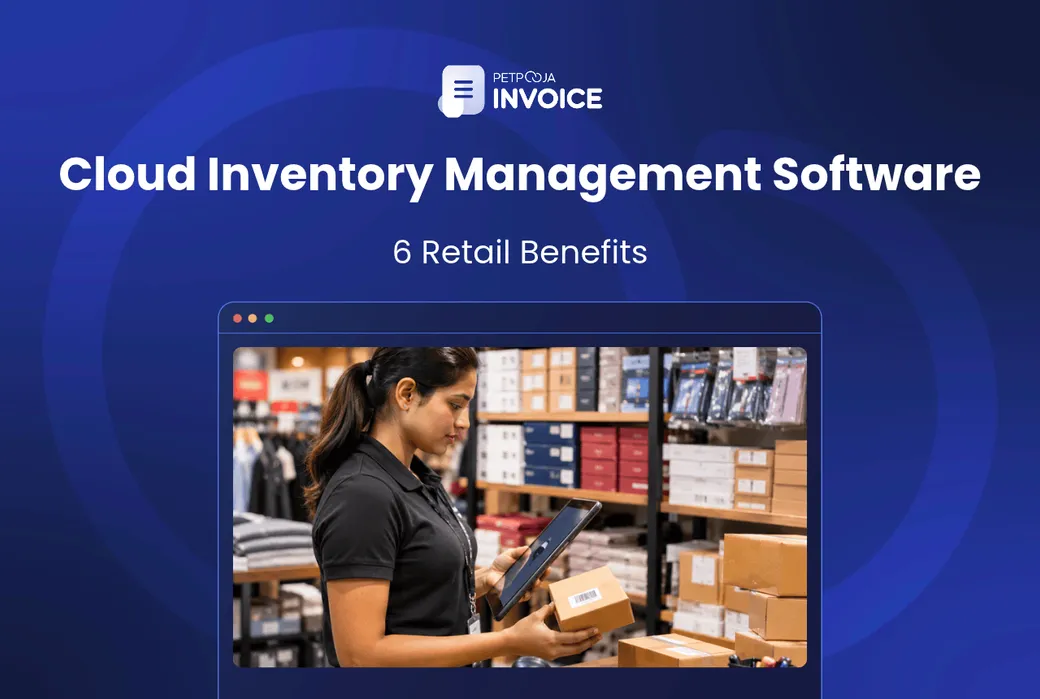



How does cloud inventory management software help retailers? It keeps your stock count online, so every bill at the counter changes it and your phone shows the same figure. For Indian retailers, that shows up in 6 ways, from the first bill of the day to the festive rush.
How much you gain depends on your shop. One counter and one owner who is always present gain the least. Two counters, a second branch or an owner who is often at the wholesale market gain the most.
What you count with today matters too. A paper register or an Excel sheet is updated when someone finds the time. Cloud software is updated by the sale itself.
This post walks small Indian business owners through the 6 ways, then compares cloud and offline software. It ends with what to check before you move your stock out of a register or Excel.
Key Takeaways
- With cloud inventory management software, the sale keeps the count. The stock you check from a phone app is the stock your cashier bills from.
- Each extra counter or branch adds to the gain, because one shared count replaces several that can drift apart.
- A messy item list moves with you, so clean it before you switch.
How Cloud Inventory Management Software Helps Retailers
Cloud inventory management software helps retailers in 6 ways. It keeps one live stock record online, and billing, purchases and reports all use that record. Each way below is a change you will notice in how the shop runs.
In plain terms, it is stock software that runs on the internet instead of on one shop computer. You open it from the billing counter, a laptop or a phone app. For a retail shop it usually comes joined to billing, so the GST bill and the stock count sit in one system.
The 6 ways:
- Cloud inventory updates retail stock with every bill
- It shares one stock count across counters and branches
- It lets you check retail stock from your phone
- It helps retailers plan festive reorders
- It runs stock, sales and GST reports from the same data
- It keeps stock records off the shop computer
1. Cloud Inventory Updates Retail Stock With Every Bill
In a register or a spreadsheet, stock goes down when someone sits and writes it down. That is usually at night, or at the end of the week. Until then, the count is a guess.
With cloud software, the bill is the stock entry. The cashier scans the item, the item goes on the GST bill, and the count drops when the bill is saved.
Take a kurta shop in Aminabad, Lucknow, with 12 cotton kurtas in size M (an example). The cashier scans two of them onto one bill. The kurta’s stock card now reads 10, and nobody had to write anything.
GST bill Cotton kurta, size M Qty 2 Scanned at the counter Stock card Cotton kurta, size M Before 12 After 10 One bill for two kurtas (an example). White: the stock before the bill. Green: the stock once the bill is saved.The same logic runs the other way when goods come in. A purchase entry adds to the count, so the count follows both sales and purchases.
With Petpooja Invoice, barcode scanning puts the item on the bill, and real-time stock tracking takes it off the count. Bulk purchase updates bring new stock in, and its AI Inventory Agent keeps inventory levels updated without manual entry.
2. Cloud Inventory Shares One Count Across Counters and Branches
With a separate register at each counter, each one knows only its own sales. At closing, the count is two people’s notes added together. A cloud system gives every counter the same count, so a sale at one shows up at the other.
Think of a footwear shop in Kolhapur with two billing counters (an example). It opens with 18 pairs of one sandal in size 8. Counter 1 sells two pairs, and Counter 2 sells one. Both screens, and the owner’s phone, now show 15.
Counter 1 Sandal, size 8 15 left Counter 2 Sandal, size 8 15 left Your phone Sandal, size 8 15 left Two counters and an owner’s phone app reading one stock count (an example of what cloud software allows). Green: the screen on each device, all showing the same figure.Nobody adds up two registers at closing, and there is far less chance of selling a pair the other counter already sold.
A second branch works the same way. With Petpooja Invoice, multi-user and multi-counter billing lets several counters bill on the same system. If you have more than one outlet, Petpooja Invoice syncs the data across all of them. Petpooja Invoice also lists stock transfer management for moving goods between branches, so ask to see it in a demo.
Some stock needs more than a shared count, because each piece is different. A mobile shop in Rajkot (an example) tracks phones by their International Mobile Equipment Identity (IMEI) number. Petpooja Invoice tracks stock by batch and by IMEI or serial number, so each handset can be tied to its own sale.
3. Cloud Inventory Lets You Check Retail Stock From Your Phone
Many shop owners spend part of the week away from the counter. You may be at the wholesale market, the bank or a supplier’s godown. With a register, the stock question waits until you get back.
Cloud software keeps the count on the internet, not on the shop computer. So you can check it wherever your phone has a signal.
The use is simple. Say you are standing at a supplier’s stall in Gandhi Nagar market, Delhi (an example), deciding how many dozen shirts to order. You check what is left before you pay, not after.
With Petpooja Invoice, the data sits in AWS secure cloud storage, and there is an Owner Mobile App. In a demo, ask to see its stock and sales screens.
A Mobile Billing App also lets staff bill from a phone. That helps on a busy sale day or at an exhibition stall.
4. Cloud Inventory Helps Retailers Plan Festive Reorders
Festive and seasonal peaks are when running out costs the most. Think of Diwali for a gift shop, the wedding season for a saree store, or school reopening in June for a stationery shop. A live count shows what is left, so you can compare it with your reorder point before it is too late.
The count alone does not tell you when to reorder. You set that point yourself, item by item, on a simple reorder sheet. A simple way is: daily sales multiplied by the supplier’s delivery days, plus a safety cushion.
Take a stationery shop in Aundh, Pune (an example). It sells about 12 of one notebook a day in early June. Its supplier takes 4 days to deliver, and it keeps a cushion of 10. So it reorders when stock falls to 58, because 12 times 4 is 48, plus 10.
Our post on inventory control methods covers how to pick a method for the rest of your items.
Petpooja Invoice gives you inventory-related reports from the same live stock. Run the stock report a few weeks before the season and go down what is left. Items near their reorder point go on the order list first. Our guide to festive season retail sales covers the selling side of the same weeks.
5. Cloud Inventory Runs Stock, Sales and GST Reports Together
When stock sits in one register and sales sit in a bill book, the two often drift apart. Your accountant then spends time matching them before any GST return.
GST law expects that link. Rule 56 of the CGST stock rules says a registered business keeps stock accounts. When we read it in November 2026, it listed the opening balance, goods received and supplied, goods lost, stolen, destroyed, written off or given away, and the balance. Shops in the composition scheme are left out of this part of the rule.
In cloud software, the goods received and supplied come from the same bills and purchase entries. The stock report, the sales report and the GST report start from the same entries, so there is far less to match.
Petpooja Invoice gives you sales reports, profit and loss reports, inventory-related reports and the GSTR-1, GSTR-2 and GSTR-3B reports. Tally integration is available for an accountant who keeps the books in Tally. Once the reports agree, you can track how fast stock moves with the inventory turnover ratio.
6. Cloud Inventory Keeps Stock Records Off the Shop Computer
A register can get wet in the monsoon. A shop computer’s hard disk can fail on a Saturday evening. Either way, if the stock record lived only there, it is gone.
GST rules expect a backup. Under Rule 57 of the CGST Rules on records, a business with electronic records keeps a backup. It must be one that “can be restored within a reasonable period of time.”
Section 36 of the CGST Act sets how long records are kept. It is 72 months from the due date of the annual return for that year, and longer if the year is under appeal or investigation.
Cloud software keeps the record away from the counter machine, so a dead computer is far less likely to mean lost stock data. Petpooja Invoice stores data on AWS secure cloud storage. Ask your accountant whether cloud storage alone meets Rule 57 for you, or whether they also want a regular export kept on file.
Is Cloud Inventory Management Software Better Than Offline?
Cloud inventory management software usually suits a retail shop better once it has more than one counter, a second branch or an owner who is often away. A single-counter shop with weak internet may still be fine offline. The table compares the two on what changes for the shop.
The main difference is where your stock record lives. Offline (desktop) software keeps it on the shop computer. Cloud software keeps it online, so any device you allow can read it.
| What Changes for the Shop | Cloud Inventory Software | Offline (Desktop) Inventory Software |
|---|---|---|
| Where the stock record lives | Online, with the software seller | On the shop computer |
| Checking stock away from the shop | From a phone or another computer | Only at that computer, unless it syncs |
| Several counters or branches | All read the same count | Each machine needs a way to share data |
| When the internet drops | Ask the seller how billing works offline | Billing carries on |
| Backups | Stored online; ask the seller how backups work | Your job, on a drive or a pen drive |
| Updates | Pushed by the seller | Often installed by hand |
Of the six rows, the internet row is the one to test in your own shop before you decide. The next section includes that test.
How to Switch to Cloud Inventory Management Software
You switch to cloud inventory management software in six checks, covering your item list, opening stock, barcodes, internet, staff access and data export. The first two, cleaning the list and counting the stock, usually take the most time.
Work through these six checks before and during the switch:
- Clean the item list. Remove items you no longer sell, and merge items written two ways. Give each size and colour its own line, because each one is a separate stock keeping unit (SKU). Add the Harmonised System of Nomenclature (HSN) code and GST rate for each item. The HSN code finder helps with the codes.
- Count the opening stock. Do a full count on the day you switch, ideally after closing. If a full count is not possible, a cycle counting routine lets you check sections in turn.
- Sort out barcodes. Packed goods usually carry the maker’s barcode, which the software can read once the item is added. Loose goods and garments need your own labels.
- Test the internet at the counter. Run a speed check at the busiest hour. Ask the seller how billing works when the connection drops, and keep a mobile hotspot as a backup line.
- Decide who can do what. Cashiers bill, while one or two people can edit stock or delete a bill. Petpooja Invoice has user roles management for this.
- Ask how your data comes out. Before you sign up anywhere, ask how you can export your items, stock and bills. Petpooja Invoice lets you export and share data in various formats.
The inventory mistakes retail stores make are worth a read before check 1.
What I could recommend from my end. Load the item list into the software before you count anything. Then print the stock report and use it as your counting sheet.
In the first week, check barcode scans on your 50 fastest sellers first, so any setup mistake shows up where it matters most.
Conclusion
Cloud inventory management software helps retailers in 6 ways. Stock moves with every bill, counters share one count, you can check it from your phone, and you can spot low stock before the festive rush. The reports come from the same data, and the records sit off the shop computer.
The gain is biggest for Indian retailers with more than one counter or branch, or an owner who is often away. Start with the item list, because clean data is what makes the rest work.
If you want stock that updates as you bill, see how Petpooja Invoice keeps your GST bills and live stock in one cloud system.
FAQs
Is There Free Cloud Inventory Management Software?
Some sellers offer a free plan or a free trial of basic inventory software. Before you rely on one, check the item limit and the number of counters. Also check that it prints GST bills and lets you export your data. Petpooja Invoice has a free demo available, so you can see it before you decide.
Can a Small Shop Manage Inventory in Excel Instead?
Yes, while one person keeps the sheet and there is one counter. Our stock inventory management template is a good start if you stay on a sheet for now.
Do I Still Need a Physical Stock Count With Cloud Software?
Yes. The software shows what should be on the shelf, not what is there. Theft, damage and wrong entries only show up when you count. The inventory audit checklist gives you a format for it.
Which Retail Software Should I Compare Before I Buy?
Start with software that does billing and stock together, so you are not joining two systems. Our roundups of retail POS software and billing software for retail shops compare the main options for Indian retailers.
Which Devices Does Cloud Inventory Software Need at the Counter?
A small stall can bill from a phone, but a shop that scans barcodes and prints bills usually needs a scanner and a printer that work with the software. Ask the seller which scanners, printers and phones it supports before you buy any hardware.
Thanks. This helps us make the next article better.

Avani Joshi is a Content Writer at Petpooja, where she writes about payroll, billing, and the everyday software that keeps Indian SMEs running. She has a knack for taking complicated topics and explaining them in plain language for business owners who don't have time to decode jargon.

Comments
Loading comments…