
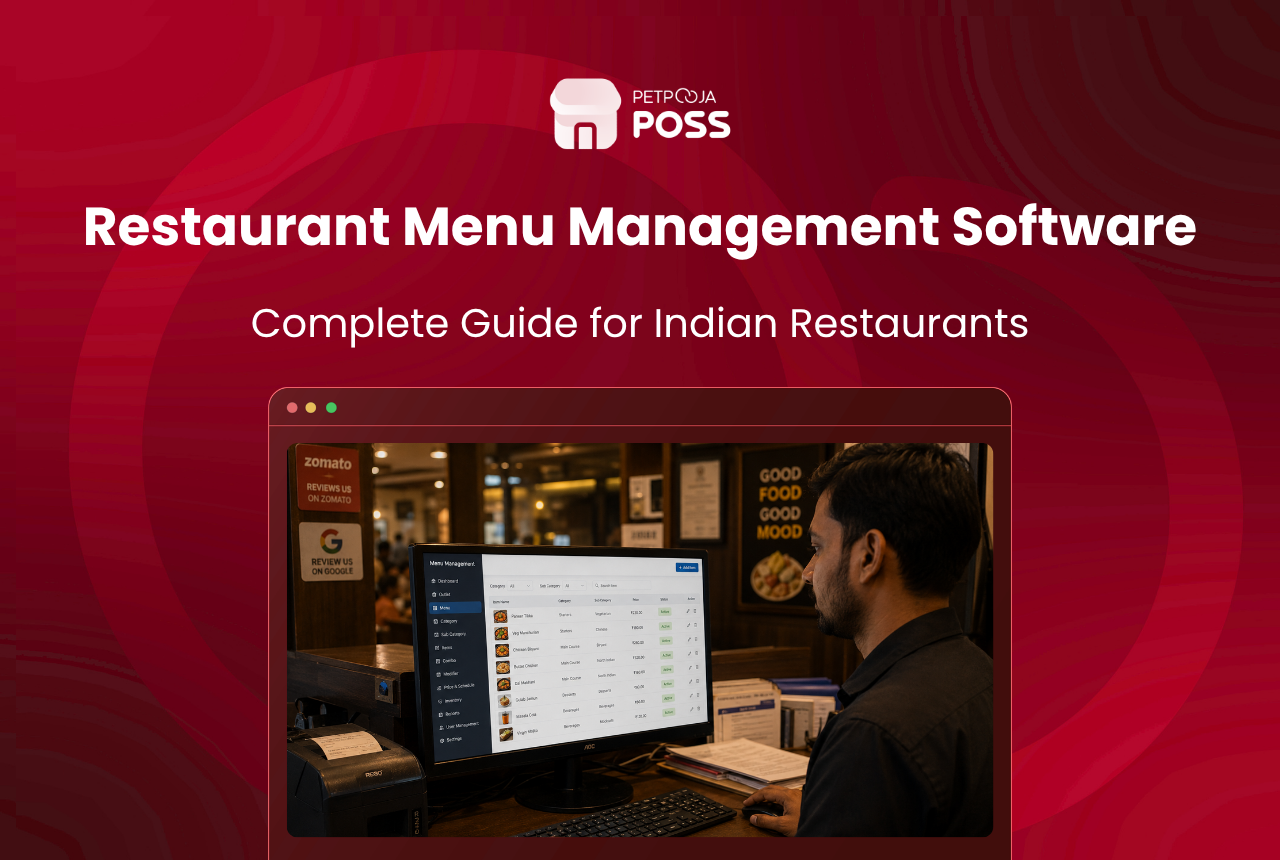
Restaurant menu management software lets you build, price and update your whole menu from one place, then push those changes to your billing counter, your online ordering apps and your kitchen at once. You edit the menu a single time, and every screen your customers and staff see stays in step.
Think of it as the master copy of your menu. The dish name, its price, its recipe, its tax rate and its photo all sit on one record. Change that record, and the change reaches your POS, Swiggy, Zomato and your website without you opening each one by hand.
For a restaurant that takes dine-in and online orders together, this is the difference between a menu you control and a menu that quietly drifts out of date. This guide covers what the software does, why hand-managed menus fall apart, how menu engineering fits in, and what to check before you pick a tool.
Key Takeaways
- Menu management software keeps one master menu and syncs it to your POS, Swiggy, Zomato and website
- Editing the menu in four separate places is where wrong prices and missed items come from
- Good software also shows which dishes sell and which ones earn, so you can price smarter
- Chains with 10+ outlets must show calorie and allergen details on menus under FSSAI rules
- The bigger your menu and the more outlets you run, the more a single control point saves you
What Does Restaurant Menu Management Software Do?
At its core, the software holds one version of your menu and shares it everywhere that menu appears. You set up each dish once, with its category, price, applicable tax and any variations, and the tool treats that as the single source of truth.
From there it handles the daily jobs that eat an owner’s time. You can group items into categories, build half and full portions and combos, set different prices for dine-in and delivery, and switch an item on or off when the kitchen runs out. Each is a setting on the item record, not a fresh round of manual edits.
The record behind each dish is often called the item master. It links the menu item to its recipe, cost and stock, so the software deducts ingredients as the dish sells and warns you before you run out.
Timing is part of the job too. Many kitchens run a breakfast menu till 11am, then switch to lunch, and a bar may open its full card only after 6pm. The software can schedule these changes so the right menu shows at the right hour, and staff are not hiding and unhiding items by hand every morning.
Here is what the software controls across a typical outlet.
| Menu job | What the software handles |
|---|---|
| Items and categories | Names, sections, sort order, veg or non-veg marks |
| Pricing | Dine-in, delivery and aggregator prices, taxes, discounts |
| Variations and add-ons | Half or full portions, sizes, toppings, combos |
| Availability | Turn an item on or off in seconds when stock runs out |
| Channels | Push the same menu to POS, Swiggy, Zomato and your website |
| Compliance | Store calorie, allergen and tax detail on each item record |
Before we get to syncing menus across apps, it helps to see why doing all of this by hand stops working.
Why Does Managing a Menu by Hand Break Down?
The trouble is not one big failure. It is many small ones that add up. When your menu lives in four places, every price change means four edits, and the fourth one is the one people forget.
Say you raise the price of a paneer dish (an example). You update the POS, Swiggy and Zomato, then get pulled away before you touch the website. Now the same dish costs different amounts depending on where the customer orders.
That mismatch is a quiet form of revenue leakage. Money slips out through stale prices, items left on sale after they run out, and offers that never got switched off. A single master menu closes most of these gaps because there is only one place to change.
How Does One Menu Reach Every Ordering Channel?
The software keeps one master menu and mirrors it to each channel you sell on, so the counter, the delivery apps and the website all read from the same source. When you edit the master, the update flows outward instead of you keying it in five times.
This matters most for delivery. Ordering in and eating out is a large, growing market in India, on track to reach ₹7.76 lakh crore by 2028 (NRAI, 2024), and most restaurants now sell across dine-in and the apps at the same time. When a dish sells out at 9pm on a Friday, you switch it off once, and it stops taking orders on both apps instead of the kitchen fielding calls about food it cannot make. If you want the wider picture of how orders flow in from these apps, our guide to the online ordering system walks through it.
How Does Menu Engineering Help You Sell More?
Menu engineering is the habit of sorting your dishes by two numbers, how often each one sells and how much profit each one earns, then acting on where each dish lands. Your menu management software supplies both numbers, because it already records every sale and knows each recipe’s cost.
Plot popularity against profit and every dish falls into one of four groups. This split is the heart of menu engineering, a method first set out by Michael Kasavana and Donald Smith in the 1980s, and it turns a static price list into a working tool.
Take a made-up case. A veg biryani that sells all day but earns thin margins is a workhorse, so you look at portion size or supplier cost rather than dropping it. A rich dessert that earns well but barely moves is a puzzle, so you give it a better spot on the menu. The share each dish holds of total sales is its menu mix percentage, and watching it over time tells you what is really working.
The design of the menu carries weight too. Where a dish sits, how it is described and what sits next to it all shape what people order, which is the idea behind good menu design. Software gives you the sales data; the layout decisions are still yours.
How Do You Keep Prices Right Across Outlets and Apps?
You keep one master menu per brand, then let each outlet or channel inherit it, with room to override where local prices differ. That way a chain sets a dish once at the head office and it lands the same way across every branch that carries it.
Pricing is where this pays off. A delivery order carries costs a dine-in cover does not, which is why the two channels are often priced differently, and doing that arithmetic by hand across a long menu is slow and easy to get wrong. A menu pricing calculator helps you set the base number. What you are permitted to charge on any given platform is set out in the agreement you signed with it, so check yours before you set a separate price there.
For a multi-outlet brand, a head-office menu push is the real time-saver. Say a Pune-based chain (an example) runs eight outlets and wants to add a monsoon combo across all of them. One update at the centre reaches every branch, so no manager retypes the same item and the menu pricing stays consistent across outlets.
There is a compliance side to this as well. Under FSSAI menu labelling rules that took effect on 1 January 2022, chains with a central licence or ten or more outlets must show calorie values in kcal per serving, allergen information and the veg or non-veg mark wherever the menu appears, including websites and apps (FSSAI). The same rule asks for a short note that an average adult needs about 2,000 kcal a day. Storing this detail on the item record means the same information travels with the dish to every channel, so you are not editing calorie counts app by app.
What Should You Look for in Menu Management Software?
Pick the tool that already talks to the systems you use, because a menu that syncs everywhere is worth more than a longer feature list. If the software cannot push to Swiggy, Zomato and your website, you are back to manual edits, and that defeats the point.
Run through this short checklist before you commit.
- Aggregator sync: does it update Swiggy and Zomato from one screen, or only your own POS?
- Item availability: can you switch a dish on or off in seconds, on every channel at once?
- Recipe and stock links: does each item connect to its recipe so stock deducts as it sells?
- Multi-outlet control: can head office push one menu to many branches, with local price overrides?
- Sales and profit data: does it show what sells and what earns, so menu engineering is possible?
- Support in your language: if a price is wrong at 9pm, can you reach real help fast?
This is why menu control usually sits inside the wider point-of-sale system rather than as a stand-alone app. When the menu, the billing, the kitchen display system and the aggregator links share one database, a change in one place is a change everywhere. The Petpooja POS is built this way, so the menu you edit at the counter is the same menu your kitchen and delivery apps read from.
Top 5 Restaurant Menu Management Software in India
With the checklist above in mind, here are five tools Indian restaurants use most to run their menus. We have put Petpooja first because its menu sync, recipe links and multi-outlet control cover all three of the jobs owners struggle with. The other four each do some of these well, so the right pick depends on which gaps you can live with.
| Menu software | Strongest menu features | Where it fits less well |
|---|---|---|
| 1. Petpooja | One-screen sync to POS, Swiggy, Zomato and website; recipe and stock links; head-office menu push | Covers all three menu jobs; India-based support |
| 2. Restroworks | Orders land on the POS; cloud chain control; linked inventory | Sync setup needs more hand-holding; lighter India-based support |
| 3. UrbanPiper | Real-time aggregator menu sync; auto item availability | Middleware, so you still need a POS; no city-wise or multiple menus |
| 4. eZee | Quick menu edits; CSV bulk import; outlet-to-outlet copy | No menu photos; menu changes are manual rather than pushed |
| 5. LimeTray | Online-ordering menu; offline POS; built-in CRM | Built for single outlets and small brands more than chains |
1. Petpooja
Petpooja leads this list because it handles all three menu jobs an owner cares about, not just one. Its three standout menu features are:
- One-screen sync: you edit a dish once and the change reaches your POS, Swiggy, Zomato and website together, so prices never drift between channels.
- Recipe and stock links: the item master ties each dish to its recipe, so ingredients deduct as it sells and a sold-out item switches off everywhere at once.
- Multi-outlet push: head office sets a menu and sends it to every branch with local price overrides, backed by 24×7 multilingual support for the 9pm price fix.
You can see how this fits a full restaurant setup on the Petpooja POS page, where the menu, billing and kitchen screen all read from one database.
2. Restroworks (formerly Posist)
Restroworks is a cloud restaurant platform aimed at chains, used across 25,000+ outlets. Its menu strengths sit close to Petpooja’s, with the main difference showing up in setup effort and support reach.
- Online orders from Swiggy, Zomato and DotPe land on the same billing screen you manage the menu from.
- Cloud menu control built for multi-outlet and enterprise operators.
- A linked inventory module that ties menu items to stock.
The Restroworks platform is built around the all-in-one model, so it suits operators who want billing, inventory and menu under one roof. Getting the sync configured takes more setup than a plug-in tool, and its support presence in India is lighter than a locally staffed helpline.
3. UrbanPiper
UrbanPiper is a menu and order sync layer that sits between your POS and the delivery apps, rather than a full billing POS. For restaurants that live on aggregators, its menu sync is its strongest card.
- Real-time menu sync across every aggregator from one dashboard, with items, charges and taxes published together.
- Automatic item availability, so a sold-out dish is marked off on every channel at once.
- One dashboard for multi-channel control across 40,000+ restaurants.
Because UrbanPiper is middleware, you still pair it with a POS for billing, which means two vendors rather than one. The menu tools focus on sync rather than pricing depth, so city-specific rates and multiple parallel menus are not what it is built for.
4. eZee
eZee runs two products, the cloud eZee Optimus and the desktop eZee BurrP!, both used by Indian restaurants. The menu is quick to edit, and the tooling is lighter than the options above.
- Menu loading and item edits that reviewers call easy to learn.
- CSV bulk import and copying items from one outlet to another, handy for multi-outlet setup.
- Menu management bundled with table, order and inventory tracking.
You can compare the plans on eZee Optimus. The menu tooling is deliberately simple: there is no support for food photos on the menu, and changes are applied manually rather than pushed out to channels, which suits a shorter menu more than a large one.
5. LimeTray
LimeTray leans towards online ordering and customer outreach, so it suits a single outlet or a small brand more than a large chain. Its menu features centre on the ordering side.
- Online-ordering menu across your own website and app plus the aggregators.
- A POS that works both online and offline with multi-user logins.
- Reporting dashboards with a built-in CRM tied to your ordering data.
The LimeTray suite covers the ordering basics well. It runs on a template rather than a fully custom front end, and its strengths sit with single outlets and small brands rather than multi-outlet chains.
Conclusion
A menu is not a fixed board on the wall. Prices move, items sell out, new dishes come in, and every one of those changes has to reach four or five screens to be worth anything. Menu management software gives you a single place to make those changes and a reliable way to send them everywhere at once.
The payoff is two-sided. You lose fewer rupees to stale prices and sold-out items still on sale, and you gain the data to shape a menu that earns more per table. If your menu already lives across a POS, Swiggy, Zomato and a website, bringing it under one roof is one of the simpler upgrades an Indian restaurant can make. The Petpooja POS keeps all of it in one place, from the item record to the kitchen screen.
Frequently Asked Questions
It is a tool that holds one master copy of your menu and shares it with your billing counter, your delivery apps and your kitchen. You build and price each dish once, and the software keeps every channel in step, so you are not editing the same item on the POS, Swiggy and Zomato one at a time.
Yes, when the software is connected to the aggregators. A new item or a price change is pushed to Swiggy and Zomato along with your POS and website, which helps you manage restaurant orders without the usual scramble. You skip logging in to each app, which is where most delays and typos creep in.
Menu engineering means sorting your dishes by how often they sell and how much profit each earns, then acting on the result. A dish that sells a lot but earns little may need a smaller portion or a cheaper supplier, which ties into how you reduce food cost without changing the recipe your regulars love.
A single outlet with a short, stable menu can cope by hand. The need shows up the moment you take online orders, open a second outlet or change prices often. Once your menu lives on the POS, two delivery apps and a website, one place to control all of them saves hours.
Chains with a central licence or ten or more outlets must show calorie values, allergen details and the veg or non-veg mark on menus, boards, websites and apps under FSSAI menu labelling rules. Keeping that information on each item record makes it far easier to display the same detail across every channel you sell on.








