
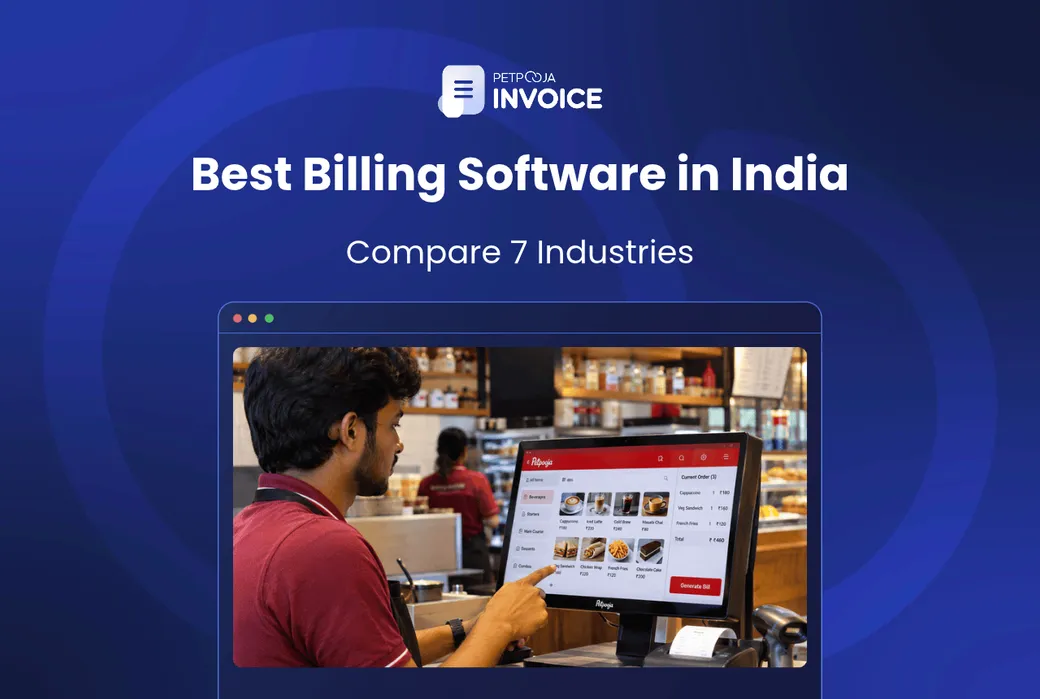



Which is the best billing software? The best billing software is the one built for the way your business bills. A pharmacy has to track the batch number and expiry date of every medicine. A hotel needs the right GST rate for each room tariff. A factory usually needs an e-way bill when goods worth over ₹50,000 go on the road.
Three things decide the answer: who you bill, which GST rules your trade carries, and whether you hold stock. A shop billing walk-in customers needs speed at the counter. A firm billing other businesses needs the buyer’s GSTIN on every bill and records its accountant can use.
This guide covers the six checks every business should run, then 7 industries one by one. It ends with whether free software is enough and what AI now adds.
Key Takeaways
- No single billing software is best for every business. The best one is built around what your trade’s bill must carry. For retail shops, our pick is Petpooja Invoice. For restaurants and cafes, it is Petpooja POS.
- Test six things in a demo before you pay: GST bills, live stock, counter speed, daily reports, accounting sync and support.
- A shop that bills walk-in customers needs speed and stock. A firm that bills other businesses needs clean GST invoices, and e-invoices once its turnover crosses ₹5 crore.
- Free software can run one counter with simple bills. Check e-invoices, user limits and data export before you depend on it.
- AI now keeps stock updated, and in Petpooja POS it answers questions about your sales. Ask to see it working in the demo.
Which Is the Best Billing Software for Your Business?
The best billing software for your business is the one that passes six checks for your trade. Run each one in a demo, with your own items and a real bill.
GST Bills, E-Invoices and E-Way Bills
Every bill should work out GST on its own. It should also print the right code. Goods carry a Harmonised System of Nomenclature (HSN) code where the rules ask for one, and services a Services Accounting Code (SAC) in the same way.
Test it: put a 5% item and an 18% item on one bill. The GST split should show both rates on separate lines.
If you sell to other businesses, check e-invoices. If you move goods, check e-way bills too. The manufacturing section explains both. Our guide to GST billing software compares five tools on this.
Stock That Updates as You Bill
Each sale should take the item off stock, and each purchase should add it to stock, with no second entry. When stock lives in a separate sheet, it drifts away from what is on the shelf.
Test it: bill one piece, then open the stock report. The count should already be one lower.
Billing Speed at the Counter
Time one full bill in the demo: scan, discount, payment and print. On a busy evening, a slow screen means a queue at the counter.
Test it: put five items on one bill, as you would in the Diwali rush, and time it from the first scan to the printed receipt.
Reports You Will Open Every Day
Daily sales, item-wise sales, stock and customer dues are the reports most owners open. Ask to see them on a phone, not only on the counter computer.
Test it: ask for yesterday’s top 10 items by sales, on a phone, while you watch.
Accounting Sync, Including Tally
If your accountant works in Tally, ask whether the software sends your bills there. If someone has to type them in again, every bill gets entered twice.
Test it: ask to see one demo bill arrive in Tally with its GST split intact.
Support in Your Language
Ask who picks up the phone at 9 pm in the festive season, and in which languages.
Test it: call the support number once before you sign up, and note how long it takes to reach a person.
These six checks apply to everyone. What changes by industry is what the bill itself must carry:
| Industry | What Its Bill Must Carry | What to Check First in a Demo |
|---|---|---|
| Retail shops and supermarkets | Barcode, GST split, HSN code where required | Scan-to-bill speed and live stock |
| Restaurants, cafes and hotels | Table or room number, GST at the right rate | Kitchen orders and room charges in one bill |
| Pharmacies, hospitals and clinics | Batch and expiry for prescription drugs | Batch and expiry tracking |
| Salons and service businesses | Staff name, SAC code where required | Packages and memberships |
| Schools and coaching centres | Student name, fee head, instalment | Instalments and reminders |
| Manufacturing businesses | HSN code, plus e-way bill and e-invoice number where they apply | E-invoice and e-way bill from the bill |
| Corporate offices and B2B firms | Client GSTIN, purchase order number | Recurring invoices and TDS tracking |
Find your row first, then read that industry’s section below.
Best Billing Software for Retail Shops and Supermarkets
The best billing software for a retail shop scans barcodes, bills fast at more than one counter and keeps stock live. That holds for a supermarket in Salt Lake, Kolkata, and a garment store in Ludhiana alike.
Look for these in a demo:
- Barcode billing, so nobody types an item code at the counter
- Several counters sharing one stock count, so two cashiers never sell the same last piece
- Size and colour variants, for garment and footwear shops
- Weighing scale integration, for loose rice, dal and dry fruits
- Loyalty points and a WhatsApp bill, so regular customers come back
For Indian retailers, our pick is Petpooja Invoice. Its product page lists barcode scanning and billing on several counters. It also lists real-time stock, weighing scale integration, Petpooja Loyalty and a WhatsApp E-Bill. E-way bills, e-invoices and Tally integration are on the list too.
Our guide to the best retail billing software compares tools for shops in detail. For counters that need a full point of sale, see our list of top retail POS software.
Jewellery Shops
A jewellery bill shows the weight, the purity and the making charges as separate lines, so the customer can check each one. Ask whether the software can price an item from the day’s gold rate, so the counter does not work it out by hand.
Best Billing Software for Restaurants, Cafes and Hotels
The best billing software for hospitality depends on which of two jobs you do. A restaurant bills dishes table by table, while a hotel bills a stay that collects charges over several days.
Restaurants and Cafes
A restaurant bill starts as a kitchen order ticket (KOT), the slip that tells the kitchen what to cook. The software should send each KOT to the kitchen, merge it into the table’s bill and handle takeaway and online orders on the same screen. Stock should come off at recipe level, so selling a masala dosa uses up batter and potato.
The GST rate decides how the bill is set up. A standalone restaurant charges 5% GST without input tax credit (ITC), as the GST Council’s note on restaurant services lists. ITC is the credit for GST you paid on purchases.
The GST Council’s 56th meeting release confirms that a standalone restaurant cannot opt for 18% with ITC instead.
A restaurant inside a hotel can be different. Say the hotel rented any room above ₹7,500 a day in the previous year, or opted in by declaration. Then it counts as a “specified premises” under Notification 05/2025. Its restaurant then charges 18% with ITC.
For restaurants and cafes, our pick is Petpooja POS. Petpooja POS is India’s most widely used restaurant software, running and simplifying 1,00,000+ restaurant operations of every format and size for over a decade.
Our list of the best restaurant POS software compares it with others, and cafes can start with our guide to cafe billing software.
Hotels
The best billing software for a hotel keeps one running bill per guest, picks the GST rate from each room’s charge, and adds restaurant bills and advances to it. That running bill is often called a folio. It collects room nights, food and other charges until checkout. Since 22 September 2025, a room up to ₹7,500 a day is taxed at 5% without ITC, down from 12%. The GST Council release linked above sets this out.
A room above ₹7,500 stays at 18% with ITC, as the GST Council’s hotel and restaurant note, linked above, shows.
So the software should pick the rate from each room’s charge. Take a booking with a ₹6,850 room and a ₹9,240 suite (an example). The room takes 5% and the suite 18%, on the same bill.
Ask whether a meal in the hotel restaurant can go straight onto the room bill. Also check that an advance paid at booking shows on the final bill.
Best Billing Software for Pharmacies, Hospitals and Clinics
The best billing software for healthcare tracks two things a general shop does not. One is the batch each medicine came from, and when it expires. The other is which charges carry GST at all.
Pharmacies
Under Rule 65 of the Drugs Rules, 1945, a chemist’s cash memo carries the store’s name, address and sale licence number. It also has a serial number, and each drug with its quantity.
Every sale on prescription also records the doctor’s name. For Schedule C, H and H1 drugs, the batch number and expiry date are recorded too. For medicines sold in their original pack, a numbered cash memo can stand in for that record. Because those drugs need batch and expiry recorded, pharmacy billing software should carry both on each medicine line.
Every Schedule H1 sale also goes into a separate register. It records the doctor’s name and address, the patient’s name, the drug and the quantity. The register is kept for three years.
Ask the vendor to show near-expiry stock in one list, and first-expiry-first-out (FEFO) selling, where the batch that expires first is billed first. Our post on pharmacy billing software lists what a chemist’s bill must carry.
Hospitals and Clinics
Treatment by a hospital, clinic or doctor is exempt from GST. This sits in the exemption list in Notification 12/2017. A non-ICU room charged above ₹5,000 a day is the exception and is taxed. A CBIC circular on hospital services treats food given to in-patients on a doctor’s advice as part of the exempt treatment. Food sold to visitors is taxed.
Medicines a hospital pharmacy sells to out-patients are usually taxed. That view comes from advance rulings, not a circular, so confirm it with your accountant. Either way, the software has to keep exempt and taxed lines apart on the same bill.
A hospital bill also has to handle three more things. These are deposits at admission, fixed-price packages, and claims sent to the patient’s insurer. Check that a doctor’s consultation and a lab test can sit on the same bill with their own rates.
[Medical store name]Sale licence no., bill no., dateDoctor’s name (prescription drugs)MedicineBatchExpiryQtyTablet AB231108/2710Syrup BS094203/271TotalSchedule H1 sale? Record it inthe H1 register as well. A drawn pharmacy bill with placeholder names, not a real bill. Amber: the batch and expiry on each medicine line, which billing software should carry. Green: the separate register a Schedule H1 sale needs.A bill set up this way lets the counter find any batch in seconds when a recall or an inspection comes.
Best Billing Software for Salons and Service Businesses
The best billing software for a service business bills time and skill, not goods. So where a code is needed, the bill carries a SAC code for its services, and the software has to know which code goes where.
Since 22 September 2025, salon, spa, barber and gym services are taxed at 5% without ITC. That comes from the GST Council release linked in the restaurants section. The software should apply that rate to services and the product’s own rate to anything sold off the shelf.
In a salon in Koramangala or a spa in Gurugram, the software should also:
- Turn a booked appointment into a bill without typing it again
- Show which staff member did each service, for commission
- Track packages and memberships, like 6 facials paid upfront with 4 left
- Bill hair products sold at the counter as goods, with their own HSN code and GST rate
Best Billing Software for Schools and Coaching Centres
For a school or coaching centre, the best billing software is fee management software. It issues fee receipts, splits the year’s fees into instalments and reminds parents before a due date.
School education up to higher secondary is exempt from GST. So are courses that lead to a qualification recognised by law. Both sit in the same exemption list as healthcare.
A private coaching centre is not on that list. So once it is registered for GST, it charges GST on its fees, usually at 18%. Confirm the rate for your courses with your accountant.
Ask whether the software can add a late fee on its own, send reminders on WhatsApp, and show dues class by class. A receipt for each payment, with the student’s name and the fee head, saves arguments at the office window.
Best Billing Software for Manufacturing Businesses
The best billing software for a factory makes full tax invoices for other businesses. Each one carries the buyer’s GSTIN and an HSN code on every line. Once a factory crosses certain limits, two more rules apply to the bill.
The first is e-invoicing. It applies to a business whose aggregate turnover crossed ₹5 crore in any year since 2017-18, as the GSTN e-invoice guide explains. The bill is reported to the Invoice Registration Portal (IRP), which sends back an Invoice Reference Number (IRN) and a QR code to print.
The second is the e-way bill. It is needed when goods worth more than ₹50,000 are moved, and in some job-work cases even below that, as the e-way bill FAQ explains.
Manufacturers also send material out for job work, such as a cloth mill in Bhilwara sending fabric to a dyeing unit. That goes on a delivery challan, not a tax invoice, and your stock should show that the fabric is now with the dyeing unit. Our guide to e-invoice software compares tools that generate e-invoices from the bill.
TAX INVOICESeller GSTINBuyer GSTINItemHSNValueDyed fabric5208Grey fabric5208E-way bill no.IRN from theInvoice RegistrationPortal (IRP) A drawn tax invoice from a textile unit, with placeholder boxes, not a real invoice. Amber: the HSN code on every line. Green: the e-way bill number, and the IRN and QR code from e-invoicing.Good billing software fills the green parts from the bill itself, so nobody copies numbers between portals.
Best Billing Software for Corporate Offices and B2B Firms
The best billing software for a B2B firm handles recurring invoices. Think of a consulting firm, an agency or an IT services company. Each one bills other firms for its work, often every month. With recurring invoices, the same retainer bill goes out on the 1st without anyone making it again.
Each invoice should carry the client’s GSTIN and their purchase order number, because many companies will not pay a bill without one. The SAC code works as in the salons section, and e-invoices follow the same rule as in the manufacturing section.
Many business clients also deduct TDS (tax deducted at source) before paying you.
Under section 393 of the Income-tax Act, 2025, the rate is 10% on professional fees and 2% on technical fees once payments cross ₹50,000. On contract work it is 1% if you are an individual or HUF and 2% otherwise. That applies above ₹30,000 a payment or ₹1,00,000 in a year.
The software should show the bill, the TDS deducted and the cash received side by side, so every gap can be matched.
Accounting sync matters most here. The invoices, the payments received and the TDS your clients deducted should all reach your accountant without a second entry.
Those are the seven industries. Whatever your trade, the six checks near the top of this post decide which software fits.
Whichever industry you are in, the next question is usually whether a free tool will do.
Is Free Billing Software Enough for Your Business?
Free billing software is enough for one counter with simple GST bills. Before you depend on one, check five things:
- E-invoices and e-way bills. If your business needs them, the free plan must create them.
- Users and counters. Some free plans allow one user on one device.
- Stock. Some free tools make bills but do not track stock at all.
- Data export. Make sure you can take all your bills out in Excel if you move later.
- Support. Find out who answers when the software stops on a Saturday evening.
A free download for a PC keeps your bills on that one computer, unless you back them up. If the computer fails, the bills can go with it. Cloud software keeps a copy online, so you can open your reports from a phone.
Our guide to retail billing software prices shows what paid plans cost and what they add.
What I could recommend from my end. Before you settle on a free plan, try a free demo of a paid tool, and bill your busiest hour in it with your own items.
If you run a shop, bring ten of your best-selling items to the demo and time each bill against what your current tool does.
Speed and stock are where billing software started. AI is now taking on the jobs around the bill.
How Does AI Billing Software Help a Business?
AI billing software takes over small jobs that used to need a person. It updates stock, compares purchase prices and pulls answers from your sales. Here is what it does, use case by use case, with Petpooja’s AI features as the example.
An AI Inventory Agent That Updates Stock
Petpooja Invoice has an AI Inventory Agent. Its product page says it updates stock levels “without the need for manual entry”. Petpooja POS has an AI Inventory Agent for restaurants too. It keeps restaurant stock levels updated without manual entry.
Smarter Buying
Petpooja Invoice lists Purchase AI among its features. For restaurants, Petpooja also offers Purchase Manager. It uses AI to compare the price of each item across market sources and your regular vendors. You can then reorder with one tap.
Answers From Your Sales Data
Petpooja POS has an “Ask Me Anything!” assistant in its dashboard. An owner can type “What were my top-selling items yesterday?” or “Show me yesterday’s sales by hour” and get the answer without opening a report.
AI Upselling at the Restaurant Table
The Petpooja Captain App, used by waiters to take orders, suggests add-ons with AI while the order is being taken.
Marketing Messages Written for You
Petpooja’s Marketing Manager uses AI to sum up customer feedback. It also drafts replies to reviews. It also has ready-made WhatsApp templates for festivals and events, and groups customers by their visits and spending.
When you compare tools, ask each vendor to show its AI working on your own data, not in a slide.
Conclusion
The right billing software depends on your trade. A pharmacy needs batch numbers, a hotel needs room-wise GST and a factory needs e-way bills when it moves goods worth over ₹50,000.
Find your industry’s row in the table first. Then run the six checks in a demo, with your own items.
For a retail shop, choosing billing software can start with a demo of Petpooja Invoice. For a restaurant or cafe, start with Petpooja POS.
Frequently Asked Questions
How Much Does Billing Software Cost in India?
Billing software in India is sold three ways: a yearly subscription, a one-time licence, or a free plan with limits. The price rises with the number of counters, outlets and add-ons such as e-invoicing. For Petpooja Invoice, see the current plans on its pricing page.
What are the Top 5 GST Billing Software?
Our GST billing software guide, linked in the GST bills check above, compares five: Petpooja Invoice, Vyapar, Zoho Books, TallyPrime and BUSY. It gives review ratings, pros and cons where they exist.
What Does “Medical Billing Software” Mean in India?
In the US, medical billing software usually means software for insurance claims. In India, people who search for it usually want billing for a pharmacy or a hospital. That means batch and expiry tracking for a chemist, or patient bills for a clinic. The healthcare section above covers both.
Which Software Is Better Than Tally for Billing?
Tally is accounting software, and many shops use a separate billing tool at the counter that sends its bills to Tally. If you want to move off Tally, our list of Tally alternatives compares five options.
Can One Billing Software Handle Two Kinds of Business?
Yes, if it can hold different items and tax rates in one item list, or run each business as its own outlet. A pharmacy with a general store counter is a common case. Ask whether the two can share a login but keep separate reports.
Can Billing Software Work Without the Internet?
Some billing software keeps billing offline and syncs when the internet comes back, while others stop. Ask the vendor to switch off the internet in the demo and bill. Our guide to a restaurant POS without internet explains what to check.
Thanks. This helps us make the next article better.

Ashwiniba Vaghela is Senior Executive – Content at Petpooja and the editorial reviewer, which means she also helps in reviewing blogs. She writes the explainers and comparisons people read before they know what to search for: what a category actually is, what it costs to keep doing the job by hand, and which differences between two tools matter once you are running a business rather than evaluating one. Much of her work is built on Petpooja's own numbers rather than borrowed industry reports, and with 1,50,000+ businesses, the patterns in that data answer questions no public survey covers. If you are trying to understand something before you commit money to it, Ashwini is writing for you, and if you have read anything else on this blog, she has already checked it.
Comments
Loading comments…