
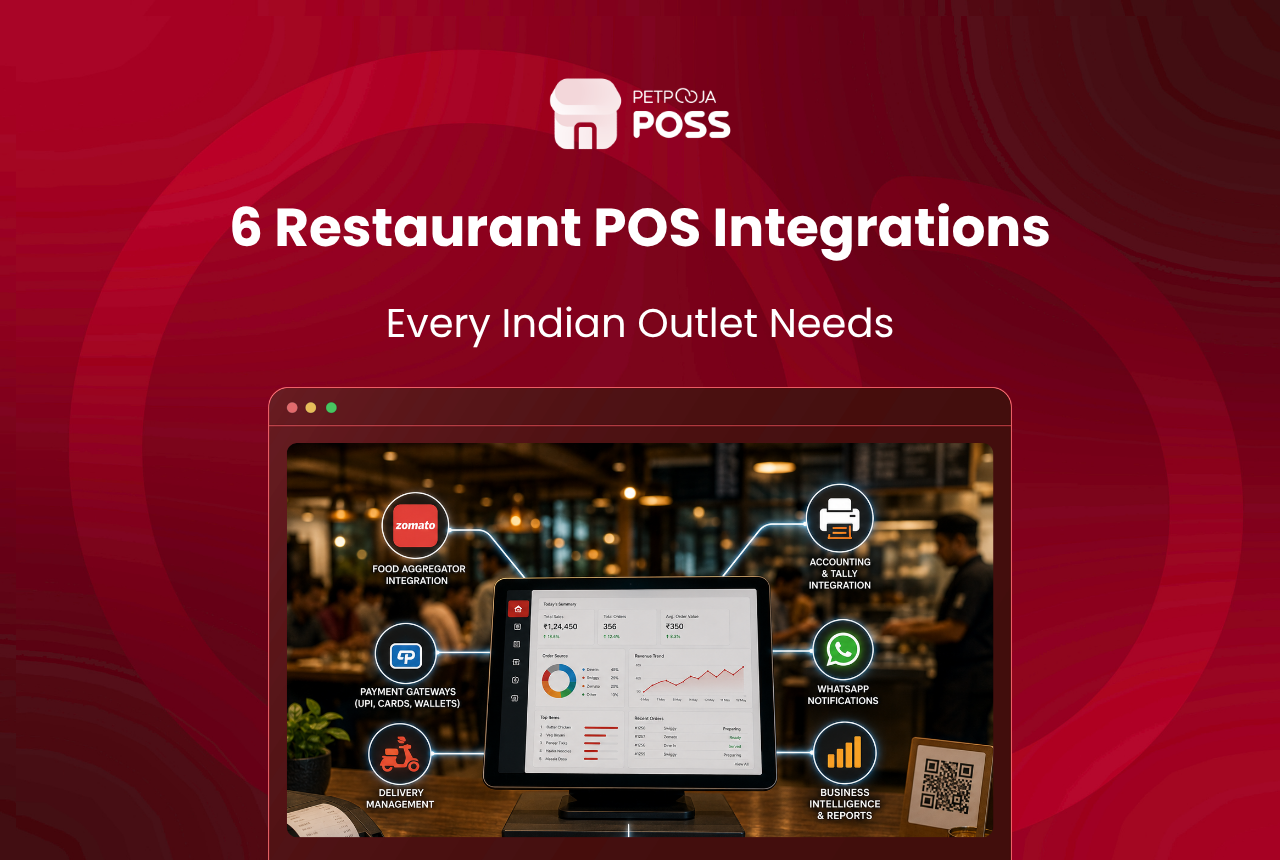
If you run a restaurant today, 6 integrations do most of the heavy lifting: online ordering, digital payments, loyalty and rewards, CRM and customer messaging, procurement with suppliers, and accounting. Connect these to one point of sale (POS) and your team stops jumping between apps, tablets and spreadsheets to run a single shift.
An integration simply means 2 systems talking to each other. Your Swiggy order shows up inside your billing screen. A UPI payment marks the bill as paid on its own. A regular customer’s points update the moment they order. That is the whole idea, and it is why a small outlet in Kandivali can run the same tech stack as a 20-outlet chain.
The rest of this guide walks through each of the 6, what it does, and how a POS keeps them from turning into 6 separate logins for your staff.
Key Takeaways
- 6 integrations cover most restaurant operations: online ordering, payments, loyalty, CRM, procurement and accounting.
- An integration lets 2 tools share data, so an order or a payment updates everywhere at once.
- Running each tool as a separate app or tablet slows staff down and causes missed orders.
- A POS acts as the single screen that ties all 6 together, from the counter to the kitchen.
- Start with online ordering and payments; add loyalty, CRM, procurement and accounting as you grow.
What Is a Restaurant Integration?
A restaurant integration is a link between 2 pieces of software so they share information without anyone re-typing it. When your delivery app, payment tool and billing system are connected, an order placed on one shows up on the other by itself.
Without these links, staff copy order details by hand, tally payments at closing, and chase suppliers over calls. That is where mistakes and wasted hours creep in. If you are new to the idea, our glossary explains API integration and how an online ordering system plugs into your POS.
The 6 Must-Have Integrations at a Glance
Here is the short version before we take each one in turn. Use it to spot which links your outlet needs first.
| Integration | What it does for your restaurant | When to add it |
|---|---|---|
| Online ordering | Pulls Swiggy and Zomato orders onto one billing screen | Day one, for almost every outlet |
| Digital payments | Links card, UPI and wallets to the bill you raised | Day one, alongside ordering |
| Loyalty and rewards | Tracks points and cashback against a customer’s number | Once you have repeat customers |
| CRM and messaging | Records who your customers are and reaches them on WhatsApp | When you run offers or take bookings |
| Procurement | Connects your outlet to suppliers for orders and stock | As food cost starts to bite |
| Accounting | Sends sales, tax and purchase data into tools like Tally | For multi-outlet books and GST filing |
1. Online Ordering Integrations
Start here, because this is where the money and the chaos both sit. Food delivery is now a daily habit for Indian diners, with an estimated 6.6 crore online delivery users among the urban population, as noted in the NRAI Food Services Report for 2024.
An online ordering integration pulls orders from aggregators like Swiggy and Zomato straight into your billing screen. Your role shrinks to preparing and packing the food while the platform handles the rider.
The trouble starts when you list on more than one platform. Staff end up watching 2 or 3 tablets, and during a Friday dinner rush an order on the tablet nobody glanced at goes cold. A POS with online order management puts every platform on one screen, so you accept the order, fire the KOT and mark it ready from a single view. If aggregator commissions worry you, our Swiggy Zomato commission calculator shows what each order really nets you.
2. Digital Payment Integrations
Cash is no longer the default at the counter, and UPI is the reason. Daily UPI value crossed Rs 90,000 crore in August 2025, per IBEF, which tells you how many bills now settle by phone rather than by note.
A payment integration links your card machine, UPI and wallet acceptance to the same bill you raised. The customer pays, and the POS marks that bill settled without a manual tick.
The value shows up at settlement time. When card and UPI collections flow back into your billing records, closing the till at night takes minutes instead of a guessing game. If your card and UPI totals never seem to agree, our guide on card vs UPI reports explains the common gaps.
3. Loyalty and Rewards Integrations
Winning back a regular costs far less than pulling in a stranger, and a loyalty integration is how you do it at scale. It tracks points, cashback and rewards against a customer’s number, so a diner who ordered last week gets recognised the next time they walk in.
Here the payoff is repeat business. A birthday offer, a points-based discount or a “third coffee free” card runs on its own once you set the rule.
Say a 2-outlet cafe in Aundh, Pune wants to bring back weekday regulars. As an illustrative example, they could set 5 points per Rs 100 spent, then a free dessert at 200 points. The POS keeps the tally, so staff never dig through a register. To weigh your options, our roundup of the best loyalty software compares the popular tools.
4. CRM and Customer Engagement Integrations
CRM stands for Customer Relationship Management, and in a restaurant it means keeping a simple record of who your customers are and what they order. A CRM integration collects that data at billing and turns it into a channel you can reach them through later.
With it, you can push a new menu, a weekend offer or an event invite over WhatsApp to people who have actually eaten with you. Table bookings and feedback flow into the same record too.
The engagement piece matters most for outlets that take reservations. A table reservation manager keeps every booking channel in one place, so a walk-in and an online booking never claim the same table.
5. Procurement and Supplier Integrations
Restaurants buy as much as they sell. Vegetables, packaging, gas, dairy and dry stock all come from vendors you order from every few days. A procurement integration connects your outlet to those suppliers so purchase orders, rates and stock updates move without a string of phone calls.
This is the B2B side of your business, and it is where quiet money leaks live. When purchase entries link to your inventory and billing, you can see food cost against sales instead of finding out at month end.
For a closer look at how ordering, receiving and stock tie together, our guide to Petpooja Purchase Manager walks through the setup. Pairing procurement data with sales is also how outlets catch restaurant revenue leakage before it adds up.
6. Accounting Integrations
Once the first 5 are running, accounting is what keeps the books clean without double entry. An accounting integration sends your sales, taxes and purchase data into tools like Tally, so your accountant works from numbers that match the POS.
For a single outlet this saves an evening of typing. For a chain, it means the owner sees each outlet’s finances from one place rather than collecting reports branch by branch.
The gain is accuracy at scale. Because the figures come straight from billing and purchases, GST filing and P&L reviews start from a source your team already trusts, not a re-keyed sheet.
How a POS Ties All 6 Together
Each integration is useful on its own. The problem is running 6 of them as 6 separate apps, because your staff cannot watch 6 screens through a dinner rush. This is where the POS earns its place: it becomes the one screen where orders, payments, loyalty, customer data, purchases and accounts all meet.
At Petpooja, we work with over 1,00,000 restaurants across India, and the pattern we see most often is outlets stitching tools together one at a time until the counter has 3 tablets and a laptop on it. A connected POS collapses that into a single view.
The food services industry itself is growing fast, which is why this matters now more than ever.
A market this size, employing an estimated 8.5 million people per the NRAI report mentioned earlier, runs on tools that talk to each other. If you want the full menu of what plugs in, the Petpooja restaurant integrations page lays out every category on one page.
Conclusion
You do not need every integration on day one. Begin with online ordering and payments, since those touch the most orders and the most money. Add loyalty, CRM, procurement and accounting as your outlet grows and each one starts to pull its weight.
The real gain is not any single tool. It is having all 6 meet on one screen so a shift runs without your team hopping between logins. That is the job a connected POS does, and it is the difference between managing your restaurant and chasing it. To see how the pieces fit for your outlet, take a look at Petpooja’s restaurant integrations.
Frequently Asked Questions
Online ordering. It handles the largest share of orders for most outlets and causes the most confusion when aggregator tablets are managed by hand. Payments are a close second, since UPI and cards now settle most bills.
Yes, though fewer of them. A small outlet gains the most from online ordering and payment links, which cut manual work at the counter. Loyalty and CRM help once you have a base of regulars worth bringing back.
A POS is the billing system your staff work on. An integration is a link that lets another tool, like a delivery app or a payment gateway, share data with that POS. The POS is the screen; integrations are the connections feeding it.
That is the point of a connected POS. Instead of 6 separate apps, orders, payments, loyalty, customer data, purchases and accounts appear in one place. It removes the extra tablets and reduces missed orders during a rush.
It depends on the setup. Many POS tools keep billing running locally and sync online data once the connection returns, so a short outage does not stop service at the counter.








