
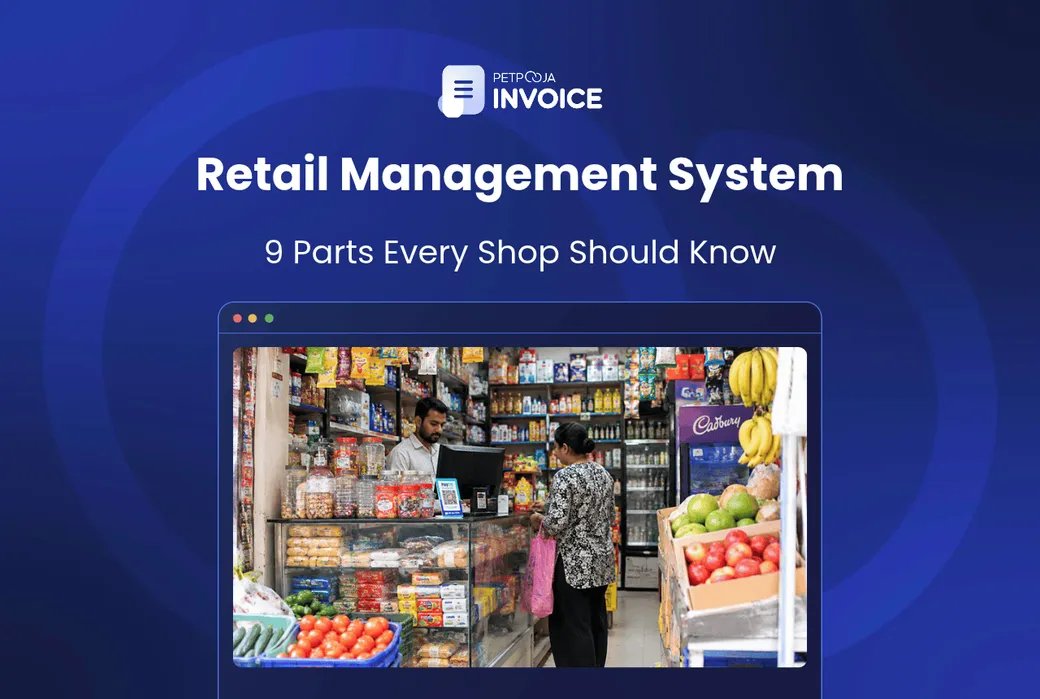



What is a retail management system? A retail management system is an integrated software system that runs a retail business behind the counter. It connects billing, stock, purchase, customers, GST and reports, so a sale updates the stock, the reports and the customer’s record at once.
What changes from shop to shop is how many parts you need. A single store with one counter needs only a few. A shop with three counters, two stores and a WhatsApp order line needs all of them.
This guide covers what a retail management system is, its 9 parts, which ones your shop needs first, and how to choose one.
Key Takeaways
- A retail management system is more than billing software. Billing is only one of its 9 parts.
- A single shop needs five parts on day one. The rest earn their place as you add counters, stores or online orders.
- The parts only work if they share one stock count. Separate tools for billing and stock drift apart.
- A features page cannot show you speed. Bill a busy hour of your own items in a demo, and you will know in minutes whether the system keeps up with your counter.
What Is a Retail Management System?
A retail management system is an integrated system. It has separate modules for billing, stock, purchase, customers, GST and reports, and they all share one database. Together they handle everything a retail business does around a sale. That covers the bill, the stock it moves, the purchase that refills it, the customer who bought it, and the GST it carries.
People also call it retail management software or store management software. All three names mean the same thing: connected modules, one stock count, many jobs.
It differs from plain billing software in one way. Billing software makes the bill. A retail management system makes the bill and then updates everything the bill touches. It is also lighter than enterprise resource planning (ERP) software, which runs a whole company.
Take a hardware shop in Whitefield, Bengaluru, that bills 12 bags of cement for ₹4,560 (an example). In billing software, that is one printed bill. In a retail management system, the same bill also lowers the cement stock by 12 and shows up in that day’s sales report.
Here is how the three kinds of software compare:
| Type of Retail Software | What It Covers | Who It Suits |
|---|---|---|
| Billing software | Bills and GST | A counter that only needs to bill |
| Retail management system | Billing, stock, purchase, customers, GST and reports in one system | Retail shops, from one store to a chain |
| ERP software | The whole company, including accounts, supply chain and payroll | Large businesses with many departments |
This post is about the middle row.
9 Parts of a Retail Management System
A retail management system has 9 parts, and each one handles a job a shop owner already does by hand or in a notebook. Here they are in a common order, from the counter outwards.
1. Retail POS Billing and Checkout
The point of sale (POS) is where every sale starts. It is the billing screen, a barcode scanner, a receipt printer and the payment, by cash, card or Unified Payments Interface (UPI). Good POS billing software scans barcodes, works out GST on each item and prints or sends the bill. Busy shops also need several counters billing at the same time, with one routine every cashier follows, like the one in our billing SOP checklist. Our post on POS software for retail shops covers the counter side in detail.
Sign you need it now: customers wait while someone adds up a bill by hand.
2. Retail Inventory Management and Stock Control
Retail inventory management tracks every stock keeping unit (SKU). An SKU is the code for each item, size or colour you sell. It ends the “we have it somewhere” problem at the counter. Retail inventory management software lowers stock with each bill and raises it with each purchase. It can also set a reorder level for each SKU, value your stock, track batches and expiry dates, and flag the oldest stock so it sells first.
Stock kept outside the billing system soon stops matching the shelf. Our post on retail inventory mistakes shows how that gap grows.
Sign you need it now: you find out an item is out of stock only when a customer asks for it.
3. Purchase Order and Vendor Management
Purchase management covers the buying side: purchase orders (POs) to suppliers, the goods received against them, and the supplier’s bill. It adds received stock in the same step. It can also keep a vendor ledger of what you owe each supplier, your accounts payable, so a payment is less likely to be missed or made twice.
Sign you need it now: you pay a supplier and later find the bill was already paid.
4. GST Billing, E-Invoicing and E-Way Bills
A retail management system should make GST-ready bills, with your GST Identification Number (GSTIN), the Harmonised System of Nomenclature (HSN) code of each item, and the GST split. It should also make the reports your accountant files from, such as GSTR-1 and GSTR-3B. Two more rules apply: e-invoicing once your turnover crosses a limit, and an e-way bill when you move goods above a set value.
E-invoicing means reporting a bill to the government’s Invoice Registration Portal (IRP). The portal sends back an Invoice Reference Number (IRN) and a QR code. It applies to bills to other businesses once your aggregate turnover crosses ₹5 crore in any financial year since 2017-18. Aggregate turnover is the total across all your GST registrations. The rule comes from Notification 10/2023. Bills to walk-in customers do not need one.
An e-way bill is generally needed when goods worth more than ₹50,000 are moved, as the e-way bill FAQ explains.
Our guide to e-invoice software compares tools for this.
Sign you need it now: you work out the GST on each bill by hand.
5. Retail Sales Reports and Business Analytics
Retail reports turn the day’s bills into numbers you can act on: daily sales, item-wise and category-wise sales, stock levels, and profit and loss. From these come retail key performance indicators (KPIs), such as average bill value, gross margin and dead stock. The best systems let you see them on a phone. If your accountant works in Tally, check that the reports reach it without retyping.
Sign you need it now: you learn the month’s profit only when the accountant tells you.
6. Role-Based Staff Access and User Permissions
Role-based access control decides who can do what in the system, based on each person’s role. You can set rules such as: a cashier can bill, a manager can give discounts, and only the owner can delete a bill or change a price. Each user gets their own login, so every bill and change can be traced to a person. This reduces the mistakes that show up only at month end, like an unapproved discount or a deleted bill.
Sign you need it now: discounts show up on bills that nobody remembers giving.
7. Retail CRM and Customer Loyalty Programme
Retail customer relationship management (CRM) is your customer list, kept by the system. It holds each customer’s name, mobile number, past purchases and dues. It can run loyalty points and send bills on WhatsApp. For a shop that sells on credit, it is also where the dues list, your accounts receivable, lives.
Sign you need it now: a regular asks for the usual discount, and the new cashier does not know who they are.
8. Multi-Store and Warehouse Inventory Management
Multi-store management keeps stock right across two or more stores and a warehouse or godown. Once you have a second location, you need to move stock between them on record. This part handles stock transfers, shows each store’s stock separately and gives the owner one head-office view of all of them.
Sign you need it now: you phone the other store to ask whether a size is in stock.
9. Omnichannel Orders From WhatsApp and Your Website
Omnichannel retail means selling through more than one channel, such as the counter, WhatsApp, your own website or an online store, from one stock pool. More shops now take orders on WhatsApp or a website. This part brings those orders into the same system. Ask in a demo whether an item sold online comes off the same stock as one sold at the counter.
Sign you need it now: WhatsApp orders are written on paper and billed later.
Nine parts sound like a lot for a small shop. The good news is that you do not need them all on day one.
What Should a Retail Shop Set Up First?
A retail shop should set up five parts of its retail management system first: billing, inventory, purchase, GST and reports. A busy store adds two more, and a chain or online seller adds the last two.
Stage 1: one shopBillingInventoryPurchaseGSTReportsStage 2: several countersStaff accessCustomers and loyaltyStage 3: more stores or onlineWarehouse and multi-storeOnline orders Each stage keeps the parts above it and adds new ones. Green: the five parts a single shop needs from day one. Amber: the parts a shop with several counters adds. White: the parts for more stores or online selling.Stage 1: one shop. Start with billing, inventory, purchase, GST and reports. These five replace the bill book, the stock register and the evening count of the cash box. A shop that sells on credit may also need the customer dues list from day one.
Stage 2: several counters. Add staff access, and customers and loyalty. With more people billing, you need to know who did what, and regular customers start to matter.
Stage 3: more stores or online. Add warehouse and multi-store management, and online orders. Take a footwear shop in Aundh, Pune, that opens a second store in Baner (an example). Without stock transfers on record, every pair moved between the two becomes a gap in both counts.
For Indian retailers, Petpooja Invoice covers all three stages. Its product page lists barcode scanning, multi-counter billing, real-time stock with batch tracking and first-expiry-first-out (FEFO) stock, purchase entries and GSTR reports. It also lists due management, profit and loss reports, an owner mobile app, user roles, customer and vendor management and Petpooja Loyalty. Warehouse and head office management, stock transfers, e-invoice and e-way bill support, Tally integration, and WhatsApp, Shopify and website orders are on the list too.
Knowing which parts you need is half the choice. The other half is testing them.
How to Choose a Retail Management System
To choose a retail management system, test it on your own shop’s work, not on the vendor’s sample data. Most of these checks fit in one demo.
- Check that every part shares one stock count. Bill an item, then open the stock report. The count should already be lower.
- Bill with your own items. Bring ten best-sellers, including one with a size or batch, and time a full bill.
- Test the GST bill. Put a 5% item and an 18% item on one bill and check that each rate shows separately.
- Ask how your old data moves. Item lists, customer dues and opening stock should come across without retyping.
- Ask what it costs as you grow. Find out whether the price changes per counter, per store or per user. Our guide to retail billing software prices explains the usual pricing models.
- Call support once before you sign up. Note how long it takes to reach a person.
What I could recommend from my end. Set up your item master before anything else, with categories, units and barcodes. The barcode setup guide walks through it. Every part of the system reads from the item master, so a messy item list makes every report wrong.
If you are moving from a notebook, run billing, inventory, purchase, GST and reports for one full month before switching on the rest.
For a side-by-side look at tools, see our list of top retail POS software.
Conclusion
A retail management system brings billing, stock, purchase, customers, GST and reports into one system that updates together. Most retail shops do not need all 9 parts on day one.
Start with billing, inventory, purchase, GST and reports, and add the rest as you add counters, stores or online orders. Test the parts you need in a demo with your own items, before you pay.
For Indian retailers choosing a retail management system, Petpooja Invoice covers all 9 parts in one place. Book a demo and bill your busiest hour in it.
Frequently Asked Questions
Does a Retail Management System Work Without the Internet?
It depends on the system. Some keep billing when the internet drops and sync the bills once it is back, while others stop until the connection returns. Ask the vendor to switch off the internet during the demo and bill a few items.
What Is the Best Software for a Retail Garment Shop in India?
The best software for a retail garment shop in India handles size and colour variants and barcode labels, because garments sell in many versions of one design. Check both in a demo. For garment shops, Petpooja Invoice lists Garment AI Try-On and Designer Label Printing on its product page. Our guide to the best retail billing software compares more options.
How Do I Keep Stock Accurate Once the System Is Running?
Count a few items each week in rotation, instead of closing the shop for a full count. Our guide to cycle counting stock shows how.
Thanks. This helps us make the next article better.

Rakshit Acharya is Head of Growth at Petpooja, where he has spent roughly four years moving from growth manager to running acquisition across the entire product suite. He owns the demand side of a company serving 1,50,000+ Indian businesses: paid campaigns across Google, Meta and LinkedIn, marketing automation, and the push into markets outside India. He also built the team that does it, hiring the performance marketers. That gives him a view most growth writing lacks he can see what a business owner searched, what they clicked, where they dropped off, and whether any of it turned into a paying customer. Outside Petpooja he ran a research project with GrowthX mapping how Indian founders and operators actually use AI at work, rather than how vendors claim they do. He writes about growth for people who have to justify a budget: what channels cost in India, what payback looks like, and which tactics survive contact with a real funnel.
Comments
Loading comments…