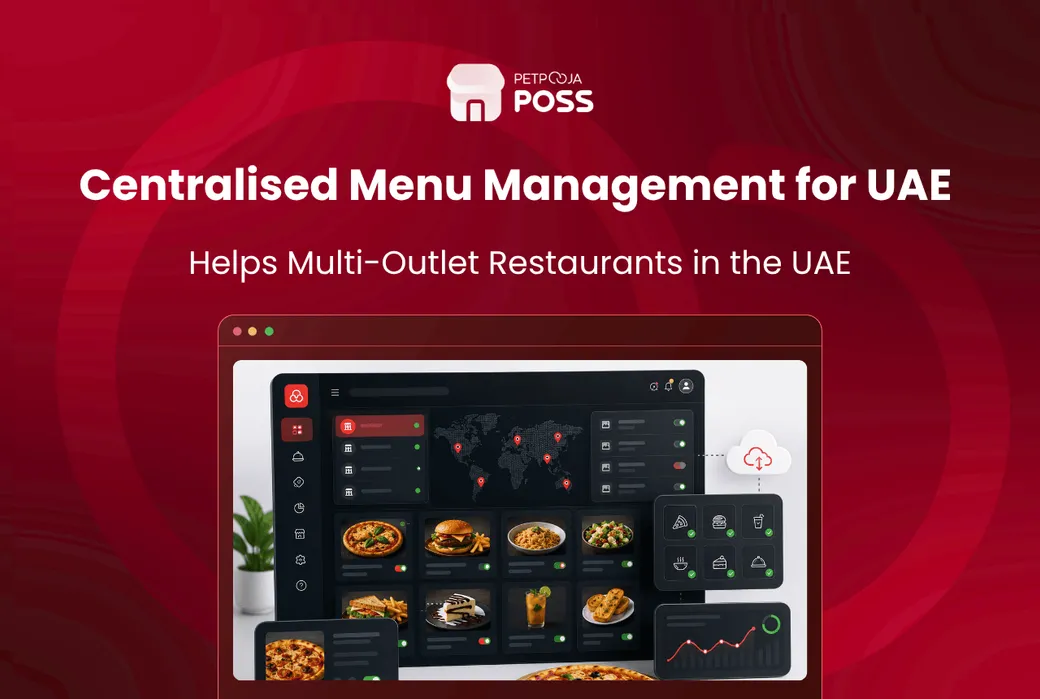



- Centralised menu management keeps one master menu that you edit once and apply across every outlet and central kitchen.
- It earns its place fastest for multi-outlet brands, cloud kitchens and restaurants with frequent menu or price changes.
- In the UAE it also has to handle delivery-app listings, per-channel pricing, Arabic and English menus, and 5% VAT.
- Before you buy, check how the system handles per-channel pricing, item availability, variations and combos, and a central kitchen.
Centralised menu management means you keep one master menu in a single system and control it from one login. Change an item, a price or a combo once, and that change carries across every outlet and your central kitchen at the same time, instead of you editing each branch by hand. For a restaurant running two or three locations in Dubai, that is the difference between a five-minute update and an hour of copying the same edit into separate systems.
It matters most for a specific kind of operator: multi-outlet brands, cloud kitchens running three or four labels from one Al Quoz unit, and any restaurant that changes its menu often. If you run a single outlet with a menu that barely moves, you may not need it. If your prices, combos and item availability shift week to week across branches, a scattered menu setup is quietly costing you money.
This guide explains what centralised menu management covers, why UAE restaurants feel the problem more than most, and what to test before you commit to a system.
What Does Centralised Menu Management Control?
A menu is more than a list of dishes and prices. Once you look at what a working restaurant menu really holds, you can see why keeping it in one place matters.
A proper item master carries far more than a name and a rate. It holds variations, add-ons, combos, tax settings, and the recipe that links each dish to the ingredients behind it. Centralised menu management keeps all of that in one record inside your restaurant POS, so a change to a dish updates every place that dish appears.
Here is what sits inside the menu you are trying to control:
- Items and prices across dine-in, takeaway and delivery
- Variations and add-ons, such as a shawarma in regular or large, with extra cheese or garlic sauce
- Combos and meal deals that bundle a few items at one price
- Item availability, so a dish that runs out is marked off before an order comes in
- Tax settings, so each bill applies 5% VAT correctly
- Recipe mapping, which ties a sold item back to stock and food cost
When these live in separate spreadsheets or separate outlet logins, they drift apart. One branch is still selling last month’s combo price while another has forgotten to mark an item unavailable, and a single master menu is what stops that kind of drift.
The table below shows the same menu tasks handled two ways: as scattered menus kept per outlet and per app, and as one master menu.
| Menu task | Scattered menus (per outlet and app) | One master menu |
|---|---|---|
| Change a price | Edit each outlet and each app by hand | Edit once, applies everywhere you set |
| Mark an item sold out | Update each screen on its own, easy to miss one | One action removes it across the board |
| Add a combo or variation | Rebuild it in every listing | Build once, reuse across outlets |
| Dine-in vs delivery pricing | Two lists tracked by hand | Two prices held on one item |
| VAT on every bill | Re-keyed per outlet, open to error | Tax settings travel with the item |
Why Is Menu Control Harder in the UAE?
Two things make menu control harder in the UAE than in many markets: the number of sales channels, and the rules the menu has to follow.
Most restaurants here sell through several delivery apps at once. Talabat, Deliveroo, Careem and Noon are common, and many brands also run Keeta and Smiles. Each of those listings is a menu of its own. If your prices or item availability change and one listing is missed, you get cancelled orders, a lower app rating, and a customer who blames you rather than the platform.
Delivery pricing adds a second layer. UAE aggregators charge commissions of 25 to 30 per cent of each order, so most operators set a higher menu price on delivery than on dine-in to protect the margin. That means two price lists for the same dish, and both have to stay right every time you change a recipe or a rate.
There is a compliance angle too. Every bill needs to be a proper tax invoice carrying your TRN and the correct 5% VAT breakdown. When the menu is centralised, tax settings and item details stay consistent across branches instead of being re-keyed one outlet at a time.
What Should You Test Before You Buy?
This is the part worth taking into a demo. Menu handling looks similar on every vendor’s website, and the differences only show up when you ask the system to do specific things on screen. It is one section of the wider UAE POS buyer’s guide, narrowed here to the menu.
- Per-channel pricing: Ask to set a dine-in price and a separate delivery price for the same item, then see both apply without you editing the item twice. For a delivery-heavy brand this is the feature that decides it.
- Item availability across the board: When you mark an item out of stock, does it drop from every relevant screen and channel, or only the one you are looking at? Marking a dish unavailable in one place and leaving it live in another is how cancelled delivery orders happen.
- Variations, combos and add-ons: Build a combo with a variation and an add-on during the demo. A pizzeria with half-and-half toppings and a QSR with meal deals both need this, and weak systems force awkward workarounds.
- A central kitchen and one login for outlets: If you feed multiple branches from a cloud kitchen, you want one login that shows every outlet and the same menu, not a separate account per site.
- Arabic and English on the printed bill and the screen: UAE menus often run in two languages. Check that the system prints and displays both cleanly.
- Recipe and food cost mapping: A menu tied to a recipe lets you watch your food cost as prices move, rather than finding out at month-end. This is where a menu turns from a price list into a management tool.
Run each of these live. A vendor who can show them in five minutes is a different proposition from one who talks around them.
One Master Menu, Many Places Edit once. The same item, price and availability apply everywhere. Master Menu items · prices · combos · VAT Outlet: JLT dine-in Outlet: Al Quoz cloud kitchen Central Kitchen recipes · stock Delivery Apps delivery price list Without it, each box becomes its own menu, and they drift apart. Example layout for a multi-outlet UAE brand.An Example: One Combo, Two Branches, One Iftar Rush
Here is how the problem shows up in practice. The brand below is an example, not a real customer.
Picture a small grills brand called Nakheel Grills House, with a dine-in outlet in JLT and a delivery kitchen in Al Quoz. A week before Ramadan, the owner wants to run an iftar combo: mixed grill, rice, salad and a drink, priced at AED 34 for dine-in and AED 41 on delivery to cover the commission.
With scattered menus, that is four edits at least: the dine-in price at JLT, the delivery price at Al Quoz, and the same combo on two separate delivery listings. Miss one, and a customer orders the combo at last month’s price, or the kitchen gets an order it can no longer make at that margin.
With a centralised setup, the owner builds the combo once, sets the two prices, marks its availability window for the iftar period, and the same item reads correctly across both branches. When the mixed grill runs low on a busy evening, marking it unavailable takes it off the board in one action rather than three. That is the whole point: fewer edits, fewer mistakes, and a menu you can trust during the rush.
Where Does Petpooja Fit?
Petpooja is built around a single master menu you manage from one login. You set up items with variations, combos and add-ons, and map each dish to its recipe and ingredients. Every branch and your central kitchen then run under the same account, with the same menu and reports. Bills come out as proper UAE tax invoices with the VAT breakdown, and menus can be shown in more than one language.
Across the UAE restaurants running on Petpooja, the menus that cause the most trouble are the ones with heavy variations, combos and frequent price changes. That is exactly what the item master is built to hold. It connects directly to the major UAE aggregators, so delivery orders land on the same screen as your counter and dine-in orders rather than on a separate tablet per app. You can put your own menu in front of it in a live demo and see how it handles your combos, your dual pricing and your outlets before you decide.
It fits multi-outlet and delivery-first brands best, since that is where a shared menu saves the most time. It matters less if you run one small outlet with a fixed menu, which is a fair trade to weigh. If you are moving from another system, our guide on switching your POS covers how the menu carries over without downtime.
Conclusion
Centralised menu management is not a headline feature, but it quietly touches every order you take. One master menu, edited once and applied across your outlets and central kitchen, removes the pricing drift and missed-availability errors that grow with every branch you open.
For UAE operators the stakes are higher, because the same menu has to satisfy several delivery apps, per-channel pricing, two languages, and 5% VAT at once. Test any system against the checklist above, and pick the one that keeps your menu consistent when the iftar rush hits and someone marks the mixed grill sold out. To see how a single master menu behaves across outlets, you can book a Petpooja demo with your own combos and prices.
Frequently Asked Questions
What is centralised menu management for restaurants?
It is a way of keeping one master menu in a single system and controlling it from one login. You edit an item, price or combo once, and the change applies across every outlet and your central kitchen, instead of updating each branch or channel separately.
Do single-outlet restaurants in the UAE need it?
Not always. If you run one outlet with a menu that rarely changes, a simple setup is fine. The value grows with more branches, more delivery apps, and more frequent price or combo changes, which is why multi-outlet brands and cloud kitchens gain the most.
How does it help with delivery apps like Talabat and Deliveroo?
Each delivery listing is a menu of its own, often at a higher price than dine-in to cover the 25 to 30 per cent commission. Centralised menu management keeps your items, prices and availability consistent, so a change made once does not leave one listing out of date. Petpooja, for example, keeps everything on one master menu and connects to the major UAE delivery apps, so those orders come into the same system as your counter and dine-in orders. Ask any vendor to show item availability updating across channels in a demo.
Can one menu handle different dine-in and delivery prices?
Yes, a good system lets you set a separate price per channel for the same item. This is standard for UAE brands that raise delivery prices to offset aggregator commissions. Confirm during the demo that you can set both prices without creating the item twice.
Does a centralised menu keep bills VAT-compliant?
It should. When tax settings sit inside the master menu, every bill applies the correct 5% VAT and prints a proper tax invoice with your TRN. That keeps invoicing consistent across outlets and avoids errors surfacing at year-end. The Federal Tax Authority’s tax invoice rules set out exactly what a compliant bill must show.
How does a central kitchen fit into menu management?
A central kitchen usually supplies several outlets, so its recipes and stock drive the menus those outlets sell. With one login across the kitchen and its branches, the same menu and recipe mapping apply everywhere, and food cost stays visible as prices move.
Thanks. This helps us make the next article better.

Avani Joshi is a Content Writer at Petpooja, where she writes about payroll, billing, and the everyday software that keeps Indian SMEs running. She has a knack for taking complicated topics and explaining them in plain language for business owners who don't have time to decode jargon.