
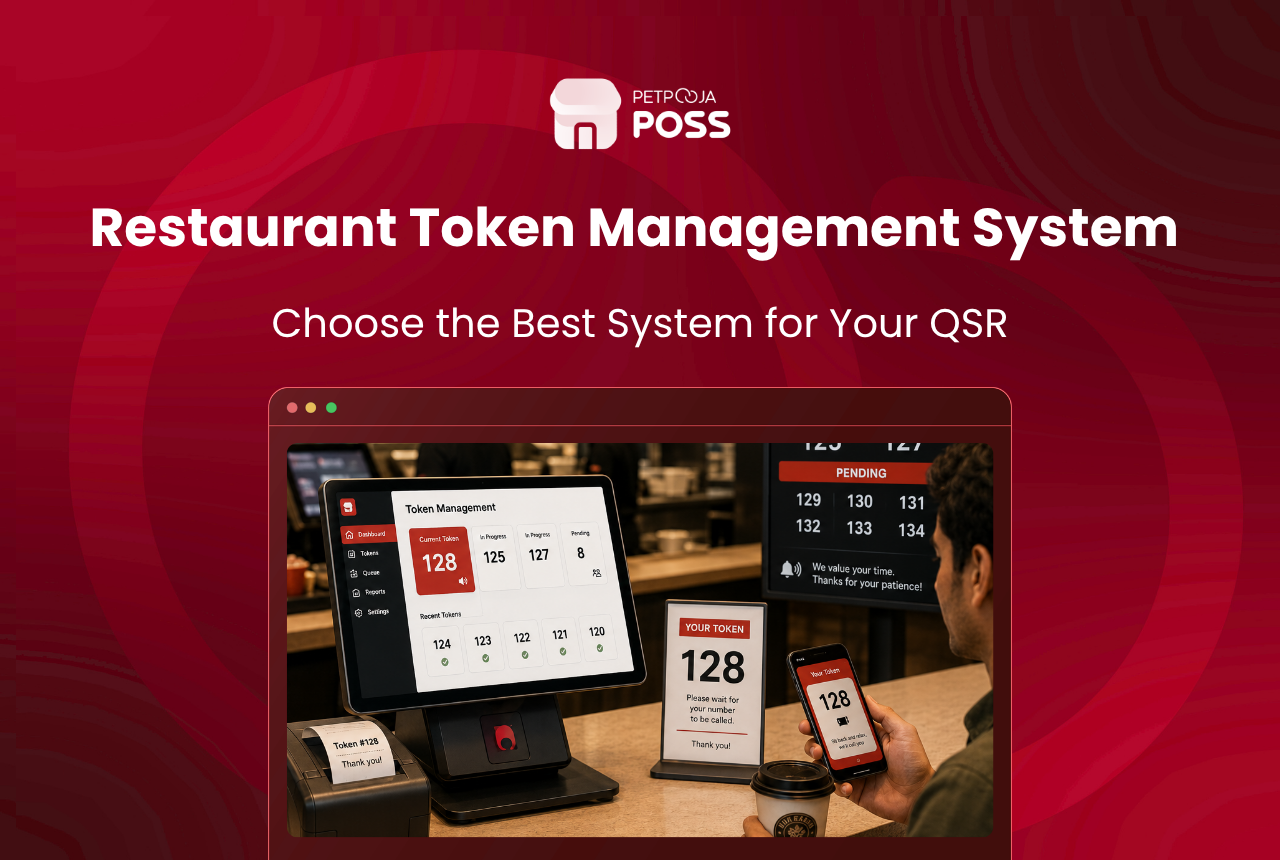
A token management system is a customer-facing screen at your pickup counter that shows each order by its token number, and whether it is still being prepared or ready to collect. Takeaway customers and delivery riders read the screen instead of asking your staff, so nobody crowds the counter waiting for their food.
Think of it as a live noticeboard for orders. When a bill is punched, the order gets a token number. As the kitchen works, the screen shows that token under “preparing”, then moves it to “ready” the moment the food is done. A Petpooja token display also plays a voice alert when an order is marked ready.
For a busy QSR handling walk-in takeaway and delivery riders at the same time, that one screen changes the counter. This guide covers what a token management system is, how it works, why counters get crowded, what a Petpooja token display does, and which businesses need one.
Key Takeaways
- A token management system shows each order’s token number and its status on a screen
- It stops takeaway customers and delivery riders from crowding the pickup counter
- Orders are marked ready from the POS or the KDS, and the screen updates live
- A Petpooja token display runs on any Android device or Android TV, with voice alerts
- QSRs, cloud kitchens, and takeaway-heavy counters gain the most
What Is a QSR Token Management System?
A token management system is a screen that tells waiting customers where their order stands, using the token number they are given when they order. It sits at the QSR pickup counter and lists live orders, split between the ones still cooking and the ones ready to hand over.
The idea is old, but the screen makes it work at speed. A paper token or a shouted number gets lost in the noise of a lunch rush. A screen holds every open order in one place, updates on its own as the kitchen works, and never forgets a token behind the counter.
That clarity is the whole point. A customer with token 47 can glance at the screen, see it is still preparing, and step aside instead of hovering. When 47 moves to ready, they walk up. No one has to ask, and your counter staff stop repeating “two more minutes”.
How Does a Token System Work at a QSR Counter?
A token system sits at the end of your QSR order flow, between the food being made and the customer collecting it. The bill assigns a token, the kitchen prepares the order, someone marks it ready, and the screen shows that token as ready with a voice alert.
The diagram below shows the path an order takes from the counter to collection.
Because the same order also runs through the kitchen display system, the ready signal comes straight from the cooks. There is no gap where a runner has to walk over and tell the counter that order 47 is done. The KOT and the token stay tied to the same order end to end.
Why Does the QSR Pickup Counter Get Crowded?
The counter gets crowded because everyone waiting has the same question and no way to answer it themselves. Walk-in takeaway customers, Swiggy riders, and Zomato riders all stand at the same spot, and each one asks the manager if their order is ready. During a peak, that is a wall of people around one till.
Takeaway and delivery volumes have grown fast for Indian QSRs, as the National Restaurant Association of India tracks in its India Food Services Report. More orders through more channels means more riders at the door, so a counter that coped last year can feel jammed this year. A screen answers the “is it ready” question before it is asked, which is how good QSRs reduce customer wait time at the pass.
Here is how the same counter feels before and after a token screen goes up.
| At the pickup counter | Without a token screen | With a token screen |
|---|---|---|
| Knowing an order is ready | Ask the manager | Read it on the screen |
| Takeaway and delivery riders | Crowd one till | Watch for their own token |
| Staff during a rush | Repeat “two more minutes” | Back to billing |
| A ready order left waiting | Goes cold, gets missed | Called out by a voice alert |
| Handing over the right order | Easy to mix up in a crowd | Token confirms the match |
What Can a Petpooja QSR Token Display Do?
A Petpooja token management system is an Android app that shows all your pickup orders with their live status and token numbers. It runs on any compatible device, including an Android TV with the Google Play Store, so most outlets just mount a screen near the counter and connect it.
The main things it handles:
- Live pickup status: every takeaway and delivery order shows on one screen, split by whether it is preparing or ready.
- Ready from POS or KDS: staff mark an order ready from the billing screen or the kitchen screen, and the token updates at once.
- Voice alerts: the display plays a voice notification when an order is marked food ready, so a rider looking away still knows.
- Rider check-in: it supports Swiggy and Zomato OTP check-in, so the right delivery order goes to the right rider.
- One screen for walk-in and online: dine-in takeaway and aggregator orders sit together, not on separate devices.
Because the token display and the POS run on the same connection, the screen stays in step with billing and the kitchen. This pairs closely with the kitchen side of the setup, so it is worth reading how a screen beats paper in KDS vs paper KOT if your kitchen still runs on printed slips.
Which QSRs and Takeaway Counters Need a Token System?
Not every outlet needs a token screen. The ones that gain most are counters where takeaway and delivery volumes are high and customers wait in a shared space to collect.
A token system earns its place fastest in these settings:
- QSRs with fast counters and a steady stream of takeaway pickups
- Cloud kitchens handling many rider pickups across Swiggy and Zomato
- Food courts and canteens where one counter serves a rush of walk-ins
- Cafes and dessert counters with grab-and-go orders at peak hours
As an example, and not a specific client, picture a burger QSR in Viman Nagar, Pune that does brisk delivery at lunch. Before a token screen, 8 riders would crowd the till at once, each asking about their order. With a screen, each rider watches for their token, and the counter staff go back to billing. The same clarity helps a food court counter or a cloud kitchen running several brands from one window.
Counters that lean on self-service also fit well, since a token screen sits naturally next to a self-service kiosk where guests order and then wait for a number.
How Do You Set Up a QSR Token Display?
Setting up is light. You mount an Android device or Android TV near the pickup point, connect it to the same network as your POS, and the screen starts showing live pickup orders by token.
The part worth planning is placement. The screen should be easy to read from where customers and riders wait, not tucked behind the till. Get the position right and people naturally look up at it instead of leaning over the counter.
You also decide what the screen shows. Most QSRs display both walk-in takeaway and delivery pickups together, while a pure delivery kitchen may choose to show only rider orders. Keeping the view focused on pickups means the screen never fills with dine-in orders that no one collects at the counter. A clear restaurant kitchen SOP checklist helps here too, so staff always mark orders ready at the same step and the screen stays accurate.
Conclusion
A token management system fixes the one thing that makes a QSR counter feel out of control: a group of people all waiting for news about their order. It moves that news onto a screen that updates itself, calls out ready orders, and keeps walk-in and delivery pickups in one view.
If your counter jams at lunch, or riders crowd the till asking about Swiggy and Zomato orders, a token screen is the fix. It works hand in hand with your Petpooja token display and kitchen screen, so billing, cooking, and pickup all read from the same live picture as your volumes grow.
Frequently Asked Questions
It is a customer-facing screen at the pickup counter that shows each order by its token number, along with whether it is still preparing or ready. Takeaway customers and delivery riders read the screen instead of asking staff, so the counter stays clear and idle waiting time drops.
The order is marked ready from the POS or the kitchen display system. The moment the kitchen taps ready, the matching token moves to the ready side of the screen, and a Petpooja token display also plays a voice alert.
Yes. A Petpooja token display shows online pickup orders alongside walk-in takeaway, and it supports Swiggy and Zomato OTP check-in so riders confirm the right order. Outlets running heavy aggregator volumes often keep a Swiggy Zomato commission calculator handy to track what each order pays out after fees.
It is an Android app that runs on any compatible device, including an Android TV with the Google Play Store. Most QSRs mount a screen near the pickup point and connect it to the same network as the POS.
No. A KDS faces the cooks and shows what to prepare. A token display faces customers and shows collection status. They work together, which you can see in how scan and order and kitchen screens keep a whole service in step.








