
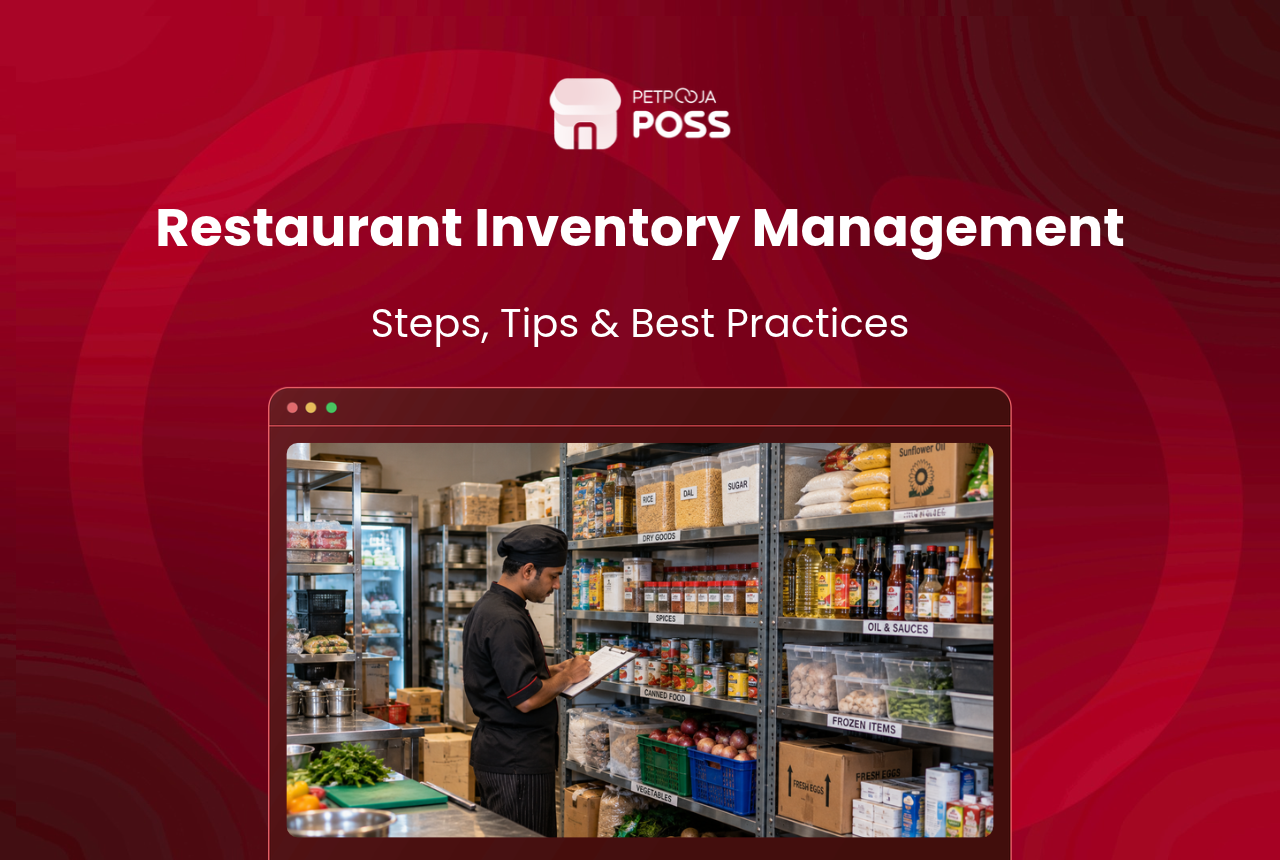
Restaurant inventory management is how you track every ingredient and supply from the day it arrives to the day it is used. It tells you what you have, what you used, and what to order next.
Get it right and two problems get smaller. You stop running out of paneer on a Saturday night. You also stop throwing away tomatoes you never needed to buy.
This guide covers the whole job in seven steps, from the count to the next order, then how to pick the suppliers you order from. After that it works the numbers through on one item, and finishes with the software and running stock across more than one outlet.
Key Takeaways
- Start with a physical count, at least once a week, by the same two people.
- Then turn the count into three numbers: usage, days on hand and variance.
- Next, set a par level for every item, so ordering stops being a guess.
- Finally, with more than one outlet, run prep from a central kitchen on one set of recipes.
What Is Restaurant Inventory Management?
Restaurant inventory management is the system you use to count, record and reorder everything the kitchen uses. Not just the food. Raw ingredients, packaging, cleaning supplies and anything else you buy to run a service all sit inside it.
The aim is a balance. Hold enough stock that dishes do not come off the menu mid-service, and little enough that nothing spoils on the shelf.
Most kitchens run it on a count sheet, a fixed schedule and a few simple sums. Larger ones add software that takes each dish’s ingredients off the stock records as it is sold. Our guide to restaurant inventory software compares what is available.
Why Does Restaurant Inventory Management Matter?
Ingredients are one of the biggest costs a restaurant carries, and the only one with a shelf life. Every kilo you over-order is money sitting on a shelf, and perishables lose value by the day.
Waste on that scale is not confined to one kitchen. Food service worldwide threw away an estimated 290 million tonnes of food in 2022, on the UN Environment Programme’s figures.
Count regularly, then compare the count against your sales. Three things become visible that purchase records alone will not show. Which items you over-buy, which ones leave the store with no sale behind them, and when to reorder before you run out.
How Do You Manage Restaurant Inventory, Step by Step?
Seven steps take you from the count through to the next order. A weekly count suits most kitchens, and busy ones count some items daily.
The first four: fix a day and two counters, organise the store, record a count sheet, work out usage. The last three: check variance and days on hand, count fast movers more often, then order up to par.
Step 1: Fix a Day, a Time and Two Counters
Pick the same day and time every week, ideally before a delivery arrives. A delivery that has arrived but is not yet written into your records throws the numbers off.
Send two people, and have each one count separately. Compare the two sheets, and recount any item where they disagree.
Keep it the same two people where you can. They learn where everything lives, so the count gets faster and more accurate over time.
Step 2: Organise the Store Before You Count
Give every item one fixed place, one label and one unit. A store where rice sits in three corners gets counted three different ways.
Group the store by area, so cold, frozen and dry stock each sit together, and count one area at a time. Our guide to food storage temperature covers what goes where.
Use the oldest stock first. This is first in, first out (FIFO), and it keeps older stock from expiring behind the new delivery. FSSAI’s training manual on storage and transportation tells kitchens to rotate stock this way.
Step 3: Record Each Item on a Count Sheet
Write down five things for every item: its name, its unit, how many you counted, the rate you paid for one unit, and the value. Value is simply the count multiplied by the rate.
Keep the unit fixed. If rice is counted in kilos this week, it is counted in kilos every week, or the totals stop meaning anything.
Our stock inventory management template has these columns set up already.
Step 4: Work Out What You Used
Usage is the number that tells you what the kitchen actually went through. The sum is opening stock, plus purchases, minus closing stock.
Opening stock is last week’s count, and purchases are everything that came in since. Closing stock is the count you just took.
Our guide to kitchen inventory cost takes the same sum through to a rupee figure for the whole store. Our food cost calculator then turns that into your food cost ratio.
Step 5: Check the Variance and Days on Hand
Set your usage against your sales. Multiply the dishes sold by the amount of the item in each recipe, and you get ideal usage, which is what the kitchen should have used.
The gap between usage and ideal usage is your variance.
Then divide the closing stock by your average daily usage, which is the week’s usage divided by seven. That tells you how many days the shelf will last. The worked example further down runs both on one item.
Step 6: Count Fast Movers More Often
You do not have to count the whole store every time. Count expensive, fast-moving items such as paneer, meat and oil every day or two, and leave the rest to the weekly count.
This is cycle counting. It catches a problem within days instead of at the next weekly count.
Step 7: Set a Par Level and Order Up to It
A par level is the amount you top each item up to when you order. Work it out from your usage between deliveries, plus a buffer for a bad week.
At each order, take the par level and subtract what is on the shelf. The difference is your order, so ordering stops being a guess.
That is why the alert in the figure sits at 6 kg and not at 12. An alert set at the par level fires as soon as you start using a delivery, and an alert that fires every day is one everybody learns to ignore.
How Do You Choose Restaurant Raw Material Suppliers?
Every order you work out in Step 7 goes to a supplier, so the supplier decides whether those numbers hold. Judge them on price, reliability, how they put a short delivery right, and quality.
Price is the one everybody checks and the one that matters least on its own. A cheaper rate on paneer is no saving if the delivery is late twice a month and the dish comes off the menu at eight on a Friday.
Ask what happens when a crate arrives short. A good supplier sends the balance the same day or puts a credit on the next invoice. A poor one argues until the kitchen stops bothering to count deliveries in.
Poor quality never shows on the bill. A crate of tomatoes that arrives half soft still costs the full rate, but a third of it goes in the bin before it reaches a pan.
Keep two suppliers for anything expensive or fast moving. If one lets you down on a Friday, the other can cover the weekend.
One short delivery gets caught at the door. A supplier who is half a kilo light most weeks does not, and that pattern shows up in your weekly variance long before anyone thinks to raise it.
Which brings the whole thing back to the numbers.
What Does Restaurant Inventory Management Look Like in Practice?
Here is how usage, variance, days on hand and par level work on one item. Take paneer in a kitchen in Whitefield, for the week ending 14 September 2026 (an example).
The kitchen used 19 kg of paneer, but sales say it should have used 17.5 kg. That leaves 1.5 kg with no sale behind it, worth ₹540. That gap is the variance, and it is the number to chase.
A small variance is normal, from trimming and the odd spilled tray. A variance that grows week after week has a cause, and it is usually one of these.
| Where the gap comes from | What to check first |
|---|---|
| Portions drifting bigger | Weigh ten servings against the recipe |
| Waste going unrecorded | The wastage sheet, against the bin |
| Recipe out of date | When the recipe was last updated after a menu change |
| Receiving short | Delivery notes against what was counted in |
| Poor-quality deliveries | Trim loss against the recipe yield |
| Stock walking out | Who can enter the store, and when |
Back to the shelf. Closing stock was 9 kg, which lasts about three days at 2.7 kg a day (19 kg over 7 days). If paneer arrives twice a week, a par level of about 12 kg covers the gap between deliveries with a little to spare.
Over a month, the same counts give you inventory turnover, which shows how many times your stock is used up and bought again.
How Does Petpooja Inventory Work?
Software does these sums for you and keeps the records as it goes. Here is what Petpooja’s inventory module covers.
Inventory has its own dashboard at inventory.petpooja.com, linked to billing. It covers purchases, stock, recipes, wastage and what your stock cost you. The module can be set up in under 15 minutes, though loading every recipe takes longer.
The dashboard opens on three panels.
- Daily stock closing tracker: a closing-stock accuracy score, with a calendar of any days the count was missed.
- Current inventory: the total value of stock on hand, with a low-stock alert.
- Pending tasks: how many purchase orders are still pending.
Behind the dashboard, the parts that do the day-to-day work:
- Recipes take stock off automatically on every sale. This includes multi-stage recipes built on a prepped base such as a gravy.
- Low-stock alerts warn you before an item runs out. Once a recipe is mapped, a dish can also switch itself off for dine-in and online when its ingredients run out.
- A central kitchen module runs one kitchen for many outlets, with requests, supply and returns.
- Purchase orders go to suppliers or to the central kitchen from the same screen.
- A catalogue of over 50 lakh raw materials means you pick items instead of typing them in.
Restaurants we work with on Petpooja tell us the closing tracker is the part that changes habits. A missed count shows up on the calendar the very next morning, and someone asks why.
Petpooja is India’s biggest and most price effective restaurant POS, behind the success of 1,00,000+ outlets. It has run restaurant billing for 14+ years, and the outlets on it push 60 lakh bills through a day at 0% processing errors.
How Does Restaurant Inventory Management Work Across Outlets?
The count, the numbers and the software all still apply with more outlets. What changes is that stock now moves between kitchens, and every outlet has to cook the same dish the same way.
Restaurants we work with that run several outlets tell us six things make the difference. They are a central kitchen, one set of recipes, and stock requests and purchase orders raised in one place. Then reports you can compare, a low-stock alert per outlet, and a single count day.
None of this is survey data. It is what owners tell us when we ask what changed once they opened a second or third kitchen.
1. Run Prep From a Central Kitchen
A central kitchen cooks the bases once and sends them out. Gravies, doughs and marinades are made in one place, so every outlet starts from the same product.
Record every transfer out of the central kitchen and every receipt at the outlet. Moving stock between outlets can also need an E-way bill under GST. Rule 138 sets a general threshold of ₹50,000 consignment value, and a state may set a higher limit for movement inside the state.
2. Use One Recipe for Every Outlet
Write each dish down once, with exact quantities, and use that recipe everywhere. The dish stays the same. It also makes ideal usage comparable from one outlet to the next, which lets you ask why one kitchen uses more than another.
Without a shared recipe you are guessing. You cannot tell whether an outlet is overportioning, wasting or losing stock. With one recipe across all of them, the outlet that stands out tells you where to look.
3. Raise Stock Requests and Purchase Orders in One Place
Outlets send a stock request to the central kitchen. The central kitchen then raises purchase orders to suppliers. Keep the requests and the orders in one system, so you can see what each outlet asked for and what actually turned up.
4. Read the Same Reports for Every Outlet
Compare usage, variance and wastage outlet by outlet, week by week. An outlet whose variance runs well above the others is the one to visit first.
5. Set a Low-Stock Alert Per Outlet
Each outlet sells at a different pace, so the same item needs a different par level at each one. Set the low-stock alert below that level, where there is still time to reorder.
6. Keep Every Kitchen on the Same Count Day
Count every outlet and the central kitchen on the same day, and record every transfer before the count starts. Stock in transit on count day is a common reason two locations will not reconcile.
Conclusion
Restaurant inventory management comes down to a steady count and a few honest numbers. Same day, same two people, same units.
Then turn the count into usage, variance and days on hand. Variance is the one to watch, because it is the stock you cannot account for against sales. Order each item up to its par level, so the order is a sum and not a guess.
With more than one outlet, run prep from a central kitchen on one set of recipes. Count every kitchen on the same day. Restaurant inventory software linked to your billing can do most of the sums for you.
Frequently Asked Questions
In a restaurant the two words are used almost the same way. Stock usually means what is on the shelf right now, while inventory also covers the records around it, such as purchases, usage and value.
Count in units, then convert to rupees. Units tell the kitchen what to order, and rupees tell you what the stock is worth. Take an outlet in Vastrapur holding ₹1,86,420 of stock (an example). That figure alone cannot tell you whether the stock is too high. Days on hand can, and it is easiest to read item by item, in units.
Keep the store locked, hand out stock only against a written request, and count with two people. Then check the variance item by item every week. Our inventory audit checklist covers the full routine.
A store in-charge usually owns it. They take in deliveries, check what arrived against what was ordered, and hand stock out to the kitchen. In a small outlet the manager does all of it. What matters is that one named person owns the store, so every shortfall has someone to answer for it.
Yes, for one outlet with a short menu. A spreadsheet does the count sheet and the usage sum well. It gets hard once you need recipes to deduct stock from every sale, or once you run more than one kitchen.
Keep one store and one set of counts for the whole kitchen, not one per brand. The brands share ingredients anyway. Split the stock by brand and all you really create is transfers that nobody records.
Use it first, move it into a special, or turn it into staff meals. Then note why it nearly expired, so next week’s order can be adjusted. Our guide to restaurant waste management covers the rest.








