
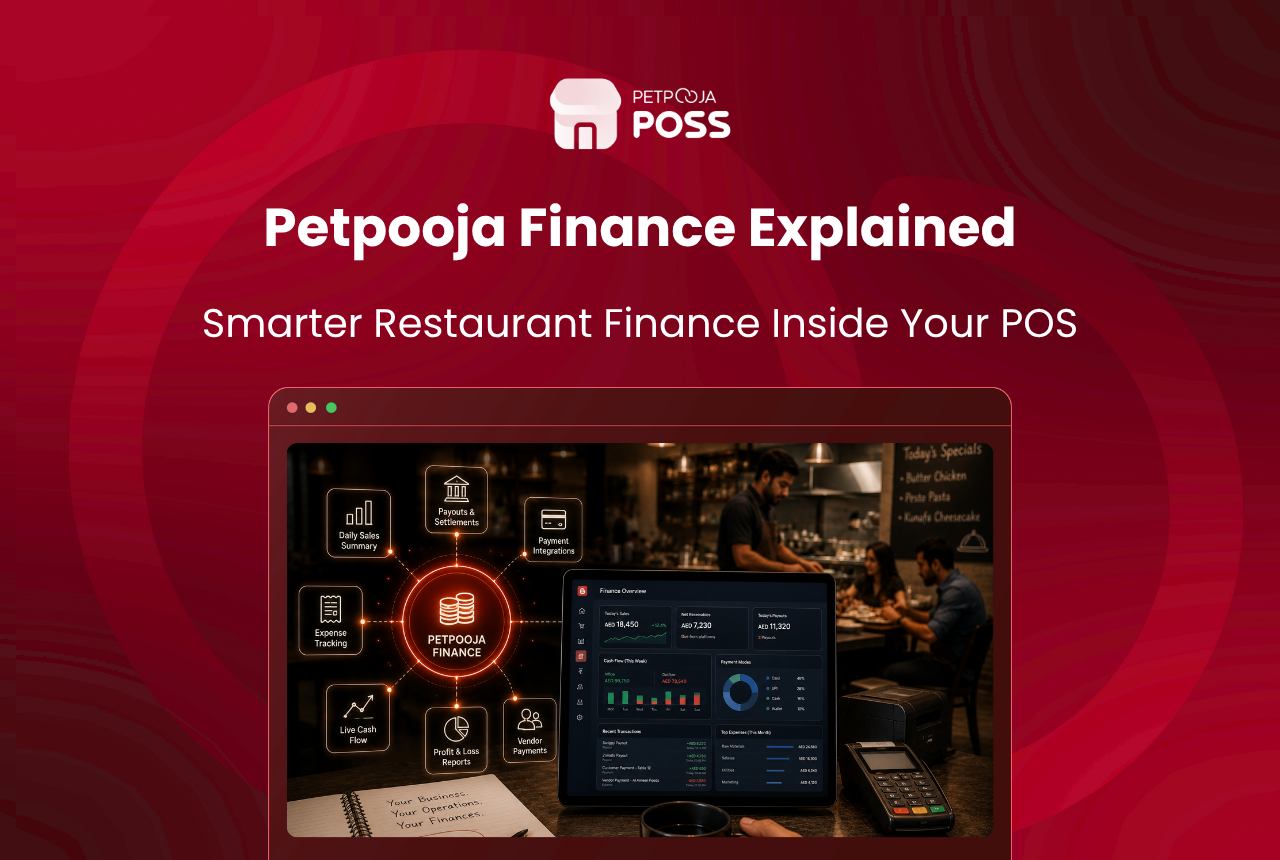
Petpooja Finance is the payment and money-management layer built inside Petpooja POSS. It accepts card, UPI, and QR payments at your counter, then tracks, matches, and settles that money for you from a single dashboard.
Think of it as the money side of your restaurant software. The billing screen takes the order. Petpooja Finance handles what happens to the payment after that: which tender was used, how much reached your bank, what the provider deducted, and whether anything went missing along the way.
For an owner, the short version is this. Today you juggle a card machine from one company, a UPI app from another, and aggregator payouts from a third. Petpooja Finance gives you one place instead. It shows every rupee and checks it against what lands in your account.
Key Takeaways
- Petpooja Finance is the payment and reconciliation layer inside POSS, backed by a platform called Finance Cloud
- It processes card, UPI, and QR payments and records each one under the correct tender
- Petpooja Pay+ is an internet-first way to run EDC card machines, rolling out with partners including Paytm, Razorpay, Pine Labs, Mosambee, and BharatPe
- The dashboard checks what you were paid against what you earned, order by order
- Banking services, starting with a current account, sit inside the same screen
Why Do Restaurant Payments Get Messy?
In a busy outlet, money arrives in many forms each day: cash, card swipes, UPI scans, wallet payments, and weekly Swiggy and Zomato settlements. Each one flows through a different company, with its own report and payout date. At month-end, someone tries to match all of it by hand.
That is where the gaps show up. A card machine on the wrong Wi-Fi fails to reach the POS. UPI payments get logged under names nobody can trace. Payouts arrive short for no clear reason, a pain we covered in why your Swiggy and Zomato sales and bank deposits never match. Petpooja Finance is built to close those gaps at the source.
What Does Petpooja Finance Actually Do?
Petpooja Finance runs on a platform called Finance Cloud. You open it at finance.petpooja.com, through the Management area inside POSS. It brings payments, reconciliation, payouts, and banking together in one place.
Here is what it covers.
| Capabilities of Petpooja Finance | What It Covers |
|---|---|
| Payment processing | Accepts card and UPI or QR payments through connected EDC and QR devices |
| Payment split (on Pay+) | Records each payment under its real type: card under Card, UPI and Bharat QR under UPI |
| Reconciliation | Checks your transactions against what the provider actually paid out |
| Payout tracking | Shows provider charges and the final amount credited, in one view |
| Auto-settlement | Closes the order and frees the table once the payment confirms |
| Banking services | Apply for a current account, with loan options rolling out |
The value is not any single feature. It is that all of this sits next to your billing. The money view and the sales view come from one source, not two systems you stitch together later.
How Does Petpooja Pay+ Work?
Payments are the part owners ask about first. That is where Petpooja Pay+ comes in, so let us look at how it changes the way your card machine connects.
For years, the POS talked directly to the payment app on the EDC card machine over the local network. Both devices had to sit on the same Wi-Fi. That often caused connection trouble during a rush.
Petpooja Pay+, powered by Finance Cloud, changes that setup. Payment requests now route through Finance Cloud. The POS only starts the request, and Finance handles the rest, including all partner communication. In practice, an EDC machine needs only a stable internet connection, not a shared local network with the billing computer.
Pay+ is rolling out across outlets and has been piloted in real merchant environments. The live partners you can choose from include Paytm, Razorpay, Pine Labs, Mosambee, and BharatPe, with more providers in onboarding.
A single payment on Pay+ moves through four steps:
- The customer pays by card, UPI, or QR at your counter.
- The POS initiates the request only, then hands it to Finance Cloud.
- Finance Cloud routes the request to your chosen partner, such as Razorpay or Pine Labs, and manages the reply.
- The payment confirms, and the order is auto-settled and reconciled against the payout that lands in your bank.
Card and UPI, Counted Correctly
When a customer taps a card or scans a QR on the same machine, older setups often logged both under a single “Card” figure. That made end-of-day totals hard to trust, which is a big part of why card and UPI reports never match.
On Pay+, each transaction is classified by the method actually used. Card payments sit under Card, while UPI and Bharat QR payments sit under UPI, with the provider shown against each entry across your reports and dashboards. This clean split matters because UPI now carries most digital payments in India. The NPCI’s monthly UPI figures keep confirming this, with UPI crossing 23 billion transactions in May 2026 alone. An accurate UPI figure is now central to reading your own sales.
How Does Finance Reconcile Your Payouts?
This is where Finance earns its place for most owners. The dashboard shows how your business is paid, splitting card and UPI, wallets, cash, and online settlements, with a distribution chart and monthly trends.
For connected EDC machines and UPI partners, the reconciliation engine flags transactions that are missing invoices. It also shows provider charges next to the final payout. You can check every order with a clear breakdown of what came in, down to a card versus UPI split on a single bill. It is the same idea behind our built-in aggregator tool, explained in how Petpooja makes online order reconciliation effortless.
Here is an illustrative example, not real data. Say a cafe takes 60 UPI payments and 20 card swipes in a day, and the owner notices the bank credit is lower than the day’s sales. Instead of guessing, the dashboard shows the provider fee on each card swipe and the exact orders where an invoice is missing. The gap is explained, not written off.
How Does the Soundbox Confirm Payments?
Payment confirmation used to depend on a cashier checking a phone screen mid-rush. Petpooja Finance supports a Soundbox for integrated QR payments, which announces a voice confirmation the moment a customer pays. The cashier no longer has to squint at a phone or ask the customer to show the success screen.
For static QR payments, configurable voice notifications can be switched on as well, with a choice between English and Hindi. When enabled, staff recognise a successful payment by ear, which cuts missed verifications during peak hours and keeps the queue moving.
Picture a QSR counter in Indiranagar during the 8 pm rush, with fifteen people waiting and three orders being packed at once. A voice that calls out each confirmed payment lets the cashier keep both hands on the packing counter, with no need to check a screen. It is a small change, but it removes a common friction point at a busy till. At peak time, one unconfirmed payment can hold up the whole line.
Banking Built Into Your POS
Finance reaches past day-to-day payments. Owners can apply for an HDFC Bank current account through the Finance Marketplace. That removes the offline application process that usually comes with opening a business account. Instead of a branch visit and a folder of documents, the application starts from the same dashboard where the day’s sales already sit.
A full HDFC business-loan journey is on the roadmap to run end to end inside Finance. This builds on the working-capital option shown earlier across POSS as Petpooja Loans. Now it moves into the same dashboard where your payments and payouts already live.
Keeping banking next to payment data has a practical point. A lender assessing a restaurant wants to see steady takings, and those takings already sit inside Finance, tender by tender. When the account and the loan application read from the same source as your daily sales, there is less back-and-forth over statements. You spend less time proving numbers the system can already show.
Who Is Petpooja Finance For?
Any food and drink business that takes digital payments can use it: a fine-dine restaurant, a QSR chain, a cloud kitchen, a cafe, or a neighbourhood bakery. The higher your daily payment volume, the more the reconciliation and payout tools save you.
Payments also happen away from the till. Captains taking orders tableside can settle bills on the spot, as we explain in what captain ordering is and how it works, and those settlements feed into the same Finance view rather than a separate log.
Scale is the reason these tools exist. Petpooja processes 60 lakh or more bills a day across 1,00,000+ outlets. It also handles close to a quarter of all Swiggy and Zomato orders in India, going by the company’s own figures. Payment tools built for that kind of volume tend to hold up in a single busy outlet without much fuss.
Conclusion
Petpooja Finance takes the most scattered part of running a restaurant, the money, and puts it in one place. It accepts card, UPI, and QR payments, records each under the right tender, checks payouts against what you earned, and adds banking on top, all inside the POSS you already use for billing.
Some parts, such as Petpooja Pay+ and the loan journey, are still rolling out, so the exact set of live features depends on your outlet and provider. The direction is clear though. Fewer separate apps to reconcile, and a cleaner answer to the oldest question in the business: did the money I earned actually reach my bank? To see how it fits your outlet, you can book a demo of Petpooja POSS.
Frequently Asked Questions
No. Petpooja Finance is a layer inside Petpooja POSS, reached from the Management area of your dashboard. It brings payments, reconciliation, and banking into the software you already use for billing and orders.
A normal setup needs the POS and the card machine on the same local network, which causes connectivity trouble. Pay+ routes payments through Finance Cloud instead, so the EDC needs only a stable internet connection. It is rolling out with partners including Paytm, Razorpay, Pine Labs, Mosambee, and BharatPe.
Yes. The reconciliation view checks what platforms and providers actually paid against your records and flags the gaps, whether the orders come from Swiggy, Zomato, or newer channels like ONDC. If you handle high online volume, the approach in how smart restaurants reconcile thousands of orders in minutes shows why this matters.
On Pay+, yes. Card payments are recorded under Card and UPI or Bharat QR under UPI, with the provider shown against each. This split appears across your reports so your daily totals stay accurate.
Payments feed into your wider numbers, and a simple starting point is a restaurant P&L statement template to map income against costs. Clean payment data makes that statement far easier to trust, and to pull the GST share out of a bill while you work, a GST calculator gives you that figure in seconds.








