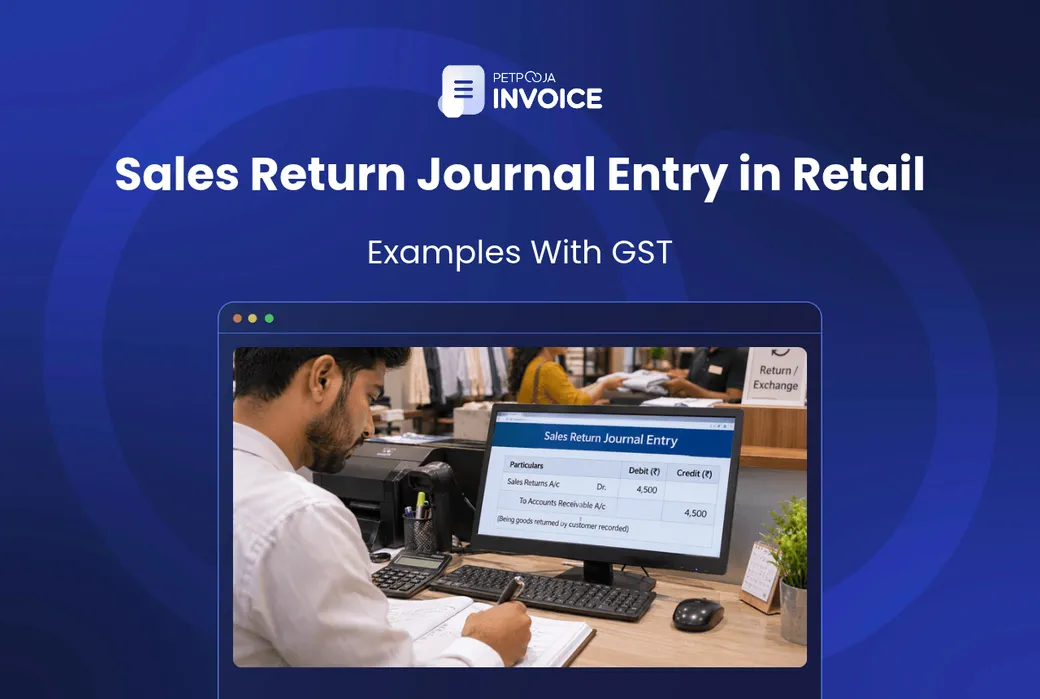



How do you pass a sales return journal entry in a retail shop? You debit Sales Returns and the GST you charged on the bill, and you credit cash, bank or the customer’s account. The amounts come from the original bill, item by item.
The rest depends on how the customer paid, whether they are a GST-registered business, and when the goods came back. A return after the GST time limit has a different entry from one made a few days after the sale.
This post follows a return the way it happens in a retail shop, in 4 steps: raise the credit note, pass the journal entry, update stock, and report the note in GSTR-1 on time. Step 2 gives the entry for 5 cases small Indian business owners meet, from counter refunds to B2B and late returns.
Key Takeaways
- A sales return entry debits Sales Returns and the output GST, and credits cash, bank or the customer. Skip the tax lines on a return made in time and you overpay GST.
- Declare the credit note by 30 November after the year of sale, or by your annual return date if that is earlier. Miss it and the GST stays paid.
- An unrecorded return later shows up as a stock gap.
Step 1: Raise a GST Credit Note for the Sales Return
Every sales return in a retail shop starts with a GST credit note, raised against the original bill. It is the document that lets you reverse the tax. CGST Rule 53 lists what it must show. The drawing below marks each field on an example note, the B2B return in Case 4 of step 2.
1 Shop name, Indore (an example) GSTIN 23XXXXX0000X1Z0 2 CREDIT NOTE 3 No. CN/26-27/0042 4 Date: 9 Nov 2026 5 To: Buyer firm, Ahmedabad GSTIN 24XXXXX0000X1Z0 6 Against invoice INV/26-27/1187 dated 28 Oct 2026 7 Item Qty Value LED panel 6 ₹6,900 IGST 18% ₹1,242 Total credit ₹8,142 8 Authorised signatory An example credit note for the Case 4 return in step 2, with the eight fields Rule 53 asks for numbered. Both GSTINs are dummies. The pale orange IGST row is the tax being reversed, and the pale green row is the total credited to the buyer.Here is what each number on the note stands for:
- Your name, address and GSTIN as the supplier.
- The nature of the document, so it says “Credit Note”.
- A consecutive serial number of up to 16 characters, unique in the financial year. Letters, numbers, hyphens and slashes are allowed.
- The date of issue.
- The buyer’s name, address and GSTIN if they are registered. For an unregistered buyer, the rule asks for the name, address, delivery address and the state name and code.
- The number and date of the original tax invoice or bill of supply.
- The taxable value, the tax rate and the tax amount being credited.
- Your signature or digital signature, or that of someone you authorise.
Field 6 is easy to leave blank on handwritten notes. Without it, the credit note does not tie back to a sale, and the tax reversal is hard to support. Our credit and debit note template lays these fields out for you.
With the credit note raised, the journal entry follows from its figures.
Step 2: Pass the Sales Return Entry in 5 Retail Cases
Every sales return journal entry with GST starts from one basic shape, and the five cases below show how it changes.
What Does a Sales Return Journal Entry Look Like?
For a return made within the GST time limit, you debit Sales Returns with the taxable value, debit each GST line you charged, and credit whoever gets the money or the credit. Case 5 shows what changes after the limit.
Sales Returns is also called return inward. It sits against your sales, which is why it is debited. Our bad debts entry and cash deposit entry posts use the same table layout.
The 5 cases:
- A cash or Unified Payments Interface (UPI) refund.
- A credit sale returned before payment.
- A return after the customer has paid.
- An interstate business-to-business (B2B) partial return.
- A return after the time limit.
All figures in these cases are examples. The GST rate in each is an example rate too, so use the rate printed on your own bill.
Case 1: Cash or UPI Refund at the Counter
A customer at an appliance shop in Rajkot buys a mixer grinder on 3 November 2026, on bill B-2291 (an example). She pays ₹4,720 through UPI. The bill shows a taxable value of ₹4,000, Central GST (CGST) of ₹360 and State GST (SGST) of ₹360, at 18% in total.
She brings it back unused on 6 November. The shop raises credit note CN-0058 against bill B-2291 and refunds ₹4,720 by UPI.
| Account in the Case 1 Entry | Debit (₹) | Credit (₹) |
|---|---|---|
| Sales Returns A/c | 4,000 | |
| Output CGST A/c | 360 | |
| Output SGST A/c | 360 | |
| To Bank A/c (UPI refund) | 4,720 |
The two debits for tax lower what you owe the government this month, if the credit note is declared in time. If you only know the GST-inclusive price, a reverse GST calculator splits out the tax. The mixer grinder goes back into sellable stock, so the count rises by one.
At the counter: open bill B-2291, raise the credit note from it, and pick the refund mode. If the refund went out in cash, the credit line is Cash A/c instead of Bank A/c.
Case 2: Credit Sale Returned Before the Customer Pays
A credit sale is one where the customer takes the goods now and pays later, often on a running account or khata. Nothing has been paid yet, so no money goes back. The return simply cuts what the customer owes.
A saree shop in Surat sells four sarees to a regular customer on credit (an example). The bill shows a taxable value of ₹8,400, with CGST of ₹210 and SGST of ₹210 at 5% in total. So ₹8,820 is due. She returns one saree worth ₹2,100 before paying.
| Account in the Case 2 Entry | Debit (₹) | Credit (₹) |
|---|---|---|
| Sales Returns A/c | 2,100.00 | |
| Output CGST A/c | 52.50 | |
| Output SGST A/c | 52.50 | |
| To Customer A/c | 2,205.00 |
Her balance falls from ₹8,820 to ₹6,615. The saree goes back on the rack.
In good billing software: you raise the credit note against the original credit bill, not as a fresh bill. Her dues should then show ₹6,615 without anyone changing the figure by hand.
Case 3: Return After the Customer Has Paid
Once the customer has paid in full, the return leaves you owing them money. You first book the return against the customer’s account, then choose how to settle it.
An office supplies shop in Pimpri sells printer cartridges to a small accounts firm, which pays the full ₹3,540 (an example). The bill shows a taxable value of ₹3,000, CGST of ₹270 and SGST of ₹270. The firm returns all of them a week later.
| Account in the Case 3 Return Entry | Debit (₹) | Credit (₹) |
|---|---|---|
| Sales Returns A/c | 3,000 | |
| Output CGST A/c | 270 | |
| Output SGST A/c | 270 | |
| To Customer A/c | 3,540 |
The customer’s account now shows ₹3,540 in their favour. There are two ways to clear it.
Option A: Refund the Money
Pay the ₹3,540 back. The entry is Customer A/c debit ₹3,540, Bank A/c credit ₹3,540. The account is back to zero.
Option B: Adjust It Against the Next Bill
The firm buys new stock worth ₹5,900 (₹5,000 taxable plus ₹450 CGST and ₹450 SGST). You bill the full ₹5,900 as a normal sale, then set off the ₹3,540 credit. The firm pays only ₹2,360, and its account closes at zero.
| Account in the Case 3 Option B Entries | Debit (₹) | Credit (₹) |
|---|---|---|
| Customer A/c (new bill) | 5,900 | |
| To Sales A/c | 5,000 | |
| To Output CGST A/c | 450 | |
| To Output SGST A/c | 450 | |
| Bank A/c (payment after set-off) | 2,360 | |
| To Customer A/c | 2,360 |
The customer’s account had ₹3,540 in its favour, so ₹5,900 less ₹3,540 leaves ₹2,360 to collect.
Do not net the two into one smaller bill. Netting leaves no credit note, so there is no GST document for the return. Our accounts receivable guide covers how to keep these customer balances moving.
In many billing tools: you can keep the credit note open against the customer and apply it on the next bill. That way the ₹3,540 does not sit forgotten in the ledger.
Case 4: Interstate B2B Partial Return With IGST
Raise a credit note for only the part that comes back, and use Integrated GST (IGST) if the first bill did. This is the case where the buyer’s GST number matters most.
An electrical shop in Indore sells 40 LED panels to a builder’s site office in Ahmedabad (an example). The invoice is INV/26-27/1187, dated 28 October 2026.
The bill shows a taxable value of ₹46,000 at ₹1,150 a panel, plus IGST of ₹8,280 at 18%. The builder has not paid the bill yet. Six panels arrive cracked and go back.
The shop issues credit note CN/26-27/0042 on 9 November 2026 for the six panels: ₹6,900 taxable plus ₹1,242 IGST, a total of ₹8,142.
| Account in the Case 4 Entry | Debit (₹) | Credit (₹) |
|---|---|---|
| Sales Returns A/c | 6,900 | |
| Output IGST A/c | 1,242 | |
| To Builder’s Account (Customer A/c) | 8,142 |
The builder now owes ₹46,138 instead of ₹54,280. The credit note goes into GSTR-1, the GST return for outward supplies. A monthly filer reports it in November’s GSTR-1. A quarterly filer reports it in that quarter’s return, or through the Invoice Furnishing Facility (IFF).
The buyer is registered, so if it claimed input tax credit on those panels, it has to reverse ₹1,242. The “GSTR-1 Reporting and When the GST Cut Is Blocked” part of step 4 explains why that matters to you.
If your bills must be e-invoiced, credit notes to businesses are reported as e-invoices too. The e-invoice overview from the Goods and Services Tax Network (GSTN) lists credit notes for B2B supplies among the covered documents.
In good billing software: you pick the buyer’s original invoice so the credit note carries its number and date. The buyer’s GST Identification Number (GSTIN) then comes across from the bill. Cracked panels go to a damaged-stock location, not back on the shelf.
Case 5: Return After the Credit Note Time Limit
This case is easy to miss, because the problem only appears once 30 November after the year of sale has passed. If the goods were sold in one financial year and come back after the GST deadline, you cannot cut your GST for them.
A furniture shop in Kochi sells a recliner in March 2025, in the 2024-25 financial year (an example). The bill shows ₹25,000 taxable plus ₹4,500 GST at 18% (₹2,250 CGST and ₹2,250 SGST), so ₹29,500 in total. The customer returns it on 4 December 2025 and the shop agrees to refund in full.
The deadline for 2024-25 credit notes passed on 30 November 2025 (see step 4 below). So the GST paid in March 2025 stays paid. The full refund still goes out of your bank.
| Account in the Case 5 Entry | Debit (₹) | Credit (₹) |
|---|---|---|
| Sales Returns A/c | 25,000 | |
| GST Not Recoverable A/c (an expense) | 4,500 | |
| To Bank A/c | 29,500 |
There are no output GST lines here, because your tax liability does not change. The GST Not Recoverable account is an accounting choice, so confirm it with your accountant. Some put the full ₹29,500 in Sales Returns instead. Whichever they choose, use it the same way every year.
The lost ₹4,500 is a real cost. When the recliner is sold again, GST is charged again on the new bill.
In many billing tools: you record it as a credit note without GST lines, which accountants often call a financial or commercial credit note. The recliner still goes back into stock.
With the entry passed, the returned goods need to go back into your stock records.
Step 3: Update Stock After a Sales Return
A sales return puts goods back into stock, and your count has to show it. The card below follows the Case 1 mixer grinder through its sale and its return, starting from 12 in stock on 1 November (an example).
Item: Mixer grinder Entry Qty Stock 1 Nov Opening stock – 12 3 Nov Bill B-2291 -1 11 6 Nov Credit note CN-0058 +1 12 Damaged return? Move it to a separate damaged-stock location. The Case 1 stock card. The pale orange bill row takes one unit out, and the pale green credit note row puts it back.If your accountant keeps periodic books, there is no separate stock entry. The returned piece is simply part of the closing stock count at year end.
If the books are perpetual, with stock valued after every sale, one more entry goes in at cost. Say the mixer grinder cost the shop ₹3,150 (an example). Debit Inventory A/c ₹3,150 and credit Cost of Goods Sold A/c ₹3,150.
A damaged return is different. A cracked LED panel from Case 4 should not land in sellable stock. If the six cracked panels go back on the shelf, your count will show six more panels than you can sell. Our post on retail inventory mistakes covers how unrecorded returns throw counts off.
The last step is the one with a deadline: getting the credit note into your GST return.
Step 4: Report the Credit Note in GSTR-1 Before the Deadline
A credit note lowers your GST only if you declare it in time, and the deadline is fixed by law. CGST Act Section 34 sets out when you may issue one, when to declare it, and when the tax cut is blocked.
Section 34(1) allows a credit note when the invoice value or tax was too high, when goods are returned, or when they are found deficient.
Credit Note Time Limit: 30 November
Under Section 34(2), you declare the credit note in the return for the month or quarter you issue it. The latest date is 30 November after the end of the financial year. If you file the annual return for that year earlier, that date is the limit instead.
For the Case 5 recliner, sold in 2024-25, the latest date was 30 November 2025. Had the shop filed its 2024-25 annual return before then, the window would have shut on the day it filed.
GSTR-1 Reporting and When the GST Cut Is Blocked
The credit note goes into GSTR-1, which you file monthly or quarterly. CGST Rule 59 asks you to report the credit and debit notes you issued in that month or quarter.
Once it is reported, the tax it carries comes off your output tax for that period, subject to the two cases below.
The proviso to Section 34(2) blocks this tax cut in two cases. For a registered buyer, you lose the tax cut if they took input tax credit (ITC) on that amount and have not reversed it.
In other cases, you lose it if the tax has been passed on to another person. In a shop, that means the customer already paid the GST and you did not refund it.
For a retail shop, the second case is a reminder to refund the GST along with the price. Our GST return filing checklist has the monthly checks to run before you file.
What I could recommend from my end. Before each GSTR-1, match the period’s credit notes against the returns taken at the counter.
Then list any return against a sale from the last financial year, and report those first, before 30 November closes the window.
These four steps are the same whether you keep books by hand or in software.
How Billing Software Records Sales Returns for Retailers
In retail billing software, a sales return should be a credit note raised from the original bill, and the journal entry follows from it. When you compare tools, look for these:
- The credit note reads the original bill, so the item, rate and GST split carry over without retyping.
- Stock adjusts on its own when the note is saved.
- Each credit note carries the date of its bill, so you can spot returns against last year’s sales before the Case 5 time limit.
- The software gives reports your accountant can use for GSTR-1.
Petpooja Invoice tracks inventory in real time as you bill and buy stock. Barcode scanning helps you pick the exact item at the counter. In a demo, ask how sales returns and credit notes are handled.
It also has Customer & Vendor Management and Due Management modules. The GSTR 1, 2 and 3B reports and a Journal Entry module give your accountant the month’s figures. Tally integration is available too.
Our guide to the best retail billing software compares what other tools offer for Indian retailers.
Conclusion
A sales return journal entry debits Sales Returns and the GST you charged, and credits the customer, cash or bank. The cases change the tax lines and the credit side. Case 4 uses IGST, and in Case 5 the output GST lines drop out.
Start with the credit note, because the entry and the tax cut both depend on it. Give it the original bill number and date, and declare it in the right GSTR-1.
For Indian retailers, a simple way to keep returns, GST and stock in step is to raise every return from the original bill. Your accountant then works from the same records you billed from.
Petpooja Invoice keeps stock in real time and lists GSTR reports and a Journal Entry module. Book a demo and ask how it would fit the way your counter handles returns.
FAQs
Is Sales Return an Expense in Accounting?
A sales return is not an expense. Also called return inward, it reduces your sales, and in the profit and loss account it comes off sales to give net sales. Return outward is the opposite: goods you send back to your own supplier.
What Is the Normal Balance of Sales Returns?
The normal balance of Sales Returns is a debit. Sales carry a credit balance, and returns pull against them.
What Is the Difference Between a Sales Return and a Sales Allowance?
A sales return means the goods come back. A sales allowance means the customer keeps the goods and you cut the price, say for a small defect. Both reduce sales, but only a return puts stock back on the shelf.
Can I Issue a Credit Note for a Discount Given After the Sale?
The Finance Act 2026 inserted a discount ground into Section 34(1), but its effective date is yet to be notified. Check with your accountant before relying on it. Our post on GST on discount explains how discounts are taxed.
What If the Customer Has Lost the Original Bill?
Look the bill up in your billing software. If you took the customer’s phone number at billing, search by it, or search by the purchase date. Once you find the bill, raise the credit note against it as usual. If no bill turns up, there is no sale on record to reverse. Treat it as a fresh decision, such as an exchange you choose to offer, and ask your accountant how to record it.
What Is a Debit Note in GST?
A debit note is the reverse. You issue it when the invoice value or tax was lower than it should have been, under Section 34(3). It raises the amount the buyer owes, and the extra tax goes into your return.
How Do I Pass a Sales Return Entry in Tally?
In Tally, your accountant records the return as a credit note voucher against the original sale. The voucher uses the same accounts as the entries in this post.
Thanks. This helps us make the next article better.

Avani Joshi is a Content Writer at Petpooja, where she writes about payroll, billing, and the everyday software that keeps Indian SMEs running. She has a knack for taking complicated topics and explaining them in plain language for business owners who don't have time to decode jargon.