
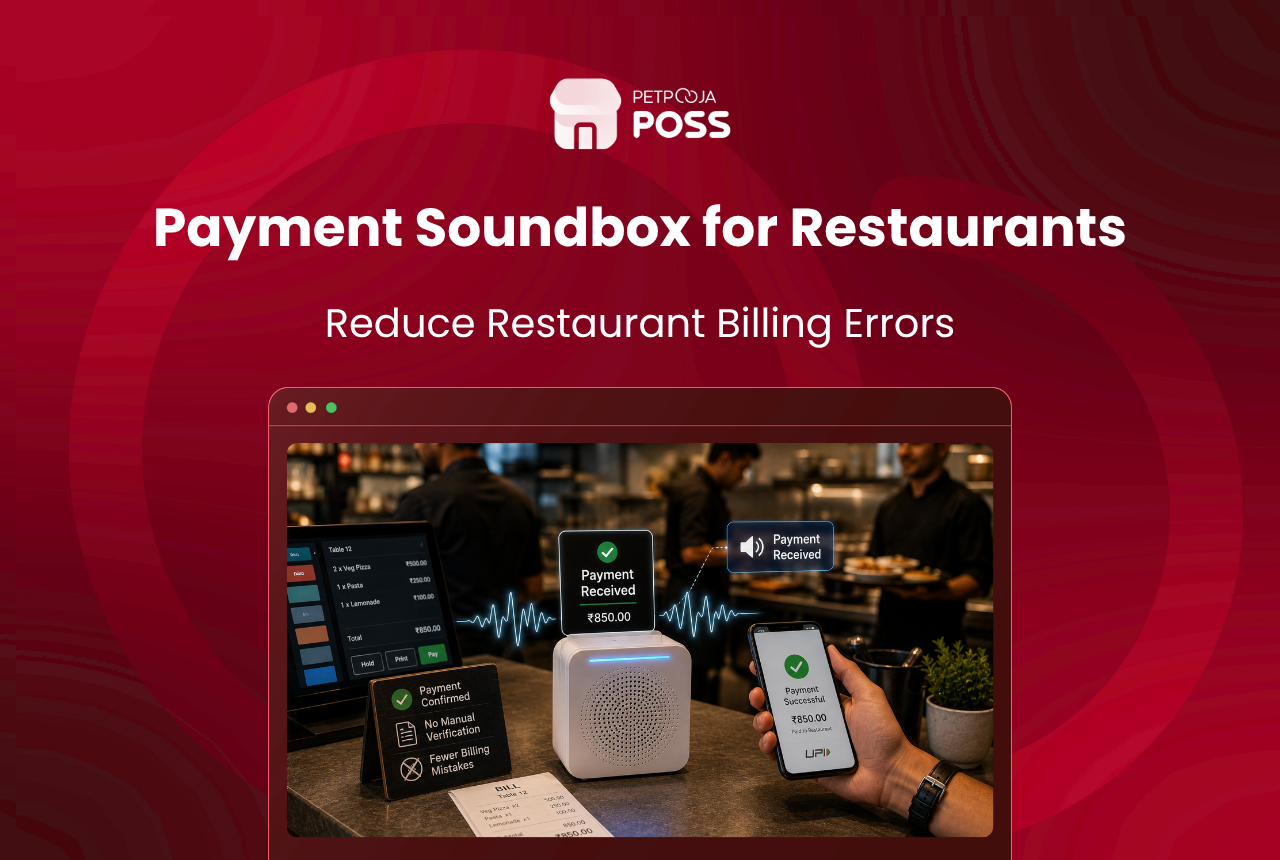
A payment soundbox is a small device that announces each digital payment out loud the moment it lands. When a customer pays by UPI or scans a QR code, the box reads out the amount in a clear voice. Your cashier hears the payment go through instead of leaning over a phone screen to check it.
That one voice alert is what cuts billing mistakes. Most errors at a busy counter come from a payment nobody confirmed properly. A bill gets marked paid before the money arrives. A customer is charged twice because staff missed the first success screen. A real payment sits unverified while the cashier squints at a phone. A soundbox takes the guesswork out by confirming the payment by ear.
Petpooja Finance builds this into your billing setup. For integrated QR payments, its soundbox announces a real-time voice confirmation the instant a customer pays. For static QR codes, you can switch on configurable voice notifications on both the web and the POS, with a choice between English and Hindi.
Key Takeaways
- A payment soundbox reads out each digital payment out loud the moment it is received
- It cuts billing mistakes by confirming a payment by ear, so staff never act on money that has not cleared
- Petpooja Finance supports a soundbox for integrated QR payments, with instant voice confirmation
- For static QR, configurable voice notifications can be turned on across web and POS in English or Hindi
- Finance also auto-settles its dynamic QR payments, closing the order and releasing the table without a manual step
What to Check Before You Rely on a Soundbox
A soundbox only earns its place if it fits how your counter actually runs. A few practical checks decide that, and none need a technical background to judge.
- Integrated or static QR. Confirm which type of QR your outlet uses, since the soundbox for integrated QR and the voice notifications for static QR are set up differently.
- Language your staff prefer. For static QR, pick English or Hindi so the alert is understood at a glance, not puzzled over.
- Where it sits and how loud. Place it within earshot of the biller, where the kitchen and music will not drown it out.
- It feeds your records. A voice alert is for speed at the counter. The payment should still land in your billing system so your reports and reconciliation stay right.
- Peak-hour behaviour. The whole value shows up during a rush, so judge it on a busy evening, not a quiet afternoon.
Working through this short list saves the awkward discovery, weeks later, that the alert was set to the wrong language or placed where nobody could hear it. It also helps to fold a quick payment check into your restaurant opening and closing checklist, so any gap between what the counter heard and what the bank shows turns up the same day.
What Is a Payment Soundbox?
A payment soundbox is an audio device that sits near the till and speaks up when money arrives. Most Indian shoppers have already heard one at a kirana store or a tea stall, calling out a UPI amount as they pay. It does one job well: it turns a silent, on-screen payment into something the whole counter can hear.
In a restaurant, that matters because the counter is rarely quiet. Staff are printing bills, packing orders, and answering the phone all at once. A payment that only shows up on a small screen is easy to miss. A spoken alert reaches the person handling the bill even when their hands and eyes are busy elsewhere.
The soundbox does not replace your billing software. It works alongside it. The payment still reaches your records so your daily sales report stays correct. The voice alert simply gives staff instant, hands-free proof that the payment cleared.
Why Do Missed Payment Confirmations Cost You Money?
The gap a soundbox fills is small but expensive. When a payment is not confirmed in the moment, staff either hold up the queue to check, or they guess. Both choices carry a cost during a rush.
Here are the everyday slips a spoken alert is built to stop:
- Bill marked paid before the money lands. Staff assume a scan worked, close the bill, and only find the shortfall at day-end.
- Double charging. The success screen is missed, the customer is asked to pay again, and now you owe a refund and an apology.
- The stalled queue. The cashier keeps checking a phone for a payment that already cleared, and the line behind stops moving.
- He-said-she-said with the customer. Without a clear signal, staff and diners argue over whether a payment went through at all.
None of these are dramatic on their own. Added up across a month of dinner rushes, they quietly eat into takings and slow every table down.
How Does Petpooja Finance’s Soundbox Work?
Petpooja Finance, the payment layer inside Petpooja POSS, handles this in two ways, depending on how a restaurant takes its QR payments.
For integrated QR payments, Finance supports a soundbox that announces a real-time voice confirmation the instant a customer pays. Staff no longer depend on spotting a screen, so missed verifications drop and checkout stays smooth through peak hours. Finance pairs this with auto-settlement for its dynamic QR payments. On a successful payment, the order is settled and the table released on its own, which takes out a manual step at the counter.
For static QR payments, the ones printed on a standee or a bill, Finance lets you switch on configurable voice notifications. You can enable them on both the web and the POS. You also choose the announcement language, with English as the default and Hindi as an option. When switched on, the voice announcement replaces the older notification sound, so staff recognise a successful receipt by ear.
On an integrated QR payment, the voice alert follows a simple sequence:
- The customer scans the QR shown for that bill and pays.
- Petpooja Finance receives the successful payment.
- The soundbox announces the amount out loud at the counter.
- For dynamic QR, Finance settles the order and releases the table without a manual step.
The point of both setups is the same. Staff act on a payment that has really cleared, not one they hope has cleared.
Where Does a Soundbox Help Most?
The gain is largest wherever the queue moves fast and staff cannot keep watching a screen. A voice alert lets one person run billing and still catch every payment.
Here is an example, not a real outlet. Picture a QSR counter in Indiranagar, Bengaluru, during the 9 pm rush, with one biller taking cash, cards, and UPI at the same window. On a normal night, the biller keeps glancing at a phone to confirm each scan, and the line stalls each time. With a soundbox calling out payments, the biller keeps facing the customer and the queue keeps moving.
The same holds for a cloud kitchen packing delivery orders, where staff are away from the screen with their hands full. It also helps at the table, where a captain settling a bill on the spot hears the confirmation without walking back to the counter. Faster confirmation is one more lever on the wider goal of cutting customer wait time.
How the Soundbox Fits Your Wider Payment Stack
A soundbox is one piece of how money reaches a restaurant. A typical outlet also takes card taps, cash, and weekly settlements from delivery apps. The voice alert covers the QR share of that mix, and it works best when the rest of the stack is tidy too.
UPI now carries the bulk of digital payments at Indian counters, which is exactly why a QR confirmation deserves its own alert. The NPCI’s monthly UPI statistics keep showing that scale month after month. Many outlets also print their own UPI QR straight onto the bill, so a scan pays the exact amount without the biller keying anything in.
Card payments run through a separate device, the EDC machine on Pay+. When card and UPI are each recorded cleanly, your day-end totals hold together. All of this sits inside Petpooja Finance, so the payment a soundbox announces is the same one your reports read later.
Conclusion
Billing mistakes at a restaurant counter are rarely about dishonesty. They come from a payment that nobody could confirm in the moment. A payment soundbox closes that gap by turning a silent, on-screen payment into a clear spoken alert the whole counter can hear.
Petpooja Finance offers this two ways: a soundbox that gives real-time voice confirmation on integrated QR payments, and configurable voice notifications for static QR in English or Hindi. Both let staff trust a payment by ear and keep the queue moving. Recording card and UPI cleanly also feeds better card and UPI reconciliation at day-end, so your takings are easier to match. To see voice alerts on your own counter, ask the Petpooja team for a demo.
Frequently Asked Questions
A payment soundbox is a small device that announces each digital payment out loud the moment it is received. When a customer pays by UPI or scans a QR code, the box reads the amount in a clear voice, so staff hear the payment go through instead of checking a phone screen.
Most counter errors come from an unconfirmed payment: a bill marked paid before the money lands, a double charge because staff missed the first success screen, or a real payment held up while the cashier checks a phone. A voice alert confirms the payment by ear, so staff act only on money that has actually cleared.
Yes. For static QR payments, Petpooja Finance lets you switch on configurable voice notifications on both the web and the POS, with a choice of language between English and Hindi. The voice announcement replaces the existing notification sound, so staff recognise a receipt by ear.
For integrated QR payments through Petpooja Finance, the soundbox announces a real-time voice confirmation the instant a customer pays. For static QR, configurable voice notifications can be enabled separately. Both cover the digital payments that pass through a QR at the counter.
The voice alert tells staff a payment cleared, which is enough to release the customer quickly. The record still lands in your billing system, so your daily totals stay accurate. For dynamic QR payments routed through Finance, a successful payment can also settle the order and release the table on its own, which ties into how Petpooja makes online order reconciliation effortless.








