
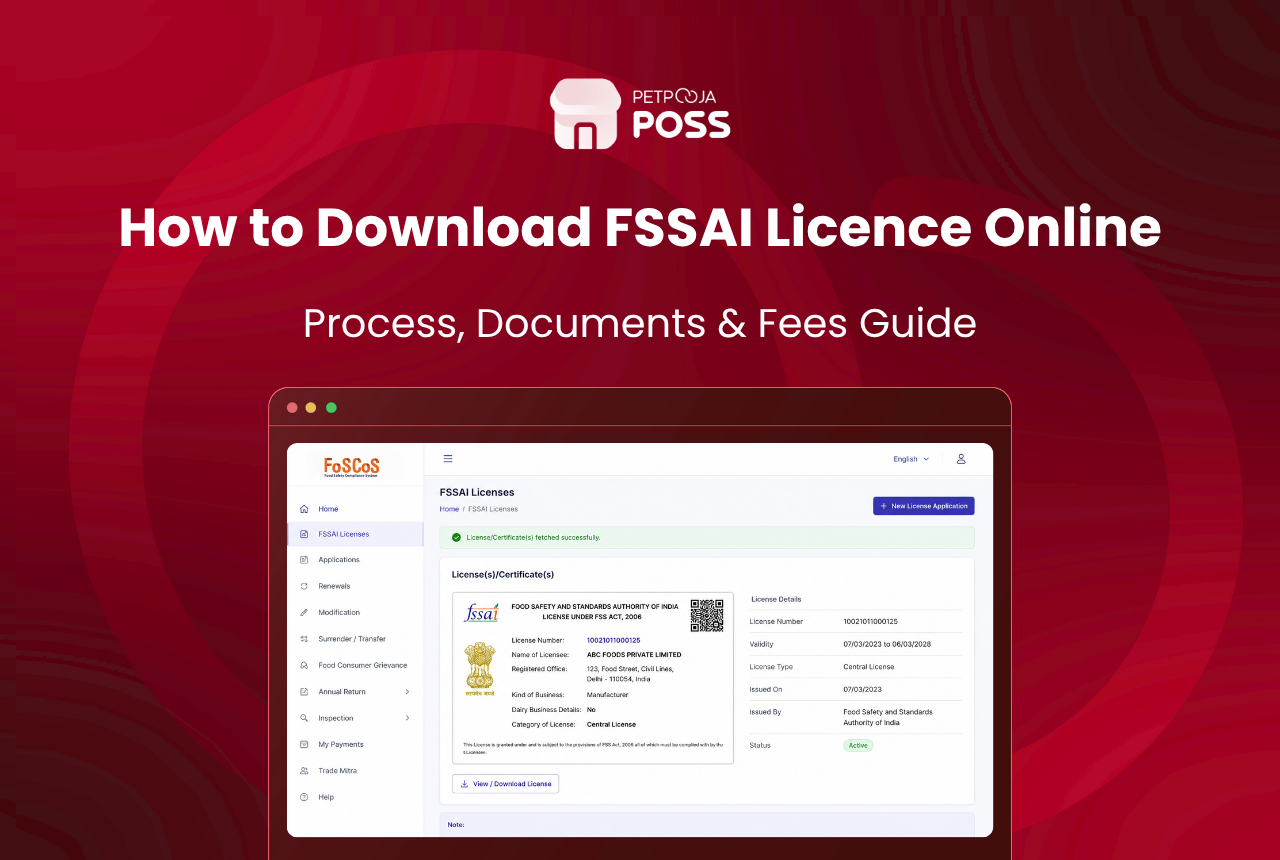
Your FSSAI certificate is downloaded from the same portal you applied on. Log in to FoSCoS, open Issued License/Registration from the dashboard menu, click your licence number, and save the PDF. It costs nothing.
The certificate only appears once the application has been approved. Before that the dashboard shows an application status instead, and that is where most of the confusion starts.
Across the food businesses we work with, the download is rarely the hard part. Losing the FoSCoS login is.
Key Takeaways
- FoSCoS is the only place to download the certificate, and it is free
- The certificate appears only after your application is approved
- A true copy must stay displayed at the premises at all times
- The 14-digit number belongs on every bill and menu
- Perpetual validity still leaves an annual fee to pay
What You Need Before You Download the FSSAI Certificate
Two things, and neither can be worked around.
The first is an approved application. FoSCoS issues the certificate only once the licensing authority clears your file. Until then the dashboard shows a status instead:
- Submitted or Under Scrutiny: the file is with the authority
- Inspection Scheduled: an officer is due to visit, common on State and Central licences
- Reverted: a query has been raised and the file is back with you
- Approved or Issued: the certificate is ready to download
Reverted is the one to watch. Respond within 30 days or the file can be rejected outright, and the fee already paid goes with it. Our FoSCoS application guide covers that stage.
The second is the login itself. FoSCoS ties the account to the user ID created at application time, along with the mobile number and email registered against it. If a consultant filed on your behalf, that login usually sits with them.
How to Download Your FSSAI Certificate in 4 Steps
The screens are the same for a registration certificate and a full licence.
Step 1: Log in to FoSCoS
Open the FoSCoS portal at foscos.fssai.gov.in and use the login option on the home page.
You will need the user ID, the password and the captcha shown on screen. The user ID is the one set up when the application was filed, which is often not the same as your email address.
Reach the portal by bookmark or by typing the address, rather than through a search result. The real certificate never costs anything, so any page asking for a payment to fetch it is not the official one.
Step 2: Open Issued License/Registration
The dashboard menu runs down the left of the screen.
Find the entry marked Issued and expand it, then choose Issued License/Registration. This list holds every approved licence and registration sitting on the account.
A bakery chain running three outlets on separate licences (an example) sees three rows here, not one. That is normal. Anyone doing multi-outlet management should expect the list to grow by one row per premises.
Step 3: Open Your Licence Record
Each row shows the licence number, the business name and the premises address.
Click the licence number of the outlet you want. Check the address on screen first, because chains often hold several records that differ only by locality. Pick the wrong row and you print a certificate for a different kitchen.
The record also shows the current status. If it reads anything other than active, deal with that before you print, because the PDF will not say so on its face.
Step 4: Download the PDF and Print It
Use the download option on the record to save the certificate as a PDF.
Save it somewhere that survives a laptop change. A shared drive folder beats a desktop. The copy FSSAI emails to your registered address is a useful second source if the portal is down.
Name the file so the next person can find it. Something like `fssai-andheri-outlet.pdf` beats `download(3).pdf` when an inspector is standing in front of you. Print a copy straight away, because the printed certificate is what gets asked for.
FSSAI Registration Certificate or Licence: Which You Hold
The download screen is the same either way, but the document you get is not.
Registration is for the smallest food businesses, and a licence is for everyone above that line. The split runs on annual turnover. From 1 April 2026 it sits at ₹1.5 crore for registration, ₹1.5 crore to ₹50 crore for a State licence, and above ₹50 crore for a Central licence.
Which one you hold changes the heading on the certificate and the authority named at the bottom. It does not change how you download it, where it must be displayed, or the fact that the number runs to 14 digits.
Crossing a threshold matters here. Take a caterer in Aundh who passes ₹1.5 crore (an example). They have to move from registration to a State licence, and the old registration certificate stops being the right document to display. Our FSSAI fee calculator shows what each level costs.
What Your FSSAI Certificate Shows
Worth reading properly once, because several fields get quoted wrongly later.
| Field on the Certificate | What It Tells You |
|---|---|
| 14-digit licence number | The number that goes on bills, menus and packaging |
| Name and address of the business | Must match the premises actually operating |
| Category of business | Restaurant, caterer, retailer, manufacturer and so on |
| Kind of business or food products | The activities you are permitted to carry out |
| Validity | Perpetual under the 2026 amendment, unless suspended or cancelled |
| Issuing authority | State or Central, depending on your turnover |
The address matters most. An FSSAI certificate covers one premises, so a second kitchen or a new outlet needs its own licence rather than a copy of this one.
What to Do If You Cannot Log In
This blocks more downloads than any technical fault.
FoSCoS has a forgot password link on the login page. It sends a reset to the registered mobile number and email, so it works only if both still belong to you.
Take a sweet shop in Rajkot that opened in 2019 (an example). The agent who filed the application used his own phone number on the form, and he stopped trading two years later. Every reset link still goes to that dead number. Where a consultant filed under their own details, ask them for the credentials in writing before anything else.
If the registered mobile number is dead, the reset cannot reach you at all. That becomes a request to the licensing authority to update the contact details on the account, handled through the Food Safety office for your state. It is slower than any other route here, which is why the login is worth keeping alive.
You can still confirm the licence exists in the meantime. The public FBO search on FoSCoS returns the status against a licence number without any login, and our FSSAI licence check guide walks through it.
Where the FSSAI Certificate and Number Must Appear
Downloading it is only useful if the certificate ends up where the rules expect.
The FSS Licensing and Registration Regulations set the rule. A true copy of the licence granted in Form C must be displayed at a prominent place, at all times, inside the premises. A copy in a drawer does not satisfy that.
The 14-digit number then has to travel further than the wall. It belongs on your bills, on the menu card alongside the veg and non-veg marks that the food labelling rules set out, and on packaging for anything you sell sealed.
Getting the number onto every bill is a billing setup job, not a compliance one. A restaurant POS prints it on every bill and digital receipt once it is entered during setup, so no cashier has to remember. Our restaurant bill format template shows exactly where it sits.
Handwritten bills are where this slips. If POS billing is not in place yet, the number has to be added by hand to every single bill, and it stops happening within a week.
Why a Downloaded Certificate Can Still Stop Being Valid
Perpetual validity changed what the certificate says, not what you owe.
The Health Ministry’s announcement of the 2026 reforms put it plainly: registrations and licences now carry perpetual validity, so the one-to-five-year renewal cycle has gone. A licence already in hand generally runs its printed validity and moves to the new regime at renewal. Check the expiry on the PDF you just downloaded rather than assuming, and our FSSAI renewal guide covers the change.
Less well known is the condition attached. The licence is treated as suspended if the annual fee goes unpaid or the compliance return is not filed on time, and no inspector has to visit for that to happen.
So a certificate you downloaded last year can sit framed on the wall while the licence behind it is suspended. Pay the fee on time and keep the acknowledgement with the PDF. It can also be paid several years in advance, which is worth doing if a missed reminder is the real risk.
Conclusion
The download itself takes about two minutes. Log in to FoSCoS, open Issued License/Registration, click the licence number, save the PDF.
Everything around it takes longer. Keep the login working and the registered mobile number current. Print the certificate and display it where customers can see it. Then get the 14-digit number onto every bill and menu.
If that number is not on your bills yet, fix it at the billing end rather than by hand. Enter it once in Petpooja POSS and it prints on every receipt from then on.
Frequently Asked Questions
No. The download from FoSCoS is free, and FSSAI does not charge for a copy of a certificate you already hold. Sites asking for a payment to fetch it are not official. Fees apply to the application itself and to the annual charge, not to the download.
Not the certificate itself. The public FBO search shows the licence status, holder name and validity against a number, which is enough to verify a supplier, but the downloadable PDF sits behind the account login.
Registration is for the smallest food businesses and a licence is for larger ones, with the split set by annual turnover. Both are downloaded from the same place on FoSCoS. Which one you hold decides the fee and the level of the issuing authority.
Generally yes. An FSSAI certificate is tied to one premises, so outlets at different addresses each need their own, and a head office licence does not cover a branch. Two kitchens inside a single campus can sometimes run on one licence, so check that with your licensing authority rather than assuming it. Our legal compliance checklist lists what else runs per outlet.
Apply for a modification on FoSCoS rather than downloading again, because the PDF only reprints what is on record. Since an FSSAI order of 30 September 2021, a change of premises is handled as a modification and you keep the same 14-digit number instead of surrendering the licence. Trading from an address that does not match the certificate is treated as operating without a valid licence.








