
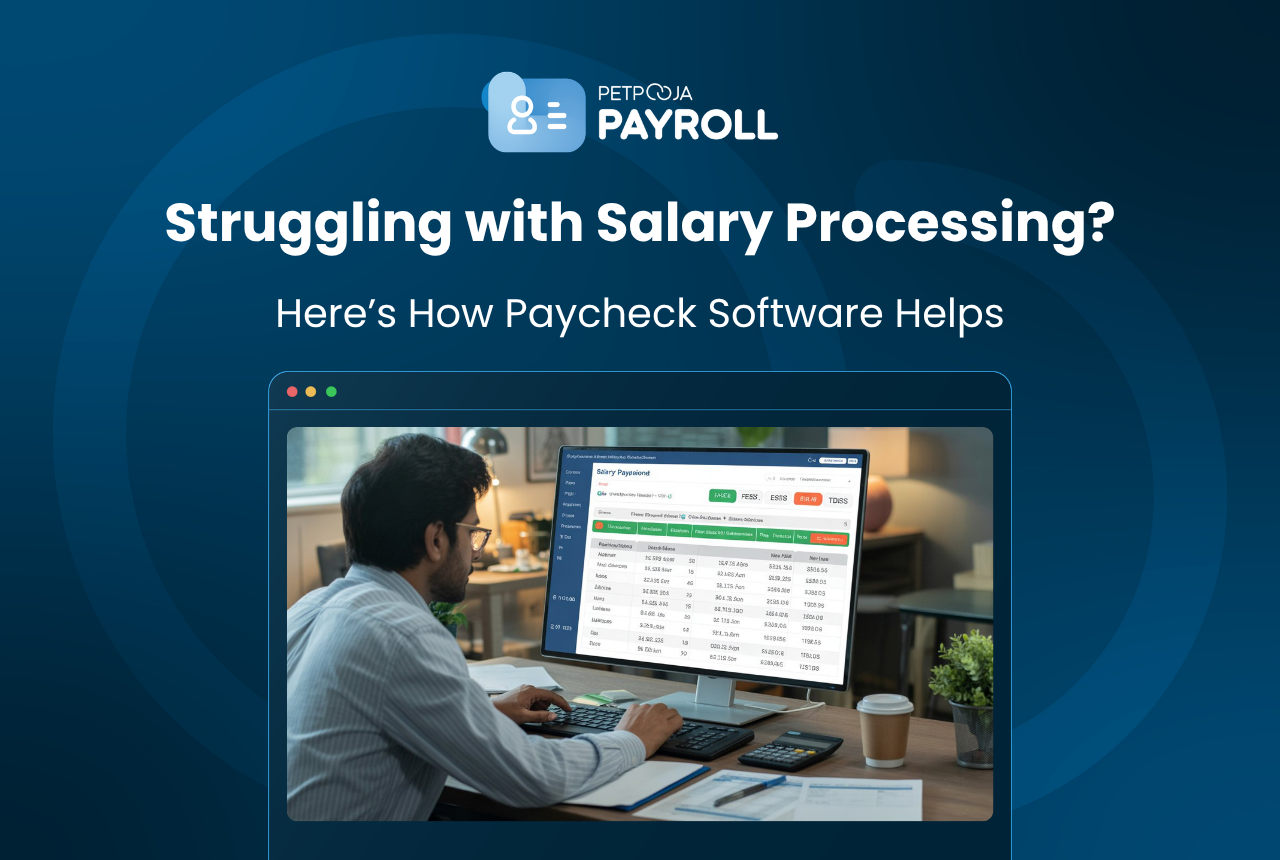
Setting up paycheck management software takes about a day of focused work, and after that first day, your monthly payroll cycle drops from 3-4 days to under two hours. The seven steps below walk you through the full setup: adding employees, configuring salary templates, connecting attendance hardware, setting up PF/ESIC/TDS rules, running your first payroll, generating payslips, and filing statutory returns. We use Attendo (formerly Petpooja Payroll) as the reference tool, but the workflow applies to most cloud-based payroll systems in India.
TL;DR: Add employees in bulk, set salary templates once, connect biometric attendance, configure statutory rules, and run payroll in one click. The tool handles calculations, payslip delivery, and return file generation from there.
Key Takeaways
- First-time setup takes 4-8 hours depending on team size; monthly payroll runs take under 2 hours after that
- Bulk employee upload (50 staff in 60 seconds) replaces manual one-by-one data entry
- Salary templates apply the same breakup to all employees in a group, eliminating per-person calculations
- Statutory compliance (PF/ESIC/TDS/PT) auto-calculates once configured; rates update when government changes thresholds
- India’s payroll compliance framework requires PF deposits by the 15th of each month and TDS filings quarterly via Form 24Q (Bharat Payroll, 2026)
Step 1: Add Your Employees to the System
The starting point is getting your employee data into the platform. Most businesses migrating from Excel or paper records have two options.
Bulk upload is the faster route. Export your existing employee list into a CSV template (the software provides a downloadable format), fill in columns for name, employee ID, date of joining, department, designation, bank account number, PAN, Aadhaar, UAN, and ESIC number. Upload the file and the system creates all records at once. A garment manufacturer in Surat with 65 employees across two units finished this step in under 40 minutes using Attendo’s bulk upload. Read more about how this works in our new employee setup guide.
Manual entry works for smaller teams. A coaching institute in Kota with 12 faculty members might prefer adding each person individually so they can double-check PAN and bank details as they go. The form captures the same fields as the CSV, but you fill them one at a time.
One detail that catches people: make sure UAN and ESIC numbers are correct at this stage. Wrong UAN means your monthly ECR file gets rejected by the EPFO Unified Portal. You don’t want to discover that on the 14th when the deposit deadline is the 15th.
Step 2: Build Your Salary Templates
This is the step that saves the most time over the life of the payroll tool. A salary template defines how an employee’s CTC breaks down into components.
For most Indian SMEs, the standard template looks like this:
| Component | Typical % of CTC | Taxable? |
|---|---|---|
| Basic Salary | 40-50% | Yes |
| HRA | 20-25% (40-50% of basic) | Partially exempt |
| Conveyance Allowance | Fixed (up to ₹1,600/month exempt) | Partially |
| Special Allowance | Balance of CTC | Yes |
| Employer PF | 12% of basic | No (employee side) |
| Employer ESIC | 3.25% of gross (if eligible) | No |
You create one template per salary band or employee group. A diagnostic chain in Lucknow with three categories (technicians, nurses, and admin staff) built three templates. Each template applies to every employee in that group. When a new technician joins in July, you assign them the “Technician” template and their entire salary structure populates from that single selection.
The template also determines which components feed into PF calculation (basic + DA only), which feed into ESIC (gross salary), and which count toward professional tax (gross minus employer contributions). Set these mappings once and the system applies them to every payroll run going forward.
Step 3: Configure Statutory Compliance Rules
Payroll compliance is where manual processes break down hardest. A single miscalculation in PF or ESIC can snowball into penalties, and Indian statutory rules have enough edge cases to trip up even experienced accountants.
Here is what you configure:
Provident Fund: Employee contributes 12% of basic + DA. Employer contributes 12%, split into 8.33% to EPS (capped at ₹15,000 basic) and 3.67% to EPF. Your payroll setup needs to specify whether you’re opting for the statutory PF ceiling of ₹15,000 or paying PF on actual basic for higher-salaried staff. A construction firm in Thane with 90 workers chose to restrict PF to the ₹15,000 ceiling; a pharma company in Baddi applied PF on full basic because their union agreement required it.
ESIC: 0.75% from the employee, 3.25% from the employer, applicable to employees earning gross up to ₹21,000/month as per the ESIC contribution rules. The payroll tool monitors this threshold. When an employee’s gross crosses ₹21,000, ESIC deductions stop from the next contribution period.
Professional Tax: Varies by state. Maharashtra charges ₹200/month for employees earning above ₹10,000. Karnataka has different slabs. Gujarat charges ₹200/month above ₹12,000. You select your state, and the payroll dashboard applies the correct slab.
TDS: The system needs each employee’s tax regime choice (old or new) and their investment declarations under Section 80C, 80D, HRA exemption, etc. Employees can submit these through the mobile app if your software supports it. Petpooja’s compliance engine then calculates monthly TDS based on projected annual income and declared deductions. Form 24Q gets generated quarterly in the format the TRACES portal expects (Hono, 2026).
Step 4: Connect Attendance to Payroll
If attendance data doesn’t flow into the payroll system on its own, you’re still doing half the work manually. There are three ways this connection works:
Biometric device sync. Attendo ships a face-recognition device with every subscription (lifetime warranty). The device records punch-in and punch-out times, and attendance data syncs to the payroll dashboard without anyone exporting a CSV or copying numbers from a register. A textile mill in Ichalkaranji with 50 loom operators set up the device at the factory gate on a Monday morning and had two weeks of clean attendance data by the time their first payroll run came around.
Mobile app attendance. For field teams, delivery crews, or employees at sites without a fixed device, mobile selfie attendance with GPS tagging works as the alternative. A pharma distribution company in Rajkot with 15 field sales reps uses app-based punches, and each punch records location coordinates alongside the timestamp.
Manual upload. The fallback option. Export attendance from your existing biometric vendor’s software as a CSV and import it into the payroll tool. This works but adds a manual step every month.
For a fuller comparison of attendance methods, read our leave and attendance management guide.
Step 5: Run Your First Monthly Payroll
With employees loaded, salary templates assigned, compliance configured, and attendance connected, you’re ready to process payroll. The actual payroll run is the shortest step in the entire setup.
On Attendo, the flow looks like this: go to Payroll, select the month, and click Process. The system pulls attendance data, counts present days, applies salary templates pro-rata for absent days or late joiners, calculates PF/ESIC/TDS/PT deductions, processes any loan EMI recoveries or advance adjustments, and generates the net payable figure per employee.
A hotel chain in Udaipur with 85 staff across three properties ran their first payroll in March 2026. The entire calculation for all 85 employees took four minutes. The operations manager spent another 30 minutes reviewing the numbers before finalising, checking three things: that a late joiner from March 12th was pro-rated correctly, that one employee who crossed the ESIC threshold was flagged, and that the Diwali bonus paid in October wasn’t being double-counted.
After review, you finalise the payroll. The system locks the numbers for that month.
Step 6: Generate Payslips and Process Payments
Payslip generation happens in bulk after you finalise the payroll. One click creates a payslip for every employee showing gross earnings, each deduction line item (PF, ESIC, PT, TDS, loan recovery), and net pay.
Where the payslips go depends on your team:
- WhatsApp delivery works best for factory floors, kitchen staff, and field teams who check WhatsApp before they check email. Across 30,000+ Attendo clients, including ISKCON, Mapro, and L&T, WhatsApp is the most-used delivery channel
- Email delivery suits corporate offices and teams with company email IDs
- App notification pushes the payslip to the employee’s Attendo mobile app, where they can download it anytime
For bank payments, the system exports a ready-to-upload file in your bank’s format (NEFT, RTGS, or UPI batch). A supermarket chain in Aurangabad with 40 employees across two stores downloads the NEFT file, uploads it to their HDFC corporate banking portal, and salaries hit accounts within 24 hours.
If you’re still figuring out the full payroll cycle, our guide to paycheck management software explains each phase from input to output.
Step 7: File Statutory Returns
The last step each month is filing statutory returns with government portals. This used to be the most error-prone part of manual payroll because each portal expects a specific file format, and one wrong column header means a rejection.
Your payroll tool generates these files in the exact format each portal accepts:
- EPFO ECR file: Upload to the Unified Portal by the 15th of the following month. The system generates this from your PF configuration, with employee-wise breakup of EPF, EPS, EDLI, and admin charges
- ESIC challan: Due by the 15th. The system calculates employee and employer contributions and generates the payment challan
- Form 24Q: Quarterly TDS return filed on the TRACES portal. Petpooja populates employee-wise TDS deductions, PAN details, and salary breakup in the format TRACES expects. Due dates: 31 July, 31 October, 31 January, and 31 May (Workway, 2026)
- Professional Tax challan: Monthly or half-yearly depending on state rules
A manufacturing unit in Hosur that was paying ₹5,000/year to their CA just for ECR file preparation now generates the file from Petpooja’s dashboard in under a minute.
For businesses transitioning from Excel, our guide on switching from spreadsheets to payroll software covers the migration process step by step.
What Happens After the First Month?
The first month is the hardest because you’re loading data, verifying configurations, and learning the interface. From month two onward, the cycle shrinks to three actions: review attendance (10 minutes), process payroll (5 minutes), and verify the output before finalising (30-45 minutes).
Ongoing maintenance is light. You add new joiners as they come (5 minutes per employee), You update investment declarations when employees submit them (they can do this through the app). You adjust salary templates when you revise CTC during appraisals. Everything else runs from the rules you set during initial setup.
For a walkthrough of how the complete system works end to end, see how Attendo works.
Conclusion
Setting up paycheck management software is a one-time investment of 4-8 hours that pays back 3-4 days every single month. The seven steps are sequential: add employees, build salary templates, configure compliance, connect attendance, run payroll, deliver payslips, and file returns. After the first cycle, monthly payroll becomes a two-hour task instead of a multi-day marathon.
The key is getting Step 2 (salary templates) and Step 3 (statutory configuration) right during initial setup. Those two steps determine whether your payroll runs calculate correctly from day one or generates errors you spend months chasing.
Frequently Asked Questions
For a team of 20-50 employees, initial setup takes 4-6 hours. This includes uploading employee data (bulk CSV import takes under an hour), creating 2-3 salary templates, configuring PF/ESIC/TDS/PT rules, and connecting biometric attendance. Larger teams (100+) may need a full working day. From the second month onward, running payroll takes under two hours.
Yes. Most payroll tools accept bulk CSV uploads. You download the software’s template, paste your existing employee data (name, PAN, bank account, UAN, ESIC number, date of joining), and upload the file. Attendo’s bulk upload handles 50 employees in about 60 seconds. The new employee setup guide linked in Step 1 above covers the full walkthrough.
Indian payroll software handles PF (12% employee + 12% employer), ESIC (0.75% + 3.25%), TDS (old and new regime), state-wise professional tax, and Labour Welfare Fund. The software generates ECR files for EPFO, ESIC challans, and Form 24Q for quarterly TDS returns in portal-ready formats.
Not always. Some payroll tools like Attendo include biometric attendance hardware with the subscription. The face-recognition device syncs attendance data directly into the payroll system. If your tool doesn’t bundle hardware, you can use mobile app attendance (selfie with GPS) or import attendance via CSV from your existing biometric vendor.








