
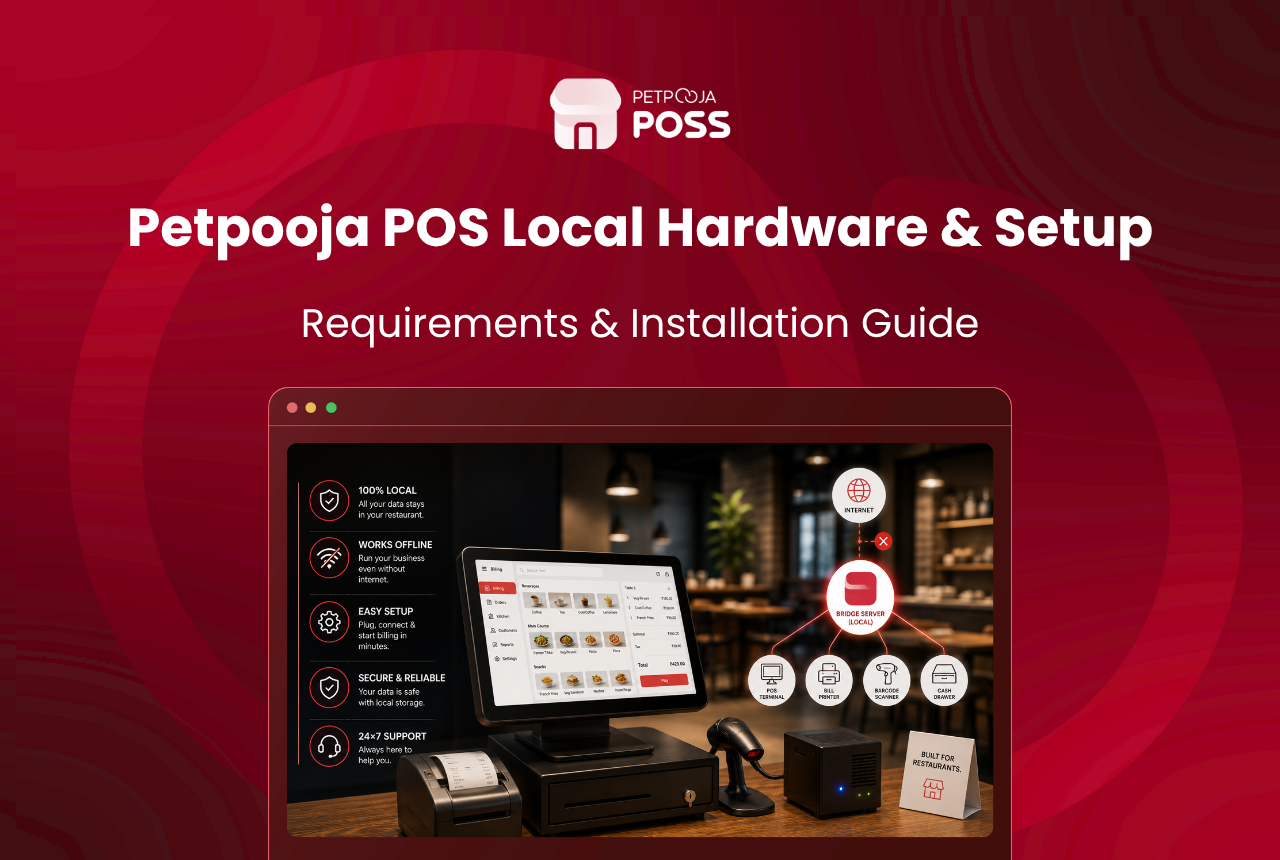
To run Petpooja POS Local, you need 1 dedicated computer at your restaurant to act as the server. It should have an Intel i5 or i7 processor and an SSD rather than a hard disk. A UPS keeps it running through a power cut. That is the core of it.
Everything else is handled for you. The Petpooja team installs the software, sets up the database, and connects your outlet, so you are not left configuring anything technical.
This guide walks you through the specs you need, the software it runs on, and how the setup works, so you know what to arrange before you start. And if anything is unclear as you go, the Petpooja team is there to help you through it.
Key Takeaways
- You need 1 dedicated computer at your restaurant with an Intel i5 or i7 processor, an SSD, and a UPS.
- An SSD is required; a normal hard disk is not supported for daily use.
- The same core setup runs a single outlet up to 50, all on 1 dedicated machine.
- The Bridge Server runs on Windows 11 or newer; the POS app works on both Windows and Mac.
- The Petpooja team installs and sets everything up with you, in 4 simple steps.
POS Local is a guided setup: you arrange the machine, and the Petpooja team handles the install, outlet mapping and go-live across 4 steps.
How is POS Local set up?
Setting it up is easier than it sounds, because you are not doing the technical part. It runs in 4 steps, and the Petpooja team walks through them with you, so you never have to configure anything on your own.
- Install. The team installs the Bridge Server and POS Local on your computer. This is what stores your data locally.
- Save your login. You get your own login details. Keep them somewhere safe, since they give you access to your data.
- Connect your outlet. The team links your outlet to your account in a few clicks.
- Start billing. That is it. You begin billing, with every record staying on the machine at your restaurant.
During the install, the team sets up your database credentials and checks that everything connects correctly before you go live. Once that check passes, your outlet is active and ready. If anything feels unclear along the way, that is exactly what the team is there for.
Worth planning for: POS Local is a fresh setup, not an upgrade from a cloud plan. If you are moving over, the team helps you get your menu and outlets across as part of the same process.
What hardware do you need to run POS Local?
At the centre of the setup is 1 dedicated computer that holds your data and runs the Bridge Server. Here is the spec Petpooja recommends for that machine. It is the same core setup from a single outlet up to 50, with a stronger processor as the load grows.
| What you need | Recommended spec |
|---|---|
| Processor | Intel i5 or i7 (an i7 gives more room to spare for heavier, multi-outlet loads) |
| Storage | 1 TB SSD (an SSD is required; a regular hard disk is not supported for production use) |
| Power backup | A UPS to keep the machine running through a power cut and protect your data |
| The machine | A dedicated computer, kept cool and not shared with other daily work |
If you are not sure which machine fits your outlets, the team will spec it with you. You can start that on the Petpooja POS page.
A desktop CPU is preferred over a laptop, mainly because it handles long working hours and cooling better. A laptop can work, but it is not the ideal choice for a machine that runs all day.
Before the team arrives, it helps to have the computer and the UPS ready, placed somewhere with a steady power point and good airflow. That way the install can run from start to finish in a single visit.
Why do the SSD and UPS matter?
The SSD and the UPS are the parts owners most often ask about, so it is worth a quick word on each.
The SSD is about speed. Your billing reads and writes to the database on this machine all day, and an SSD handles that far better than a slower hard disk. During a dinner rush, bills, KOTs and reports all hit the same database. That speed is what keeps the screen quick rather than laggy. This is why a hard disk is not supported for daily use, only an SSD.
The UPS is about steadiness. A sudden power cut can interrupt the system mid-write, so a UPS keeps it powered long enough to close down cleanly. It is a small addition that keeps your records safe on busy days.
What software and OS does it run on?
The software side is set up for you, but it helps to know what runs where. The Bridge Server, which manages your local database, installs on a computer running Windows 11 or newer.
The POS app your staff bill on works on both Windows and Mac, so your billing screens are not tied to a single kind of device. If your counter already runs on a Mac, your staff keep the setup they know. A database comes built into the setup and installs on its own, so there is nothing separate for you to buy or configure.
If you are weighing this against a standard cloud setup, where there is no hardware to run, our guide on cloud POS vs POS Local lays out the trade in full.
What network setup does POS Local need?
Your billing devices talk to the Bridge Server over your own local network, so every terminal at the outlet has to sit on that same network. The billing traffic between them stays on site, not on the open internet.
If the Bridge Server and your billing screen run on the same computer, there is nothing extra to arrange. If the Bridge Server sits on its own machine, that computer needs a fixed address, called a static IP, so your terminals always find it.
A single device acts as the Master Billing Station and connects to the Bridge Server directly. Your secondary counters, kitchen display and captain devices then connect through that Master Station.
The Petpooja team handles all of this during install, including the network port (Port 7000) your devices use to reach the server. You do not set up any of it by hand. If you later move to a new place, the team updates the static IP and network settings for you.
Is the hardware a one-time cost?
Yes, in the main. The computer is a one-time purchase that you own. A cloud plan, by contrast, is a recurring fee for as long as you use it. What you spend depends on the machine you buy, which is why we point you to a spec rather than a fixed price.
For most owners, the machine is the main upfront cost, with the software billed as a yearly fee. Since it is an investment in the restaurant, it helps to weigh it against what your outlet earns, and a free restaurant profit margin calculator works that out from numbers you already have. Owning the machine is part of what makes Petpooja POS Local yours, from the hardware up.
How are your backups handled?
Once you are running, POS Local keeps your records safe with built-in backups. You can set them to run on a daily, weekly or monthly schedule, and the system keeps the copies for you.
The one habit worth building in: save the backups to a separate drive, such as a D: or E: drive. Keep them off the C: drive the software runs on. That keeps your records safe even if the main system is ever reinstalled. Folding a quick check into your day-end closing routine makes it second nature.
Keeping records on your own hardware also fits the rules. India’s GST record-keeping rules ask you to hold sales records for years. Its data protection law expects the business holding customer data to keep it safe. Both are simpler when the records sit with you.
Conclusion
Running Petpooja POS Local comes down to 1 dedicated computer with the right spec. That means an Intel i5 or i7 processor, an SSD, and a UPS. From there, the Petpooja team installs the software, sets up your database, and connects your outlet in 4 steps. The technical side never lands on you.
Arrange the machine, and the rest is a guided setup. If you want help picking the right hardware for your restaurant, you can book a free demo on the Petpooja POS page and talk it through.
The specs and setup steps here are accurate as of July 2026. We keep improving POS Local so more restaurants can run on it, so for the latest details, reach out to the Petpooja team any time. If anything here is unclear, we are here to help.
Frequently asked questions
You need 1 dedicated computer with an Intel i5 or i7 processor, an SSD, and a UPS. The same core setup runs a single outlet up to 50, and the Petpooja team helps you match the machine to your outlet count.
On the computer running the Bridge Server at your own restaurant, not on an outside server. Our guide on data ownership explains what that control means for you.
No. An SSD is required for daily use, because your billing reads and writes to the database constantly and needs the speed. A regular hard disk is not supported for production.
The machine should be dedicated to POS Local rather than shared with other daily work, so it stays stable during service. If a spare computer meets the spec, it can be used; the team confirms this during setup.
The POS app your staff bill on works on both Windows and Mac. The Bridge Server that holds your database runs on a computer with Windows 11 or newer.
A UPS keeps the computer powered through a power cut, long enough to shut down cleanly rather than stopping mid-task. It is a small addition that keeps your billing steady and your records safe on days when the mains is unreliable.
The setup runs in 4 guided steps with the Petpooja team: install, save your login, connect your outlet, and start billing. The team handles the technical work, so there is nothing for you to configure on your side.








